

XGIMI has redefined its approach to the laser optical engine in its flagship models, introducing significant hardware and software upgrades along with a new lifestyle projector line, the Horizon 20.
In this article, you’ll read my test results and opinion of the flagship model of the series, the Horizon 20 Max and I think you’ll find it very interesting.
The name XGIMI by itself carries weight with any new model the company releases, as it remains one of the most innovative and respected brands in the DLP projector market.
The Horizon series has played a key role in XGIMI’s growth in the home projector market. It all started with the Horizon and Horizon Pro, where XGIMI successfully combined high brightness with an LED-based light engine, an easy-to-use Android TV system, and a stylish design all in one well-balanced package.
The Horizon Ultra introduced a hybrid RGB laser-LED optical system, offering higher image quality and adding Dolby Vision for a more cinematic experience.
Next came the Horizon S Max, which used an improved version of that RGB laser-LED hybrid technology and stood out for its finely tuned Harman Kardon audio system.
Finally, the new Horizon 20 Max takes things a step further, adopting a pure RGB laser optical design that brings the Horizon series to its most advanced level so far.
Let’s get to know the Horizon 20 Max and take a closer look at what it offers, and most importantly, what it does well and what it doesn’t.
XGIMI Horizon 20 Max
Where should I start and where should I end? The Horizon 20 Max is not just a slightly upgraded Horizon, and I want to make that clear right from the beginning.
It’s an entirely new projector, designed from the ground up, with little in common with the previous models in the series other than its exterior shape, which continues the same design language as before.
We also have the familiar integrated gimbal, allowing the projector body to move easily on all axes. I love this system because it makes setup extremely simple.
The Horizon 20 Max is a beautiful projector, exuding a premium feel with a discreet color scheme, the kind of refined styling XGIMI knows how to deliver. Just like the previous models, the Horizon 20 Max comes with a built-in two-axis gimbal and a rotating base plate, making its placement and alignment a matter of just a few seconds.
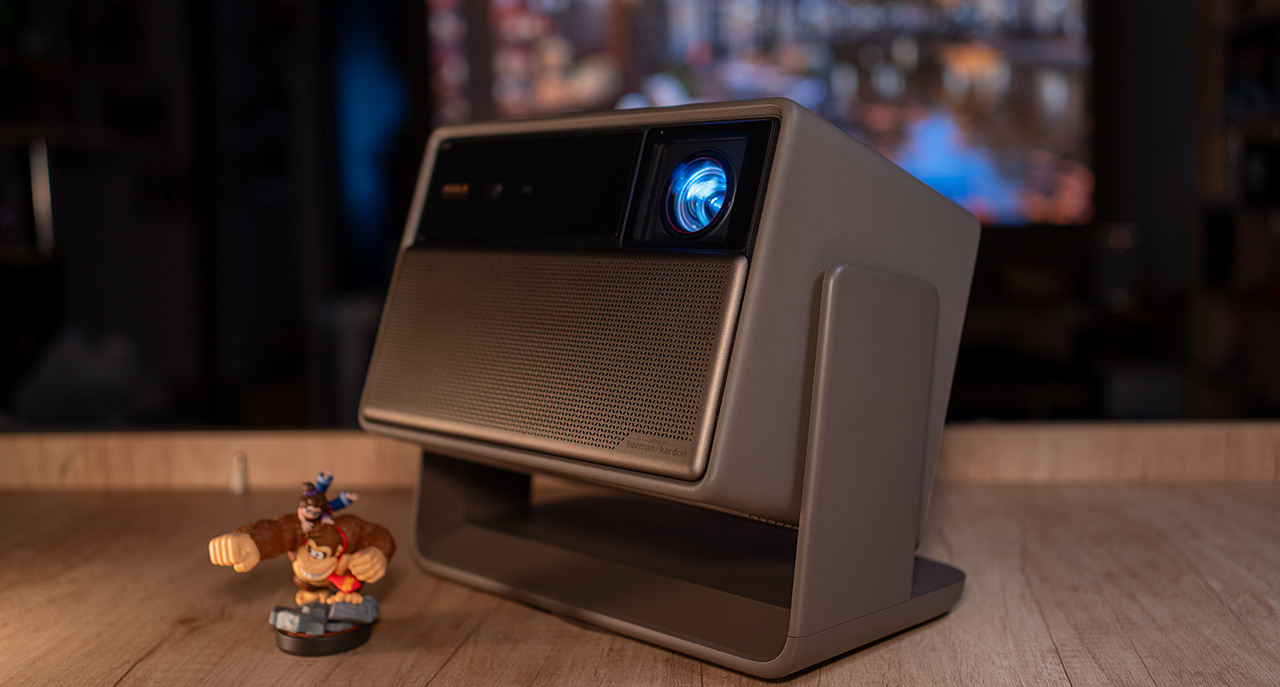
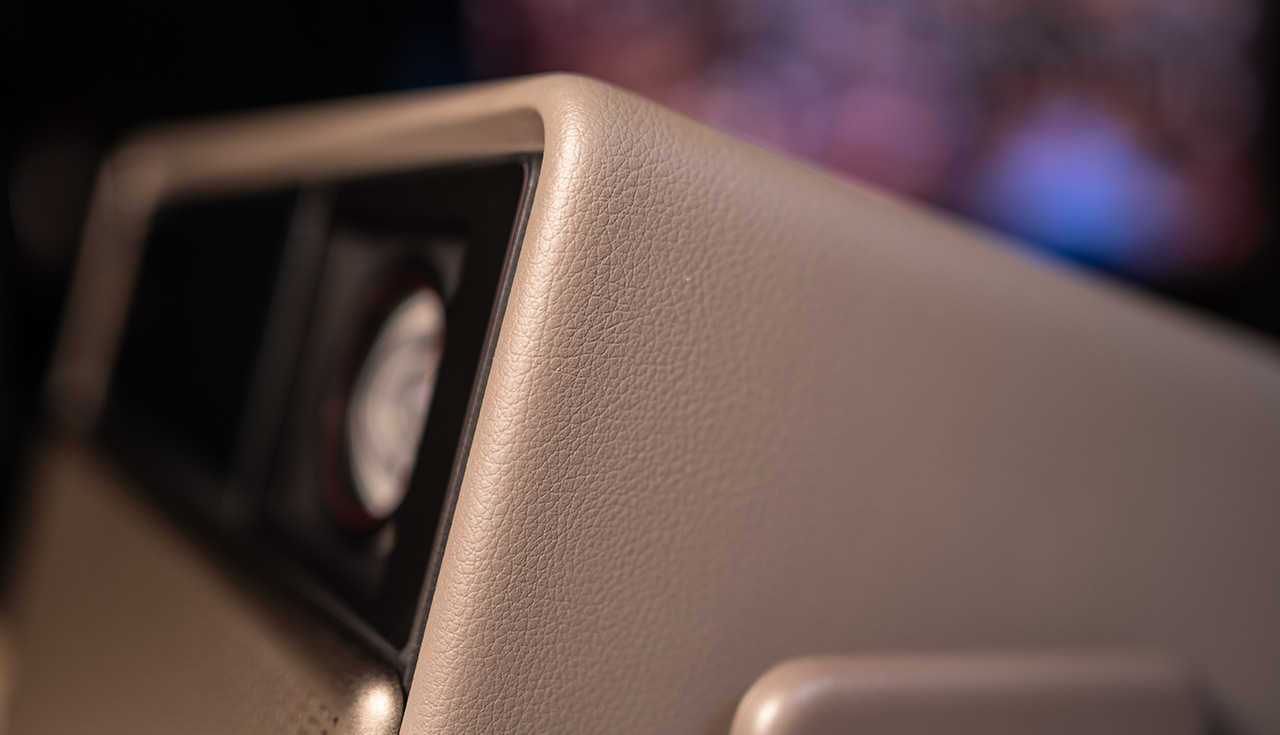
XGIMI has used the same “technique” in the construction of the outer plastic shell of the Horizon 20 Max as in the previous Horizon models. It’s a finish that resembles leather in appearance and gives the projector a sense of luxury, both to the eye and to the touch.
The remote control is made of metal, offering a solid, weighty feel and an overall premium impression. Its five main buttons (Back, Menu, Home, Inputs, and Auto/Manual Focus) are backlit and automatically illuminate via a motion sensor. It connects through Bluetooth and, although not rechargeable, operates with two standard AAA alkaline batteries.
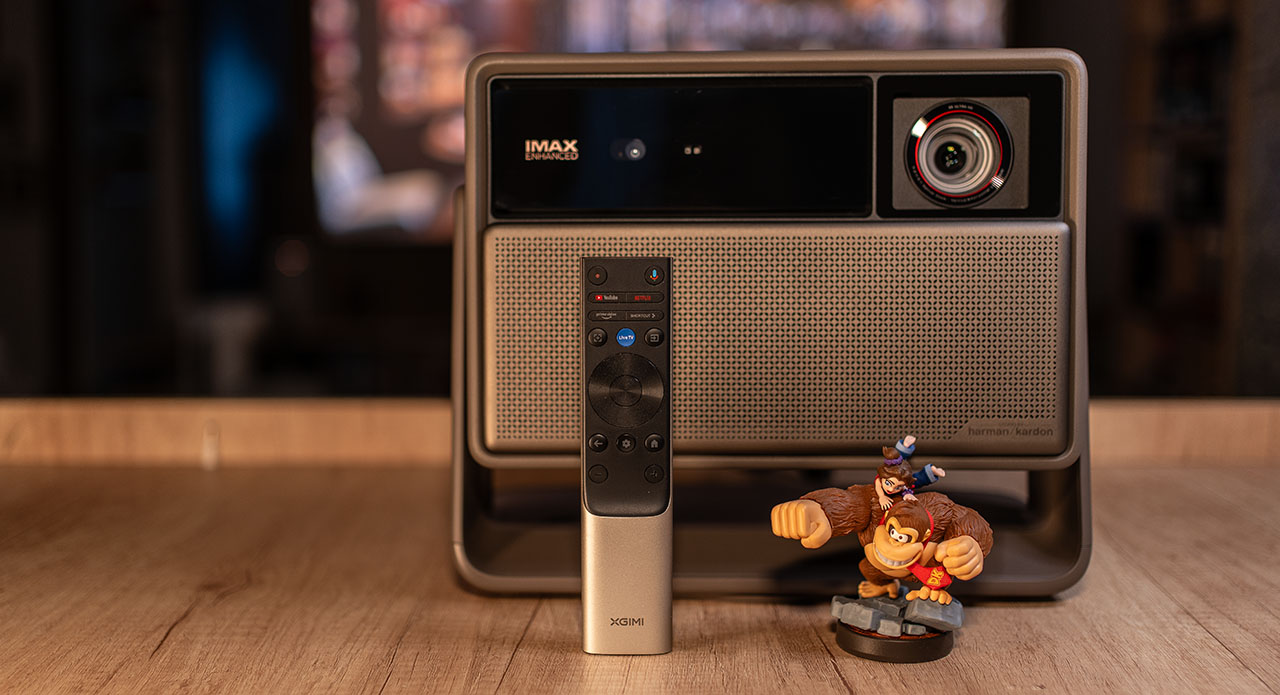
It provides all the essential controls for comfortable operation of the Horizon 20 Max and even includes two programmable buttons, the blue Live TV and the Shortcut key, which can be customized to launch any app you choose. For example, I’ve set the Live TV button to open Plex.
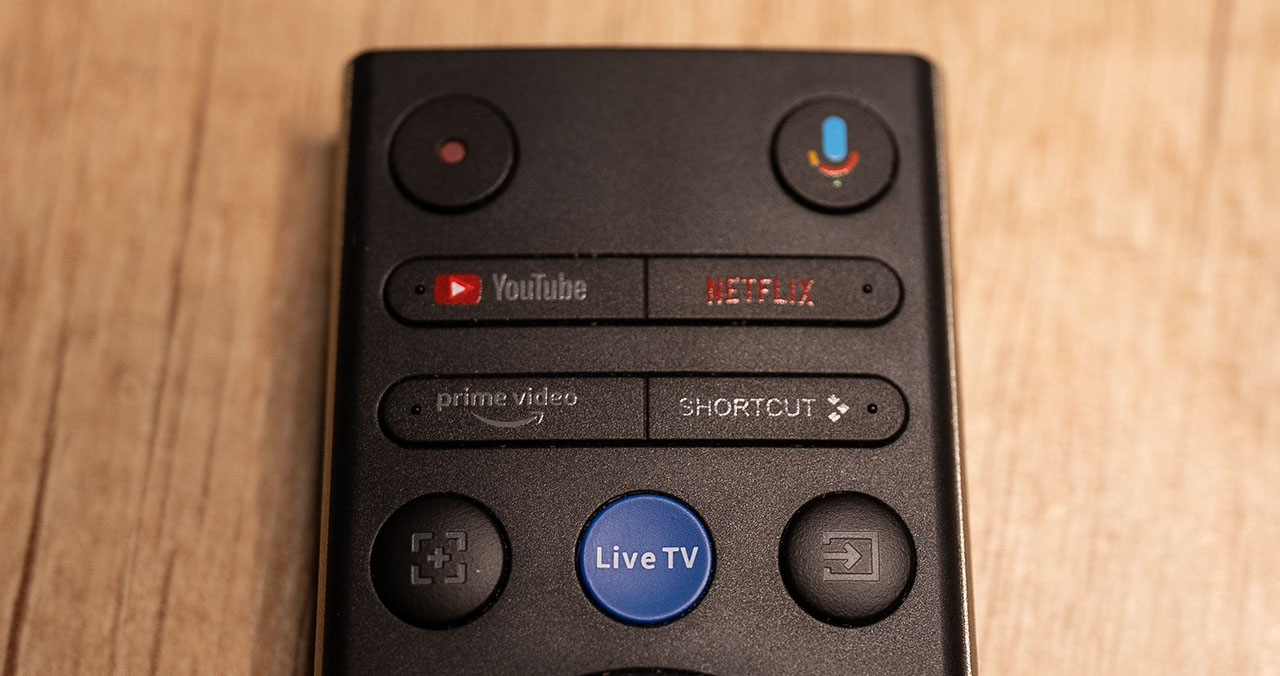
For the more observant users, XGIMI has once again paid attention to detail by giving each button a slightly different shape or adding small raised dots, allowing you to identify them by touch without looking. It’s a subtle detail that reflects the company’s thoughtful design mindset.
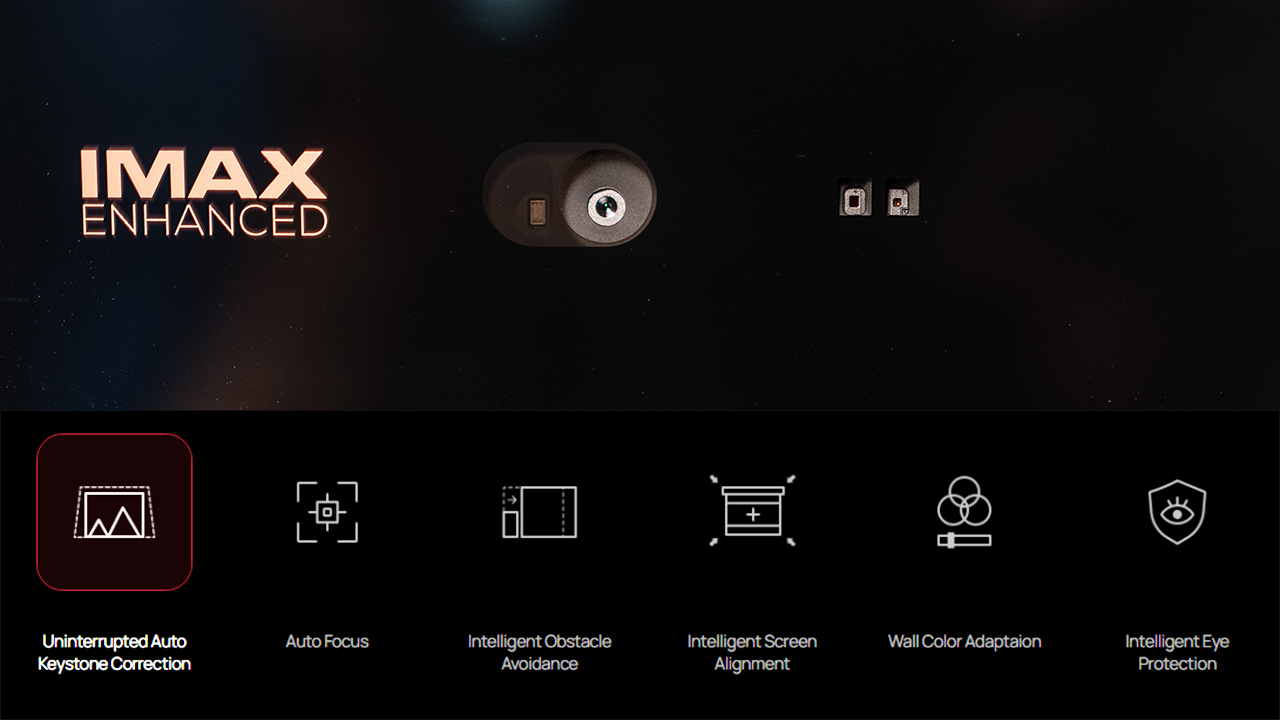
The Horizon 20 Max is equipped with an advanced system of ToF sensors (including a camera, laser, and infrared sensors) which, together with XGIMI’s sophisticated ISA 5.0 software, handles everything automatically. And when I say everything, I mean everything: from keystone correction and autofocus to wall color adaptation.
I accidentally discovered that the autofocus function requires a specific calibration process. The Horizon 20 Max must be positioned between 1.8 and 2.1 meters from the screen to complete it successfully. If the projector is placed outside this range, an error message will appear and the calibration will fail.
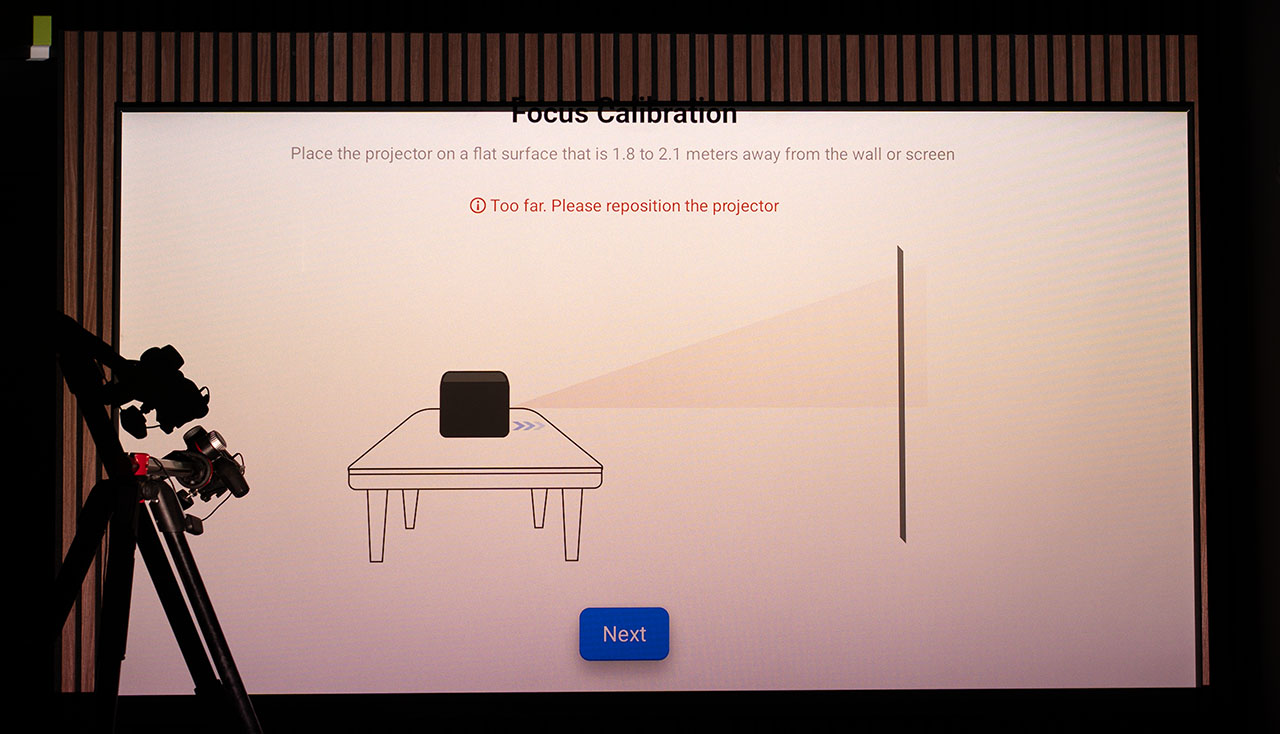
Once you complete this focus calibration, every time you press the autofocus button on the remote control, the Horizon 20 Max performs an instant and accurate autofocus without displaying any visible pattern on the image and completes the process in just a fraction of a second. I tested it on every possible surface and at various distances, and it didn’t fail a single time.
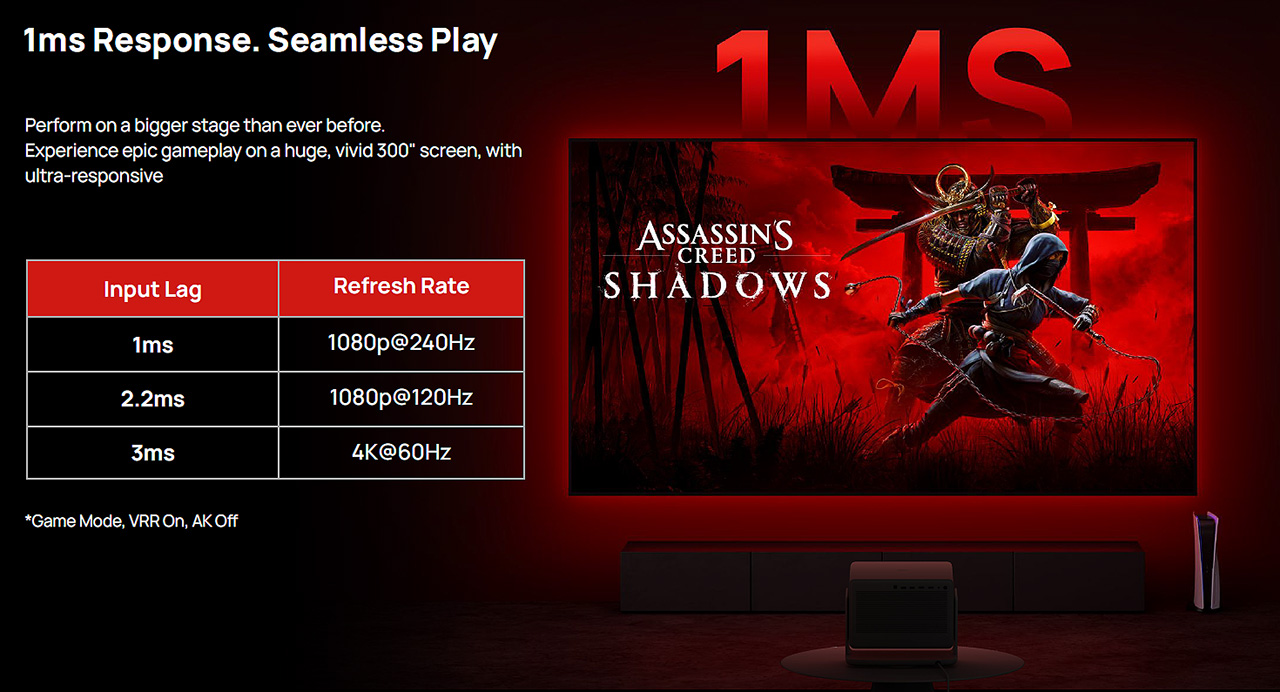
XGIMI announces some truly impressive specifications for the Horizon 20 Max: 5,700 ANSI lumens of brightness, 4K resolution, just 3 ms of input lag at 4K60Hz, and 110% coverage of the BT.2020 color gamut.
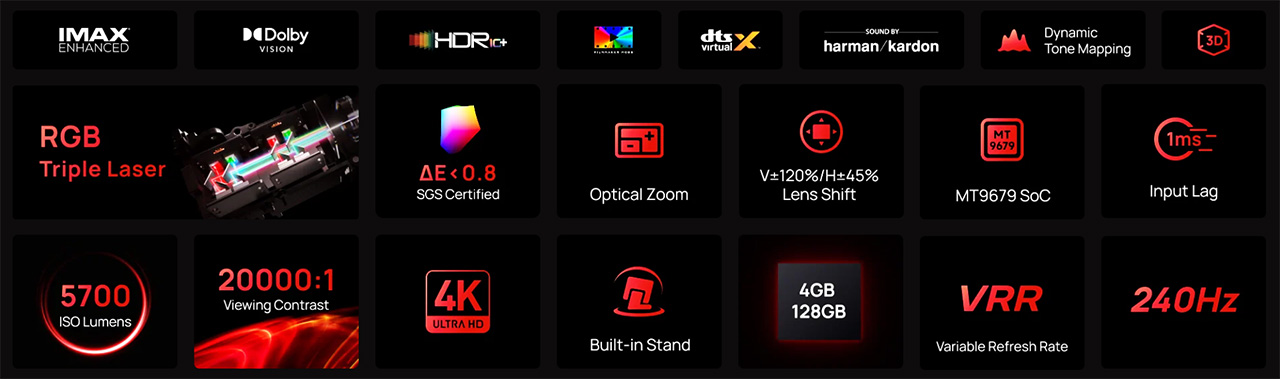
It also lists a 10,000:1 contrast ratio, although this number is a bit ambiguous. Browsing through the official product page was somewhat confusing, as in some places it mentions 20,000:1 or even 1,000,000:1, yet the specifications table clearly states 10,000:1. What can I say…
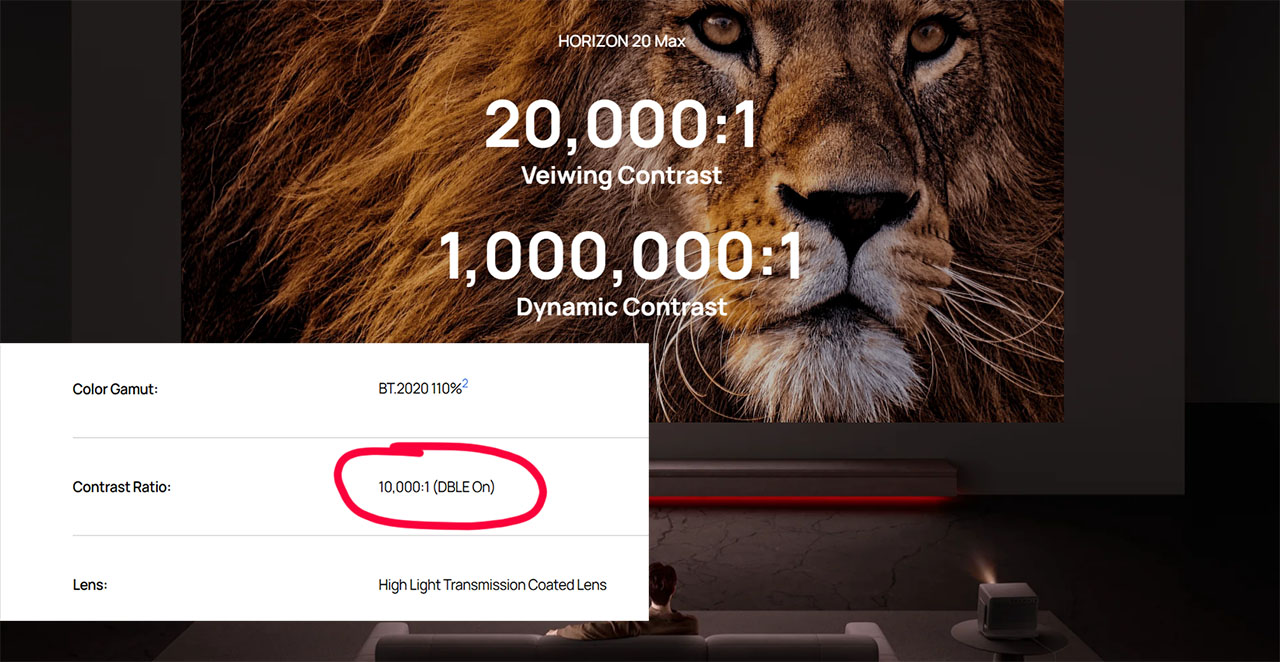
Let’s move on to the major, across-the-board upgrades XGIMI has made with this new model. As for the contrast and other specs XGIMI claims, we’ll verify and analyze everything later in the measurements section of this review. After all, no one escapes the ProjectorJunkies measurement chamber (our own version of a projectors torture room 🙂 ).
Hardware Overview
At its heart lies a next-generation pure RGB triple-laser optical engine that XGIMI calls X-Master, featuring 40 laser diodes in the Max, 30 in the Pro, and 20 in the standard Horizon 20.
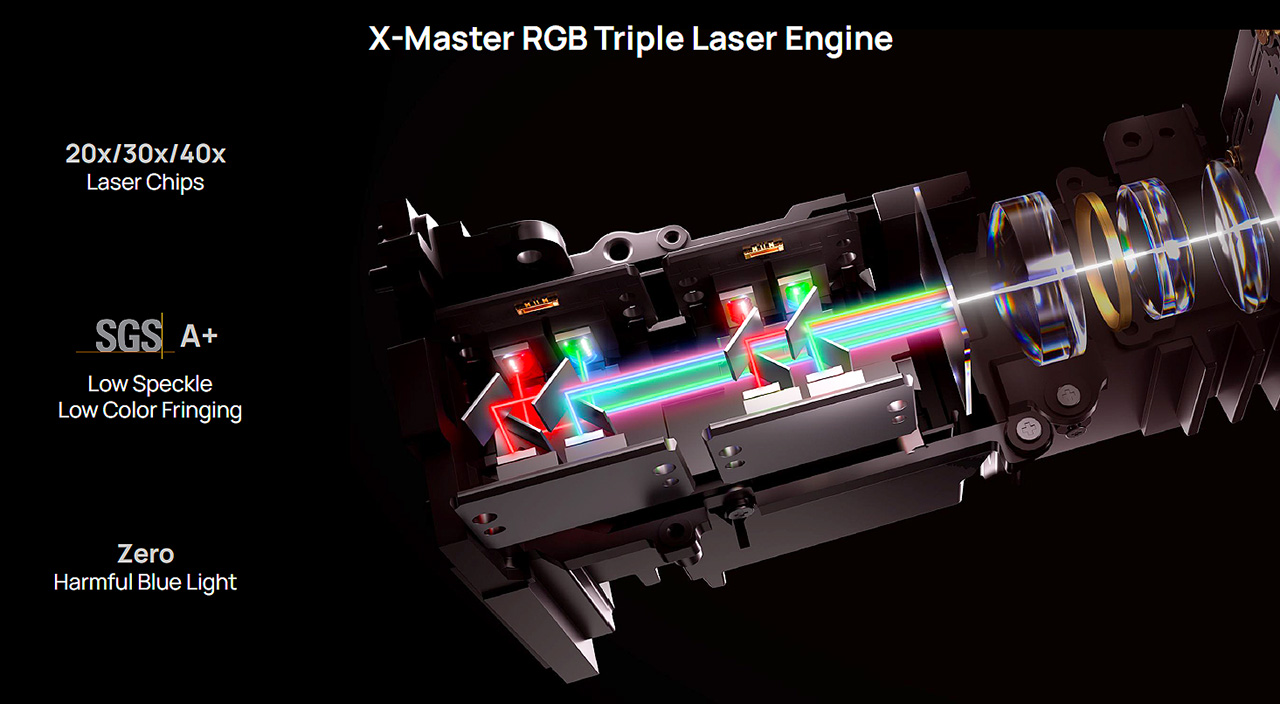
Technically, it’s one of the most advanced RGB laser engines ever used in a projector, with zero harmful blue light, SGS A+ certification for laser speckle and color fringing, and excellent power efficiency easily exceeding 20 lumens of actual brightness per watt of power consumption. I’d call it a small laser technology feast.
This new RGB triple-laser engine drives a latest-generation 0.47″ DMD from Texas Instruments (the DLP472TP) controlled by TI’s newest and top DLPC8445 controller.
The XGIMI Horizon 20 Max is the first projector on the market to use this unique controller. Most other models currently available still rely on older Texas Instruments controllers.
So, what are the differences, and what does this new DMD controller bring? Let’s take a moment to explain what’s new here, as clearly and simply as possible.
The New DLPC8445 DMD Controller
One of the key upgrades in the new XGIMI Horizon 20 Max is Texas Instruments’ latest DLPC8445 controller, which replaces the older chip used in most previous 4K DLP projectors.
This new controller is built for speed, compactness, and real-time performance. It supports 4K at 60 Hz and Full HD up to 240 Hz, while introducing several important architectural improvements over the older design.
Older DLP projectors used a ping-pong (double) buffer, where each video frame had to be fully stored in memory before being displayed on the DMD chip. This created a fixed one-frame delay between the incoming signal and the projected image, in other words a constant 16.7 ms delay right from the start.
To put it simply as possible, a display running at 60 Hz refreshes the image 60 times per second.
1 second (1000 milliseconds) ÷ 60 = 16.7 milliseconds per frame.
So, older controllers always showed the picture one full frame late, resulting in roughly 16.7 ms of latency at 60 Hz.
At 120 Hz, that same delay equates to 8.3 ms, since each frame lasts half as long, but the one-frame buffer delay remained constant.
The new DLPC8445 eliminates this limitation with a completely different data-handling system called a rolling buffer.
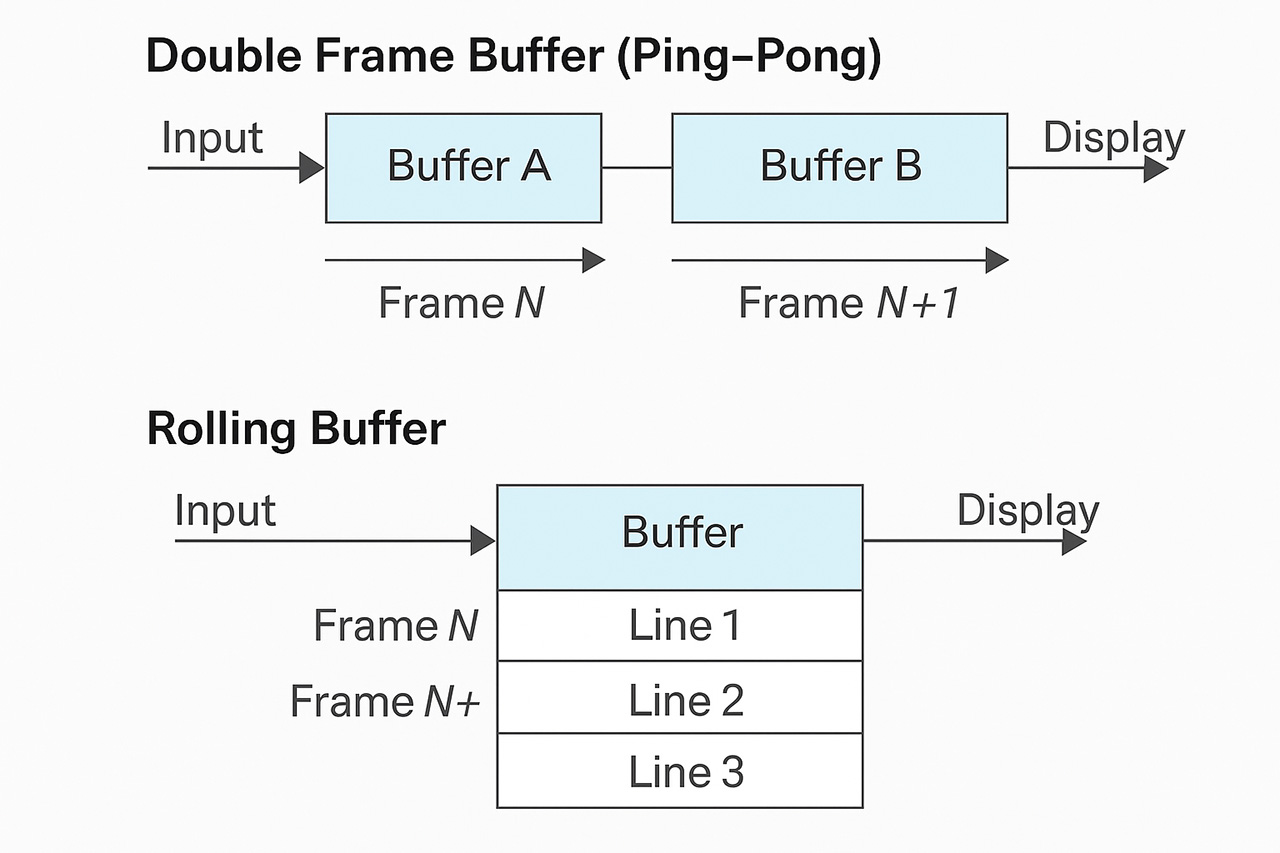
Instead of waiting for an entire frame to load, it streams image data line by line directly to the DMD as it arrives. This allows the top of the image to appear almost instantly, while the rest follows continuously.
As a result, the average latency is now much lower than the standard 16.7 ms (our brain perceives it as below 8 ms at 60 Hz), and even less at higher refresh rates. In simple terms, the first line of the frame appears immediately, and the last line completes after about 16.7 ms, giving our eyes a noticeably faster visual response.
To make it even clearer, with the old controller, the DMD waited for the entire frame buffer to fill before projecting it. With the new one, the DMD starts displaying immediately as data arrives, line by line. Hopefully, this helps illustrate the improvement.
Beyond the new buffering system, the DLPC8445 is also smaller and more efficient. Its package size has been reduced from about 32 mm to just 9 mm, allowing for much more compact mainboards and optical engines. It also uses less power and produces less heat, improving cooling efficiency and long-term reliability.
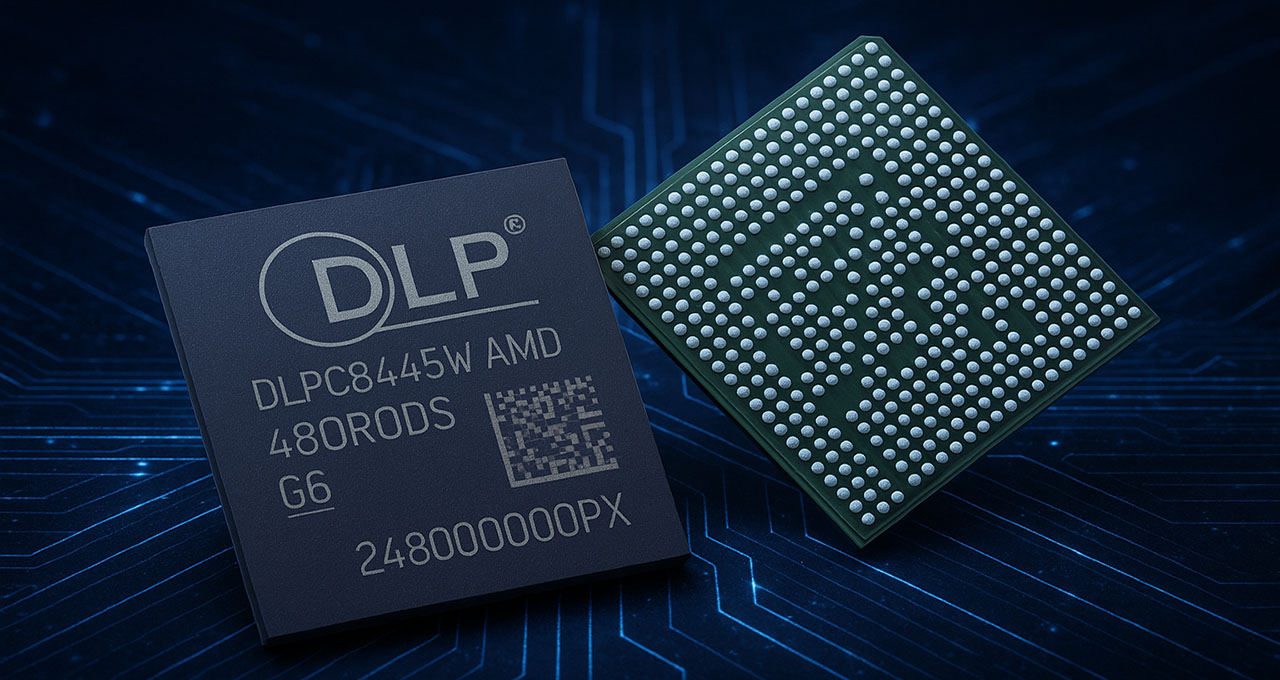
Technically, the controller features a V-by-One HS input interface supporting up to 8 lanes at 3.0 Gbps per lane, enabling high-bandwidth 4K input with smoother motion and faster processing. It also integrates advanced image processing, including warping, keystone correction, color, white balance and gamma calibration, Dynamic Black function and full 120Hz 3D support, reducing the need for external processors.
Another important addition this the Variable Refresh Rate (VRR) and ultra-low latency operation, making this controller ideal partner for the MediaTek SoC’s for gaming and other interactive uses.
In short, the DLPC8445 represents a major step forward for DLP projection, it’s smaller, faster, cooler, and smarter, enabling projectors like the XGIMI Horizon 20 Max to deliver a noticeably more responsive and fluid 4K image with the lowest latency ever seen in this category of lifestyle DLP projectors.
Since we’re analyzing the hardware, I should mention that XGIMI equipped the Horizon 20 Max with a MediaTek SoC, the well known MT9679.
MT9679 SoC with 4 GB RAM and 128 GB Storage
Inside the XGIMI Horizon 20 Max is the MediaTek MT9679 processor, paired with 4 GB of RAM and 128 GB of internal storage, and honestly, this 4GB of RAM changes everything.
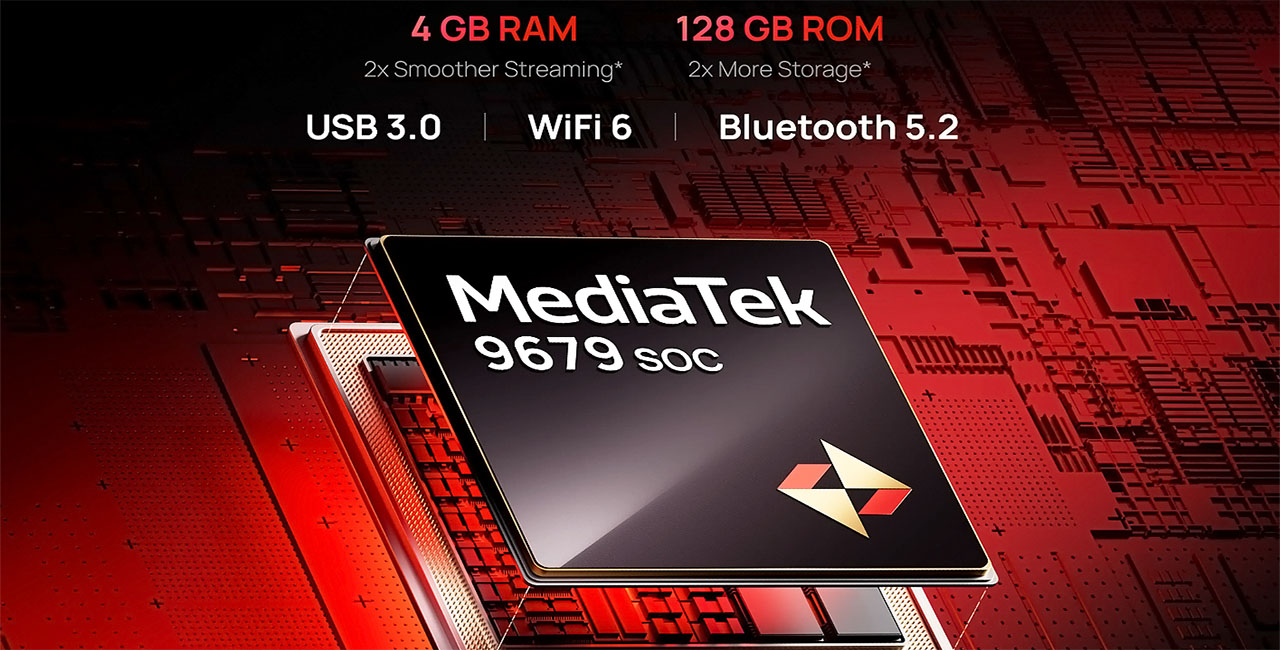
This MediaTek chip is a 64-bit quad-core Cortex-A73 CPU with a Mali-G52 GPU, designed specifically for 4K multimedia devices. It can run a native 4K interface at 60 fps, supports all modern video codecs (AVS, AVS2, H.264, H.265 / HEVC, VP-9, AV1, SHVC 4K60@10bit) and handles Google TV smoothly, no matter how many or what apps you use.
In real use, the difference is huge. The whole system feels instant , Google TV reacts immediately, apps open the moment you click them, and navigating through menus or switching between apps happens with zero lag. Streaming performance is rock solid too, even in 4K.
The 4 GB RAM keeps everything running smoothly in the background, while the 128 GB storage provides enough space for apps, updates, and offline content without the need to constantly delete things.
Connectivity is equally impressive. The Horizon 20 Max includes two HDMI 2.1a ports (one with eARC), one USB 3.0 and one USB 2.0 port, plus an optical audio output for easy connection to external sound systems.
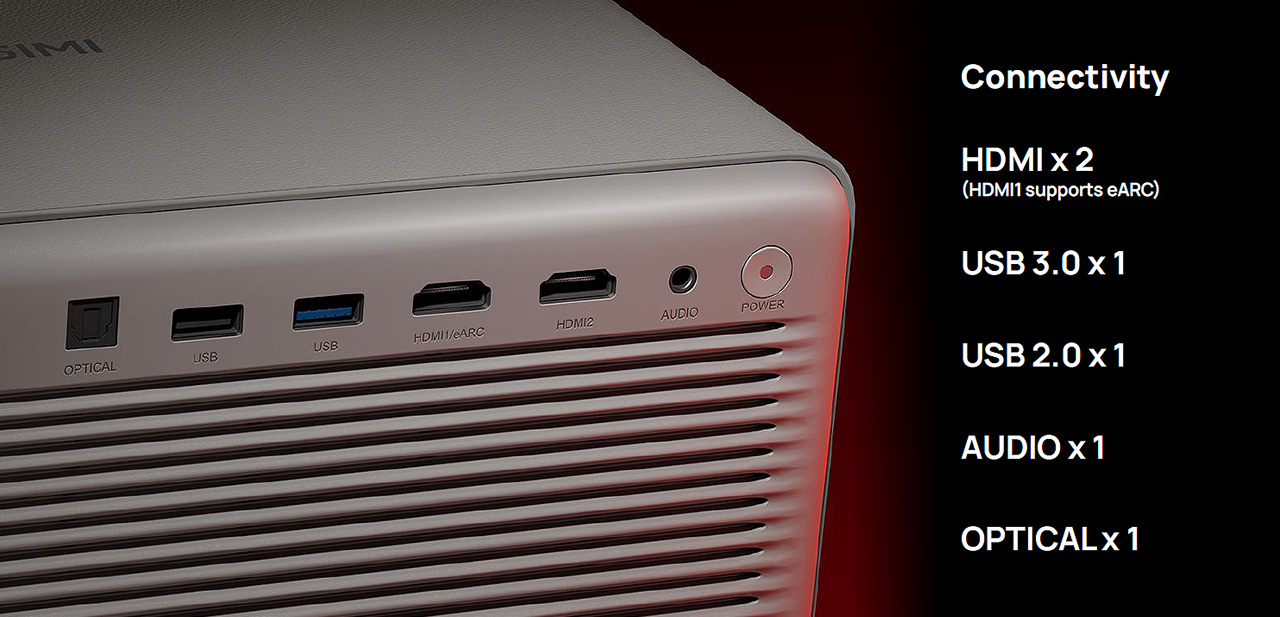
Wireless options are top-tier as well, Wi-Fi 6 dual-band 2.4/5 GHz (802.11 a/b/g/n/ac/ax) and Bluetooth 5.2 ensure fast, stable connections without dropouts.
On top of that, the MT9679 platform supports ALLM (Auto Low Latency Mode), allowing compatible gaming consoles to automatically trigger the lowest-lag mode.
It’s also worth noting that the Horizon 20 Max runs on the latest Android TV 14, while most competitors are still on older versions.
Compared to earlier XGIMI models and frankly most lifestyle projectors on the market, the Horizon 20 Max feels and it is lightning-fast, I mean REALY fast.
Navigation and streaming are immediate, with no delays or hiccups anywhere. This is easily one of the quickest and most responsive Google TV implementations I’ve seen on a lifestyle projector so far.
Even though this MediaTek SoC is slightly less advanced than the Pentonic 700 used by Valerion in its models (for example, it uses DDR3 memory instead of DDR4), in practice it includes a rich set of algorithms that perform exceptionally well.
I’m referring specific to those two remarkable AI tools (the AI-PQ and the AI-SR) which we’ll talk about in more detail later.
Let’s talk about the Horizon 20 Max Lens
I’ll start with this, this lens can easily embarrass lenses that cost several times more than the entire value of the Horizon 20 Max.
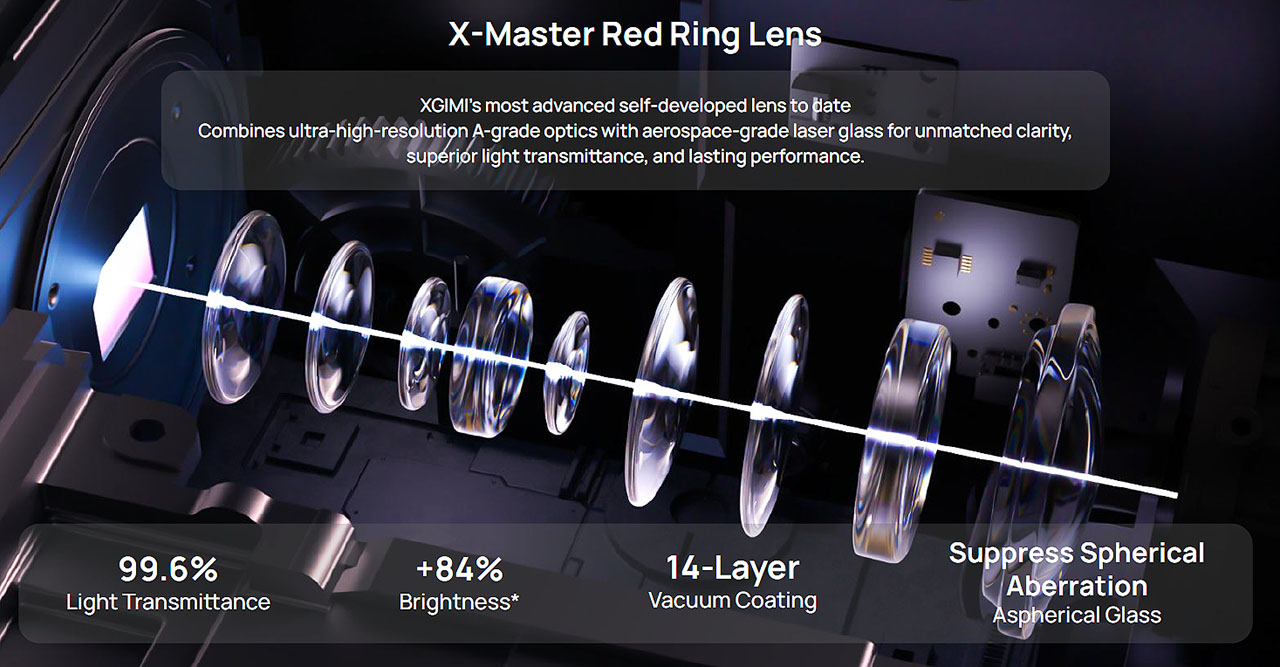
XGIMI developed a new lens, called the X-Master Red Ring Lens, specifically for the new Horizon 20 series, and they truly created something that borders on perfection in terms of performance, yet in such a compact size that it’s hard to believe so much technology fits into such a small package.
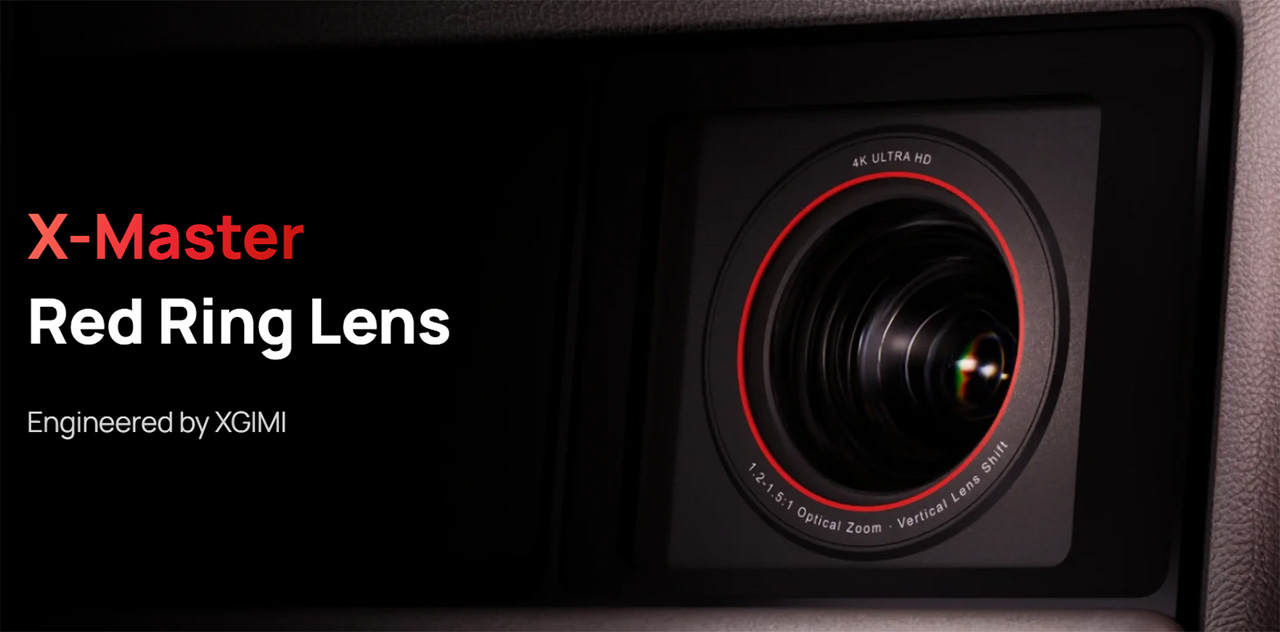
The sharpness is on an extremely high level, and the uniformity of that sharpness across the entire projected frame is outstanding.
Combined with the advanced X-Master RGB triple-laser engine, we see for the first time, the complete elimination of color fringing (or chromatic aberration) in a pure RGB laser projector.
The secret behind the excellent performance of this lens lies in the use of A-grade optics with aerospace-grade laser glass specifications, as well as in the manufacturing methods XGIMI applied.
Specifically, XGIMI used aspherical glass elements, which significantly reduce spherical aberration, resulting in excellent light and color uniformity.
Even more important, however, is the 14-layer vacuum coating applied to these aspherical lenses.
The vacuum coating process involves depositing thin layers (films) of materials such as oxides, fluorides, or metals onto the lens surface in a vacuum environment (without air).
Every glass surface reflects a portion of the light passing through it (about 4–5% per surface) without coating. With multi-layer vacuum coating (XGIMI most likely uses multi-layer broadband AR plus protective coatings I believe), these reflections are reduced to below 0.5%, and possibly even under 0.1% depending on the coating method.
As you can imagine, this leads to a dramatic increase in light transmission.
For example, a projector lens with eight elements actually has sixteen glass surfaces (two per element). If each surface loses/reflect 3% of light, that means a total loss of 48%. But if each surface reflects only 0.5%, the total loss drops to just 8%. You can clearly see the difference.
XGIMI claims that the lens allows 99.6% of the light to pass through, thanks to its multiple vacuum coatings (likely referring to the total light transmission under ideal conditions).
This means minimal brightness loss due to internal reflections. But the benefits of the multi-layer vacuum coating go beyond brightness.
Fewer internal reflections within the lens also improve ANSI contrast, since there’s no longer a “veil” of scattered light washing into the blacks. It also improves color accuracy and eliminates color fringing, enhances sharpness by reducing micro-reflections, and increases the lens’s long-term durability.
However, my analysis of the Horizon 20 Max lens doesn’t end there — surprise!
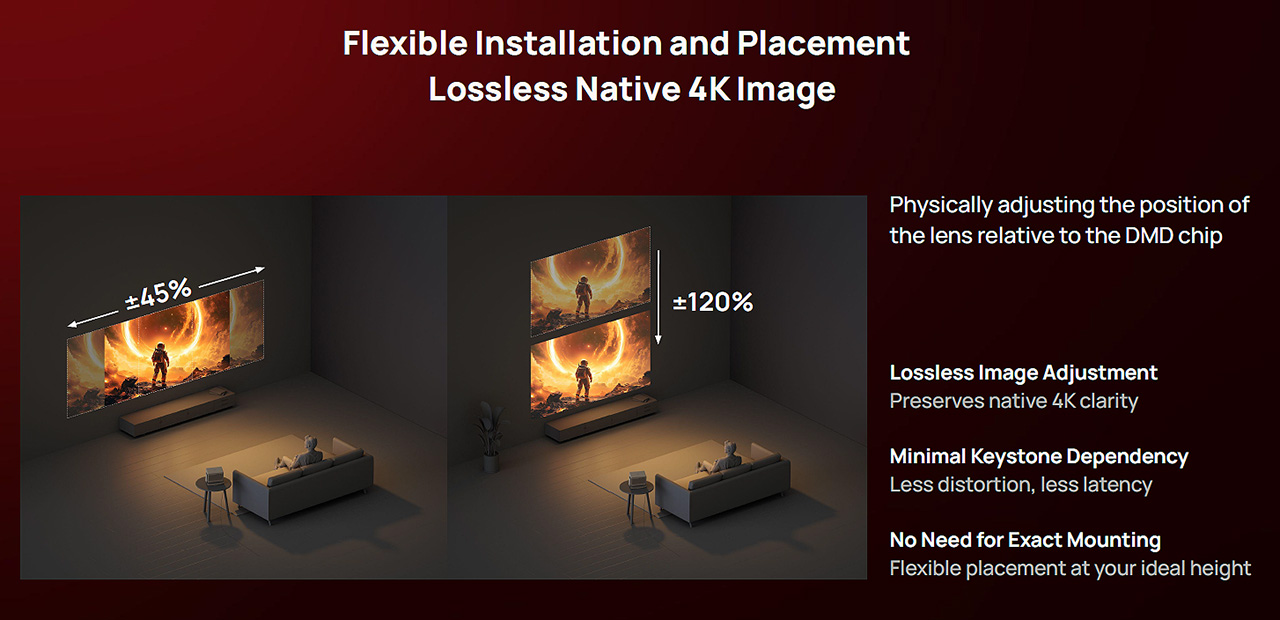
XGIMI also equipped this lens with an excellent and so useful motorized horizontal and vertical lens shift system.
The Horizon 20 Max allows users to shift the image 120% vertically and 45% horizontally from the comfort of their couch using the remote control with zero distortion and without relying on any digital correction, such as keystone adjustment. Good news right?
You think I’m done, right? Nope!
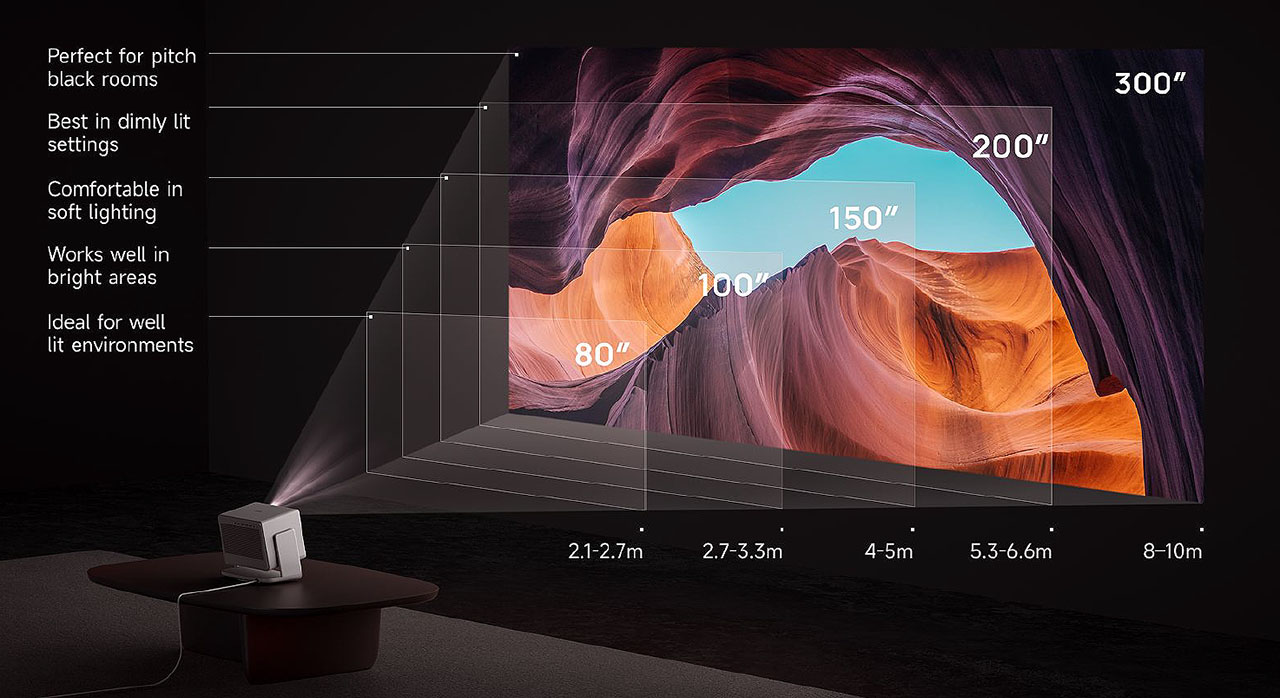
This lens also features optical zoom with a throw ratio from 1.2 to 1.50.
That means it can produce a 100-inch image from a distance of 2.7 to 3.3 meters, using optical zoom only (no digital zoom involved)
After having the projector in my possession for nearly two months and using it almost daily, I can confidently say that this is one of the best lenses ever installed in a commercial home cinema projector.
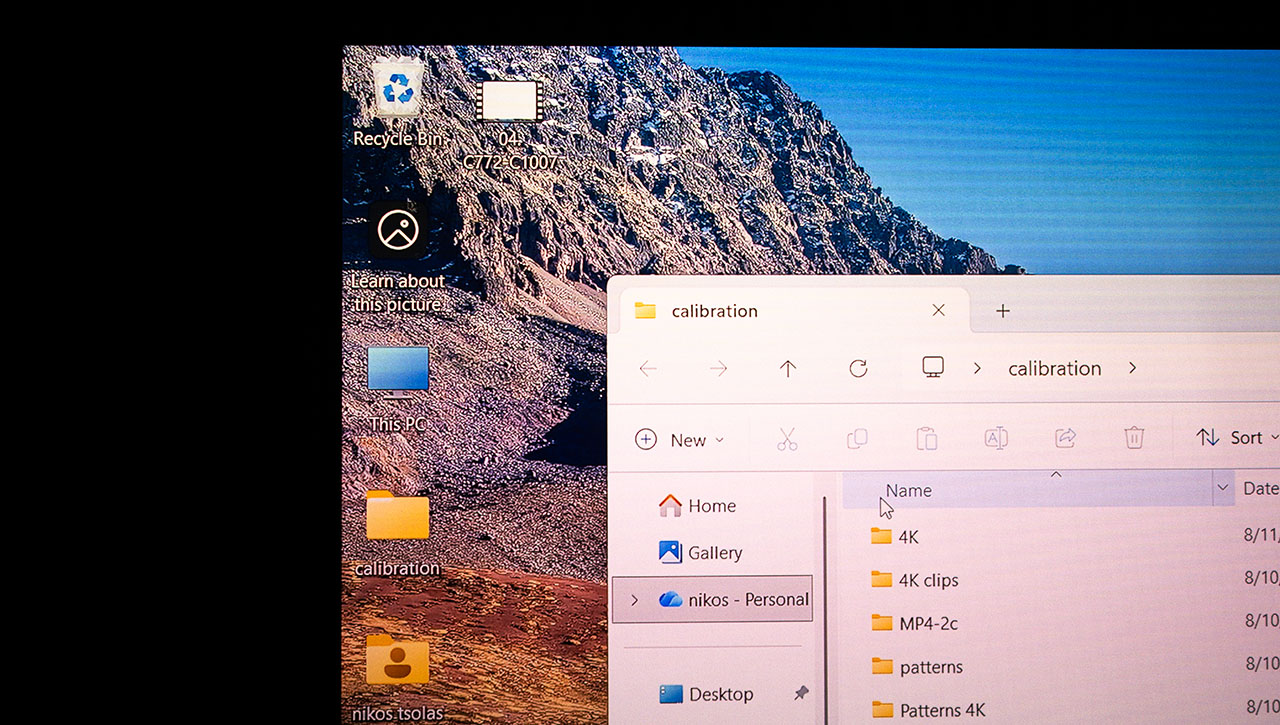
This is a screenshot from the upper-left corner of my desktop, for example. The lens clarity and the complete absence of color fringing are pretty obvious, I think.
Now I think I am done with the Horizon 20 Max lens. Lets move on.
Horizon 20 Max Build-in Sound
XGIMI continues its collaboration with the well-known company Harman Kardon, which signs the premium built-in audio system of the Horizon 20 Max.
I won’t go into technical details about watts and drivers, what matters is that it follows the same successful path set by the previous model, the S Max, and its performance is simply excellent.
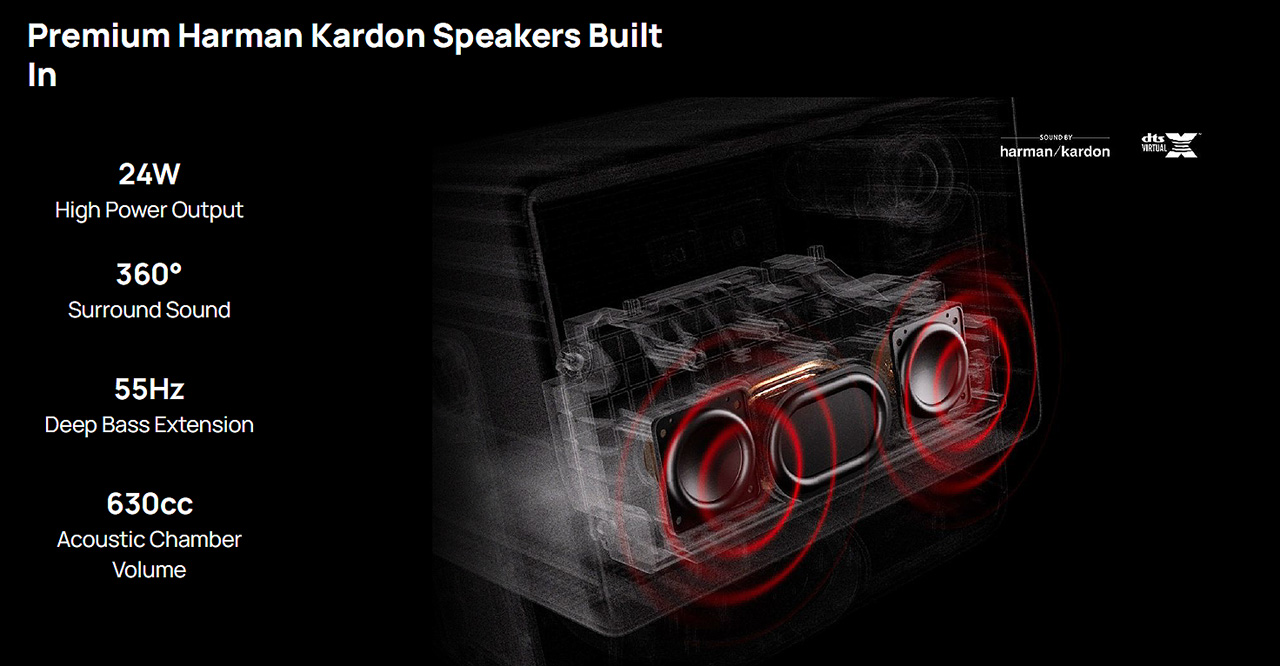
What truly defines this Harman Kardon implementation is the balance of the sound and how well-tuned the entire system is straight from the factory.
Software Overview
XGIMI has equipped the Horizon 20 Max with all the latest cinema-grade standards and technologies found in the film industry, including HDR10+, Dolby Vision, Filmmaker Mode, and of course, IMAX Enhanced Mode.
XGIMI also providing the 20 Max with dynamic tone mapping, which continuously adjusts HDR content to match its own high dynamic range capabilities for the best possible visual result.
For gaming now, the Horizon 20 Max is the first projector to fully support VRR (Variable Refresh Rate) and ALLM, while also achieving the lowest input lag on the market with just 3 ms at 4K 60 Hz.
This number is quite realistic, although as I explained earlier, it’s not something that can be directly measured but rather estimated. In any case, it’s definitely below 16.7 ms, which is the minimum limit for all other DLP projectors currently available on the market.
And now we come to the interface used by the Horizon 20 Max, which is none other than Android TV 14, the latest version of Android TV. If I’m not mistaken, it’s only been available for a few months, and I don’t know of any other projector currently running it.
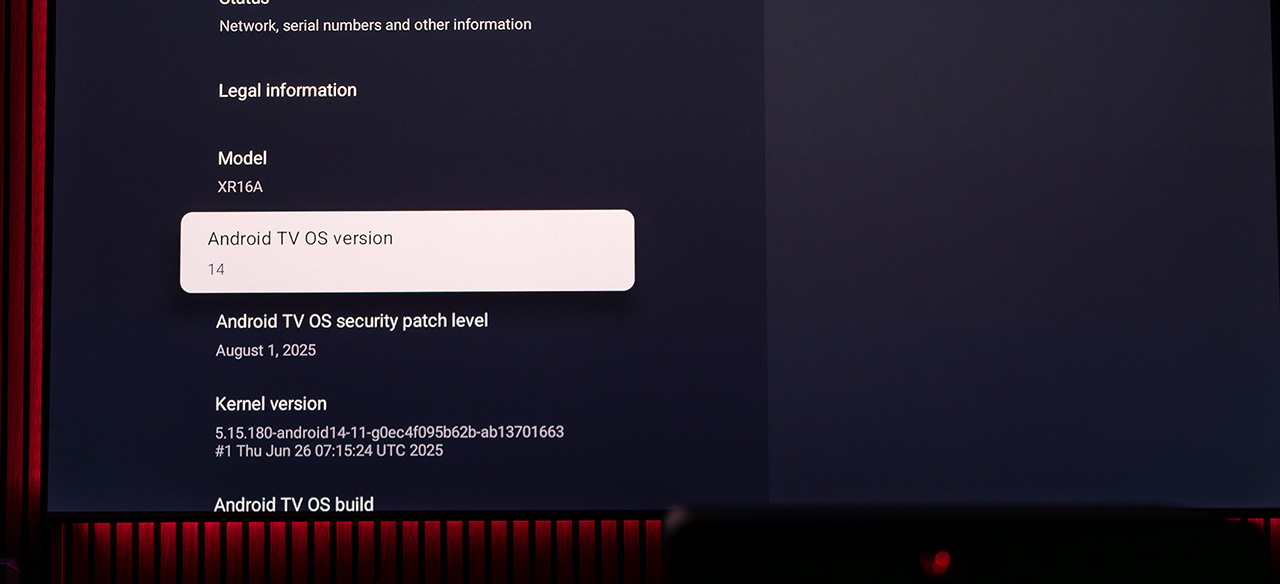
Android TV 14 not only offers the most secure and fastest TV platform available today, but it also provides a solid foundation for many future firmware updates, something that’s now quite limited for projectors still running older versions.
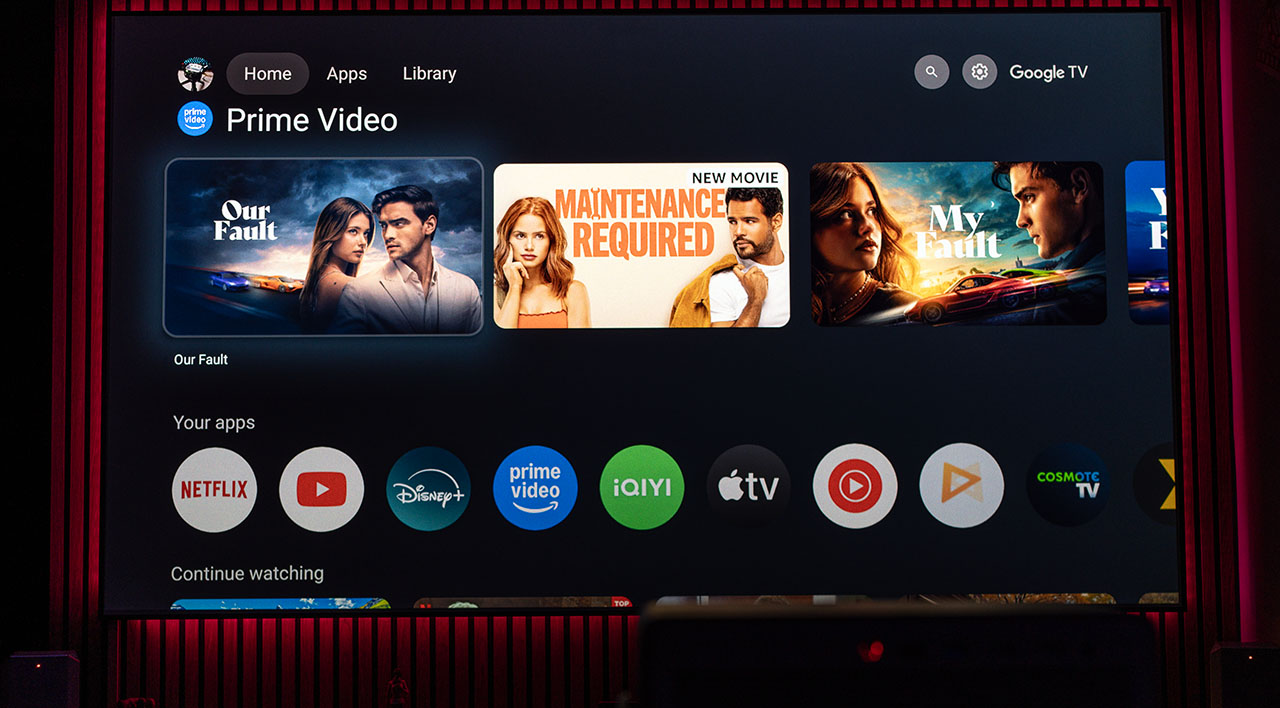
A cold start of the Android interface takes exactly 38 seconds to fully load, while a hot start requires only about 5 seconds.
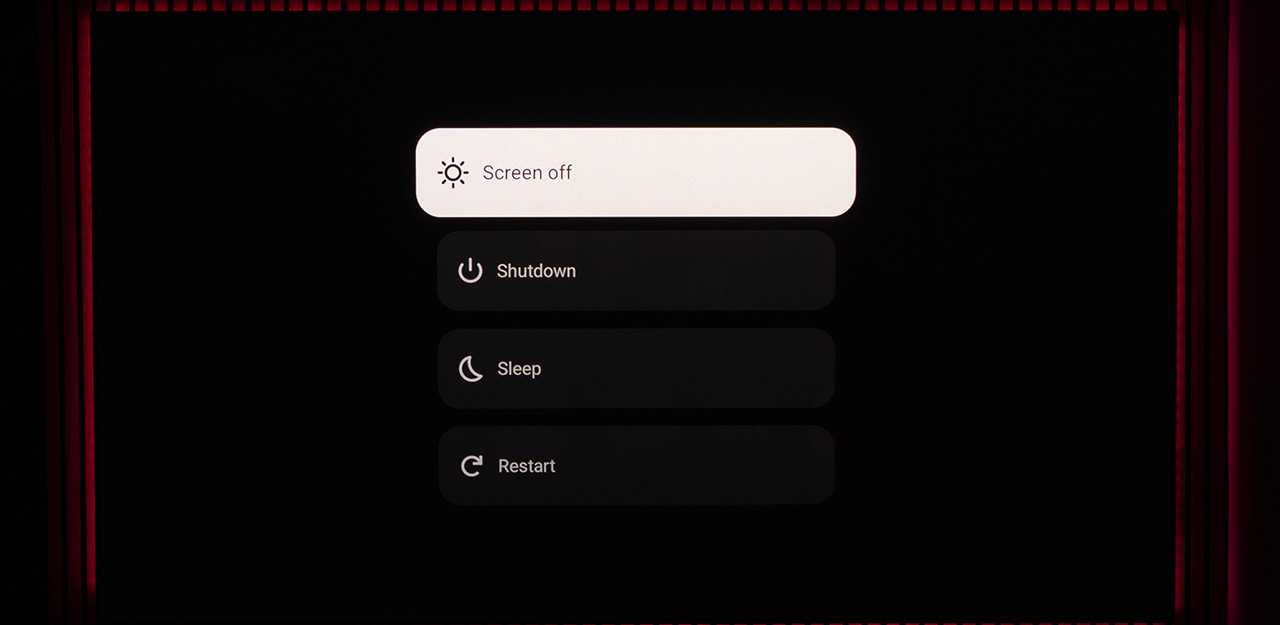
There are two ways to shut down the Horizon 20 Max, and the startup time depends on which option you choose. If you simply press the power button on the remote once, the projector enters a standby mode (consuming less than 1W) and restarts in just 5 seconds when you press the power button again.
However, if you hold down the power button, a menu appears with several options, and if you select Shutdown, the Horizon 20 Max performs a full shutdown, requiring 38 seconds to boot the next time you turn it on.
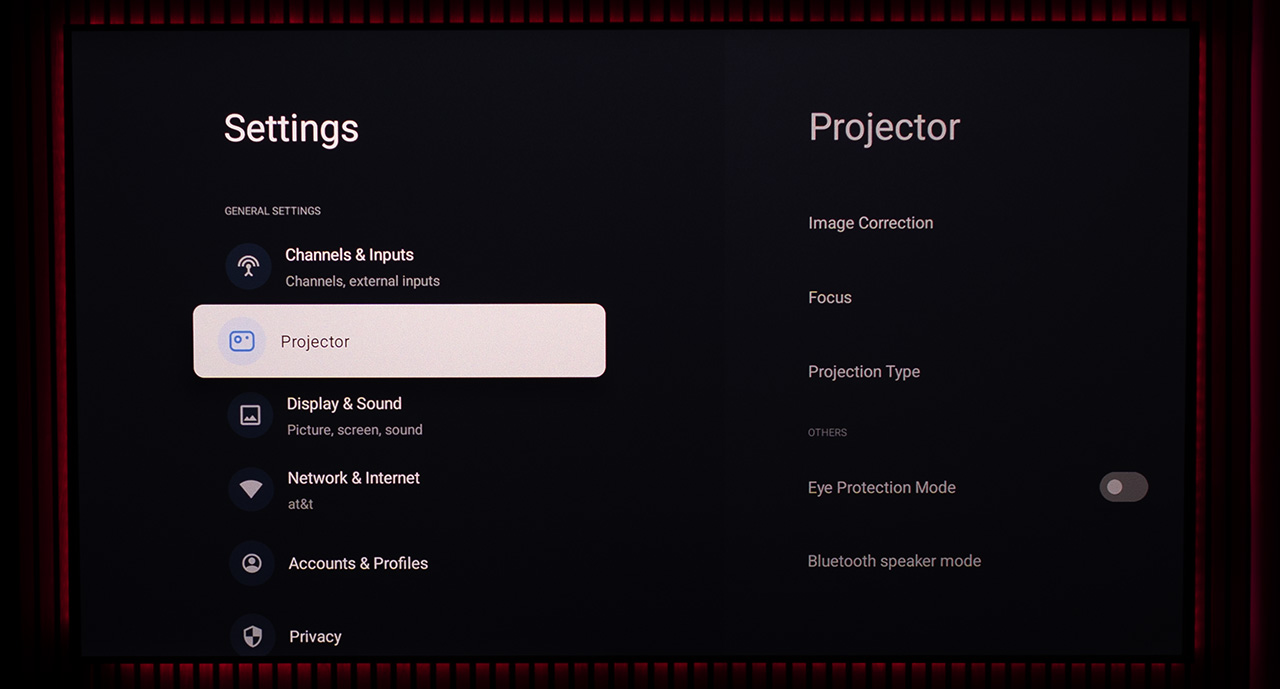
In the “Projector” menu, you’ll find all the installation and usage settings of the Horizon 20 Max, such as image correction, lens shift, projection type, and many more.
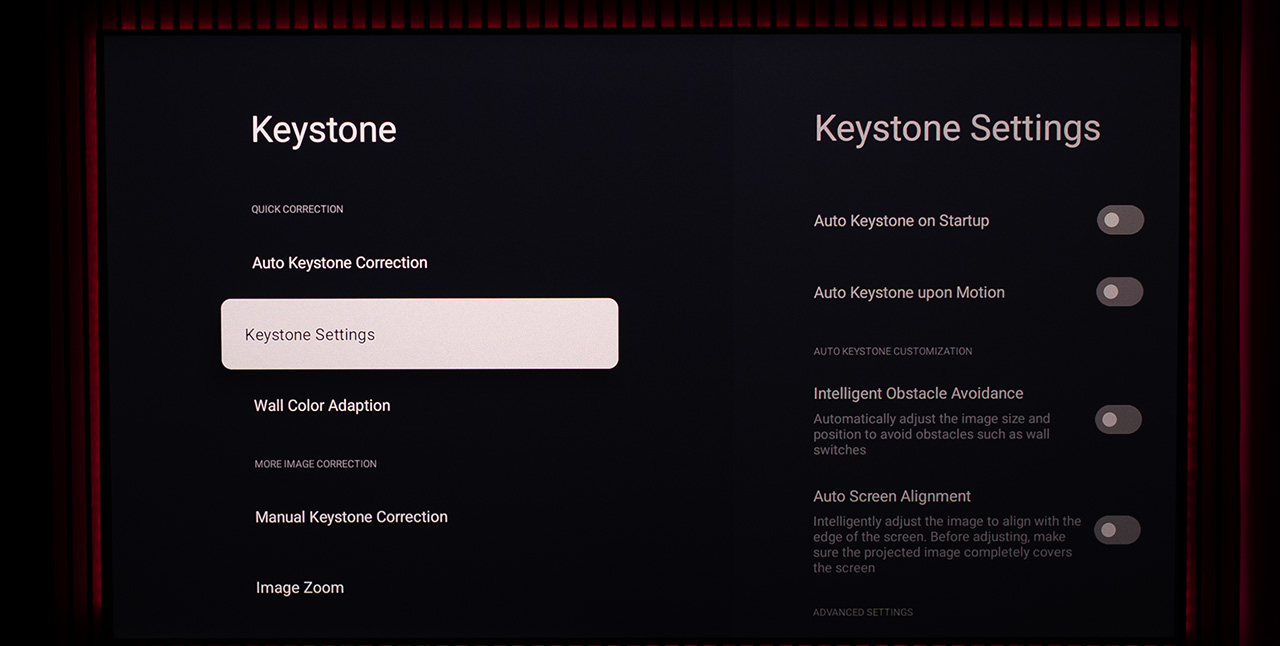
One of the most complete keystone correction menus you’ll find on any lifestyle projector.
This is the main “Picture” menu, which includes all the adjustments you’ll need to fine-tune the image to your preferences. If you want the projector to automatically adjust its brightness according to your room’s lighting conditions using its built-in sensors, you can turn on the Ambient-Adaptive Light feature.
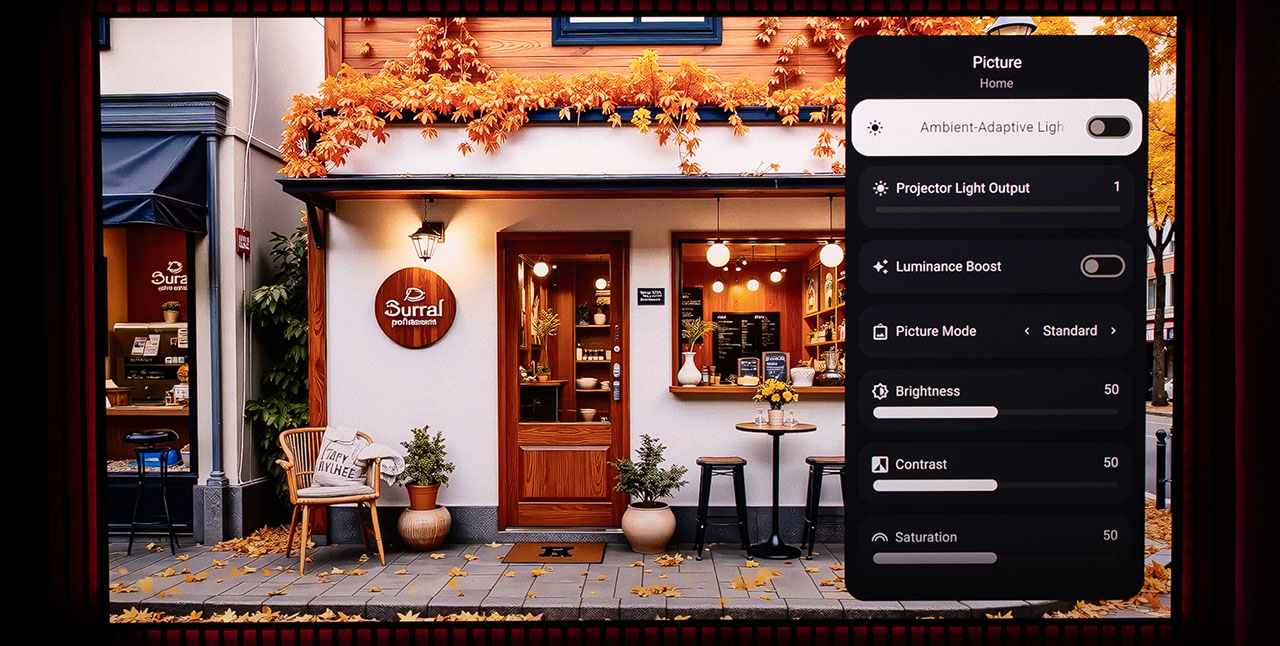
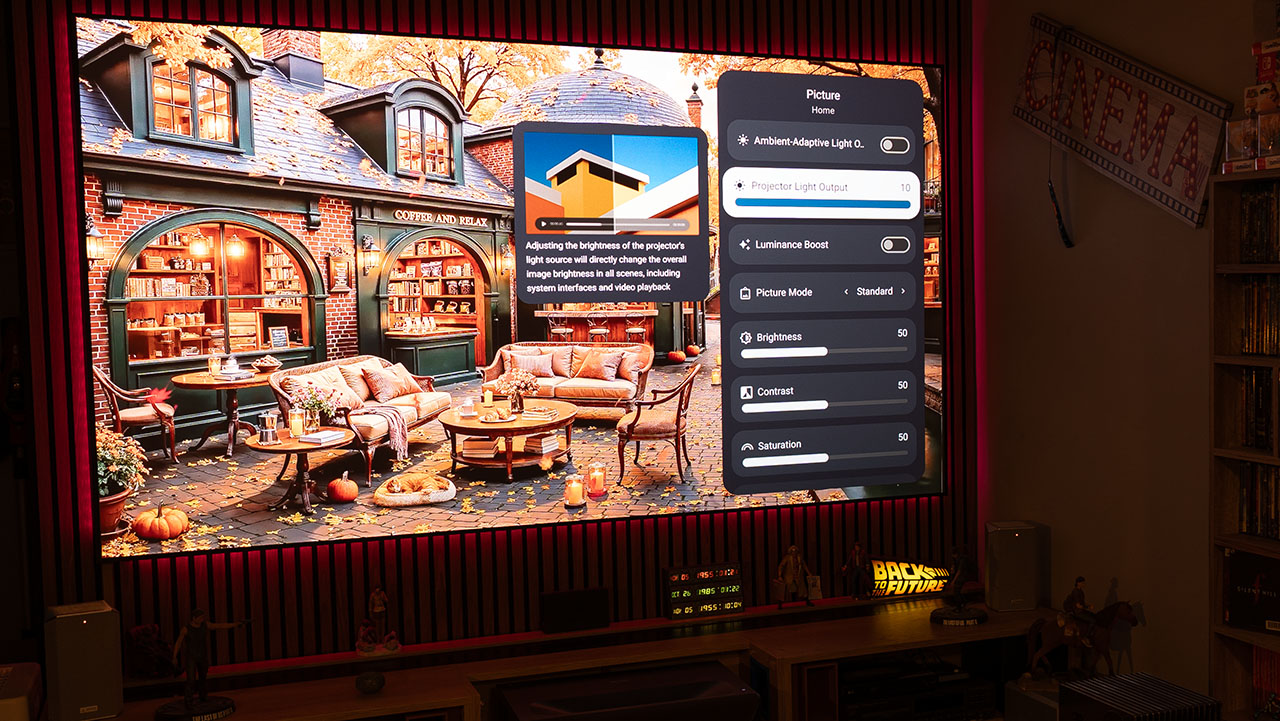
Just below that, you can manually adjust the laser power from 1 to 10, and if you ever need a bit of extra brightness, you can always activate the Luminance Boost function, which provides a small additional increase in brightness.
This is the difference between Laser 1 and Laser 10, we’re looking at roughly a doubling of brightness, maybe even a bit more.
Laser power 1
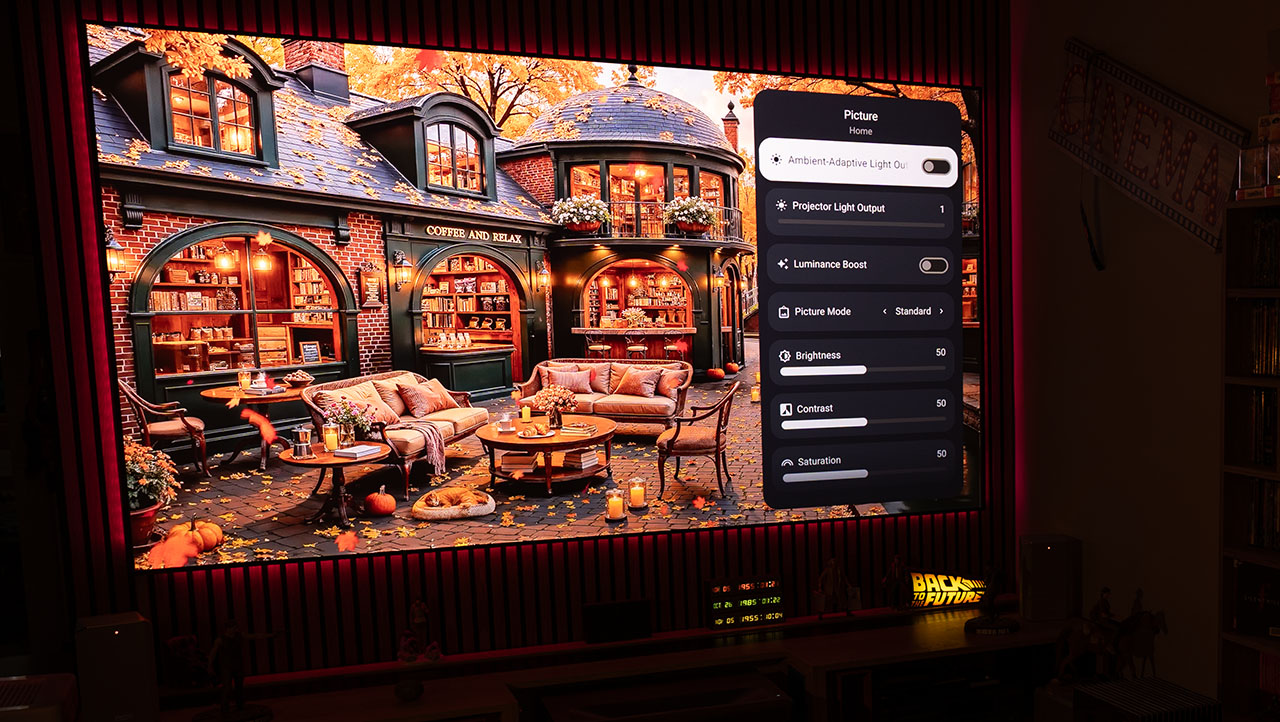
Laser power 10
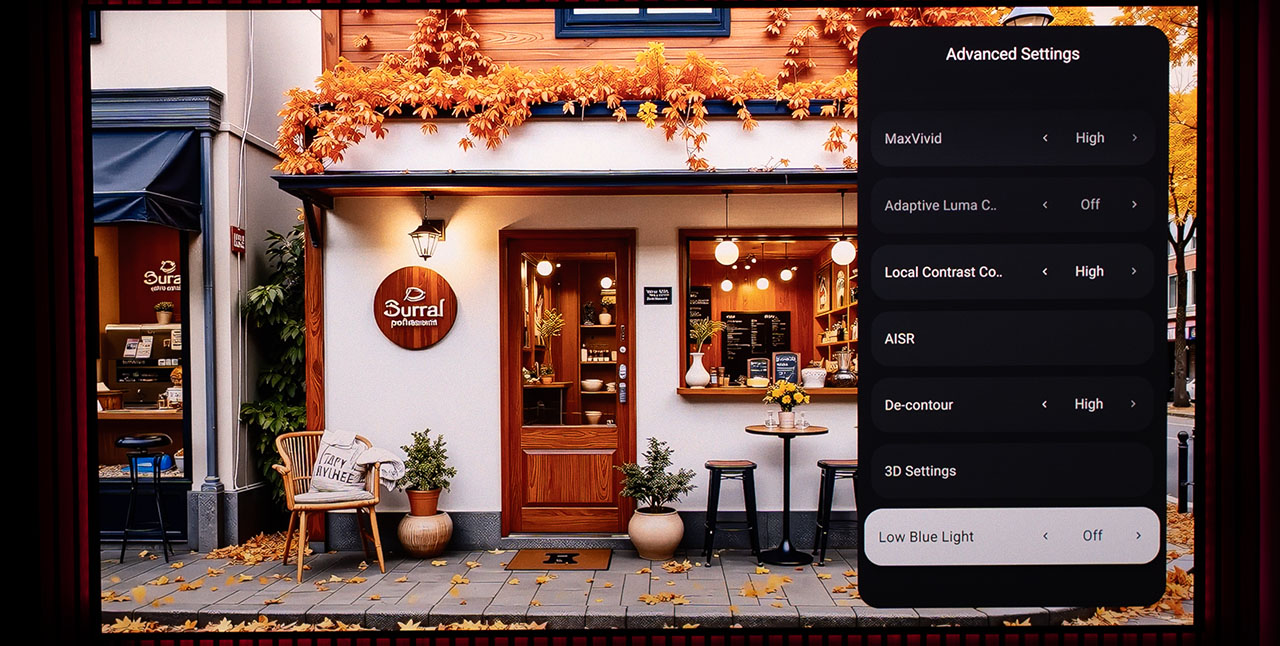
At the bottom of the Picture menu, you’ll find the Advanced Settings option. That’s where all the action happens, a wide range of image controls and AI algorithms can be found there, giving you deep access to the Horizon 20 Max’s capabilities.
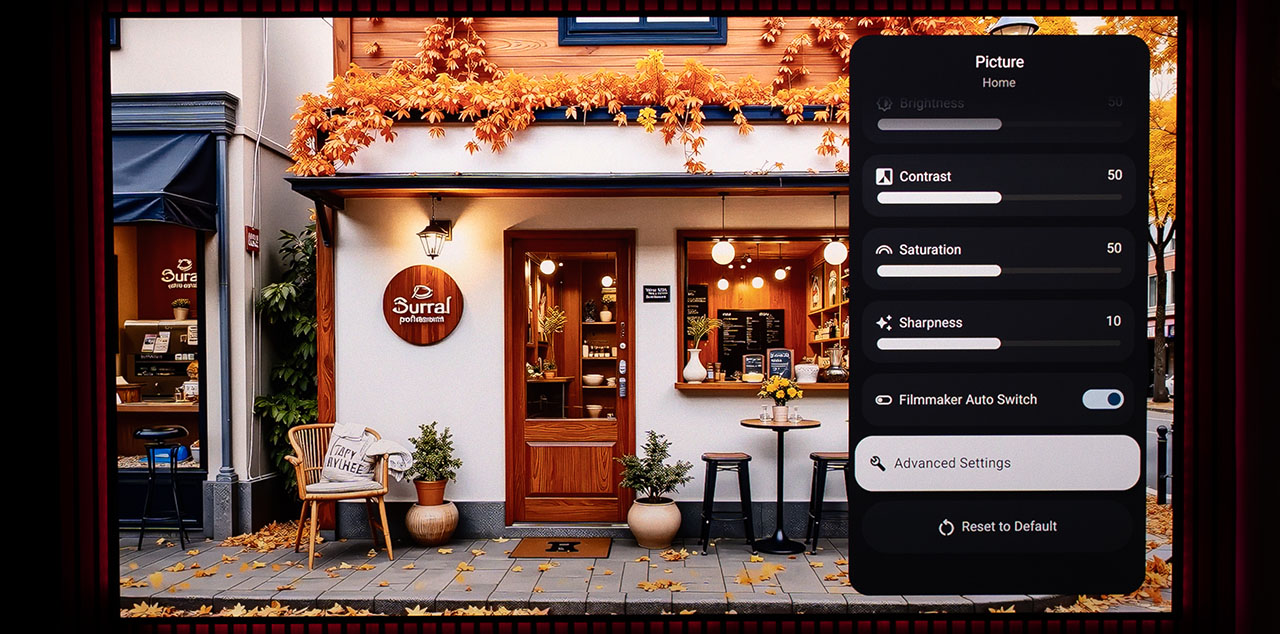
As for the Filmmaker Auto Switch, I honestly haven’t figured out its purpose. Whether it’s enabled or disabled, I’ve never noticed any difference in the image or any indication that the projector actually entered this mode. It most likely doesn’t work at all
White balance adjustments are available in both 2-point and 11-point modes, and they work flawlessly. The Color Temperature D65 option provides the most balanced grayscale performance, as you’ll see in my measurements below.
The Dynamic Black option also stands out, most of you already know what it does, and for those who don’t, I’ll explain it in detail later in this review. In this particular screenshot, it’s disabled, simply because it doesn’t function across all content formats.
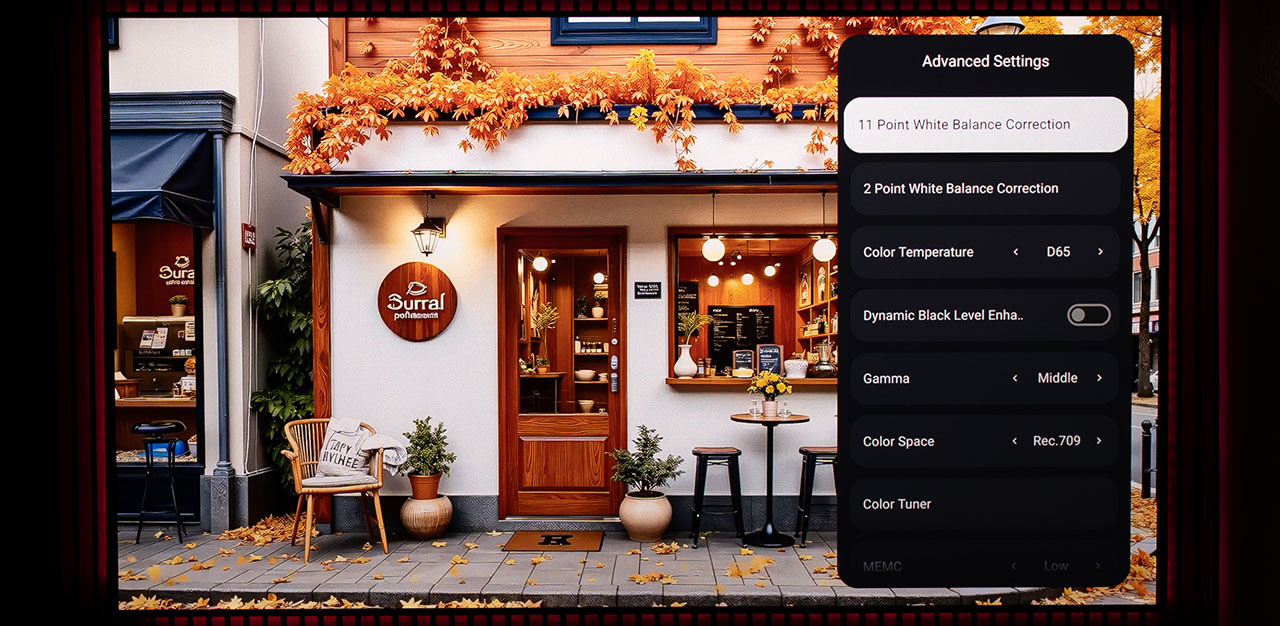
Further down, we find the full arsenal of AI and non-AI algorithms built into the Horizon 20 Max. For some of them, you’ll read my detailed impressions later on, for others, absolutely nothing, such as the Adaptive Luma Control setting which, for some reason, was always disabled, no matter what I tried.
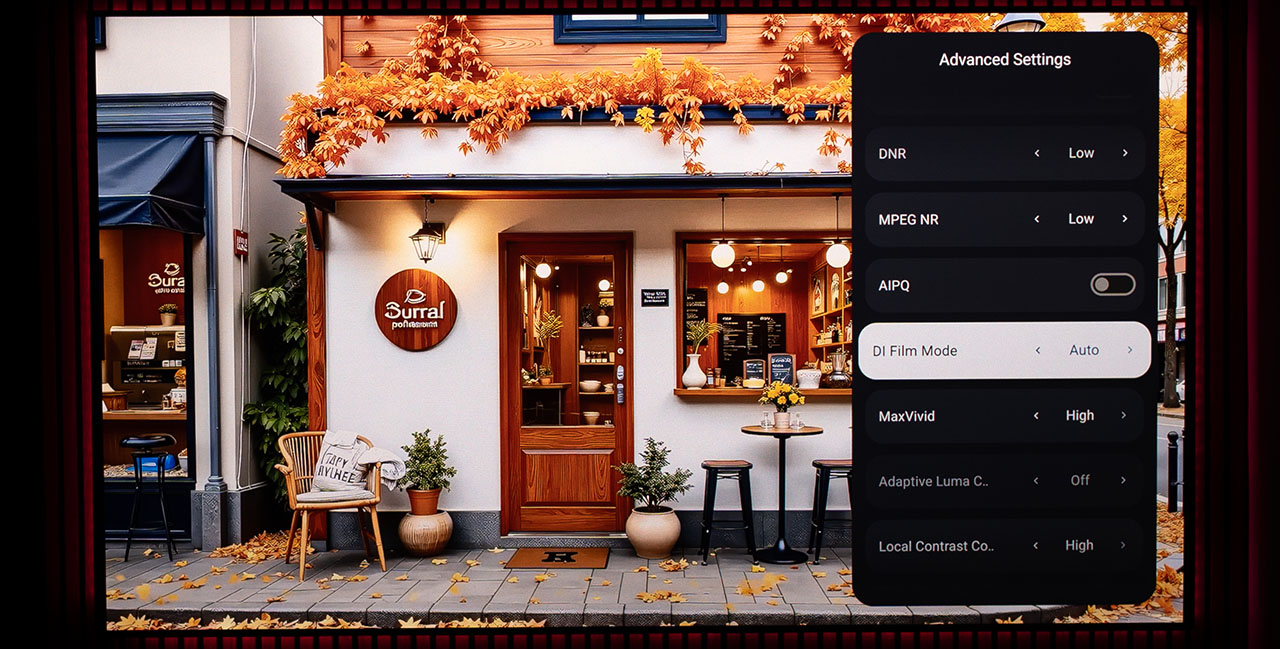
The AISR is an AI-powered upscaling algorithm, and it works like magic. It even gives you the option to activate a demo mode, where you can move a slider left and right to instantly compare the before and after effect.
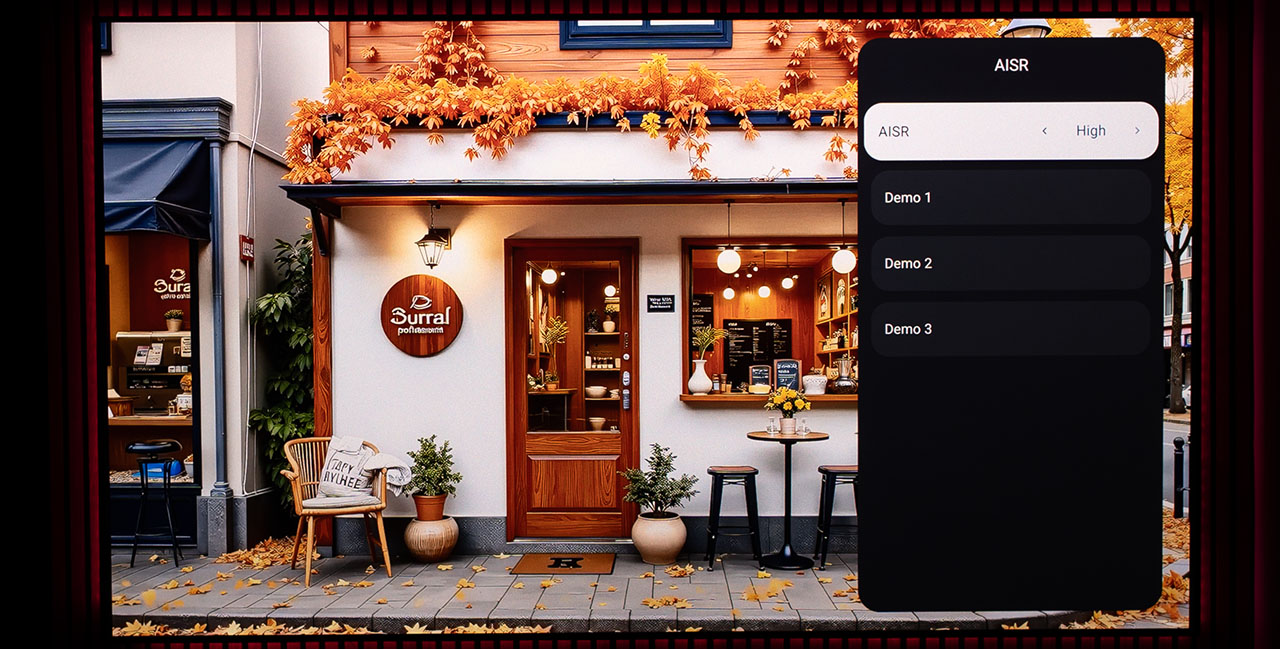
Yes, it’s true! 3D junkies, gather around the fire, I have something to tell you! The Horizon 20 Max offers full 3D support, including frame-packing compatibility! Exactly what was missing from the previous Horizon S Max I had tested! Yes! I can’t wait to try it out!
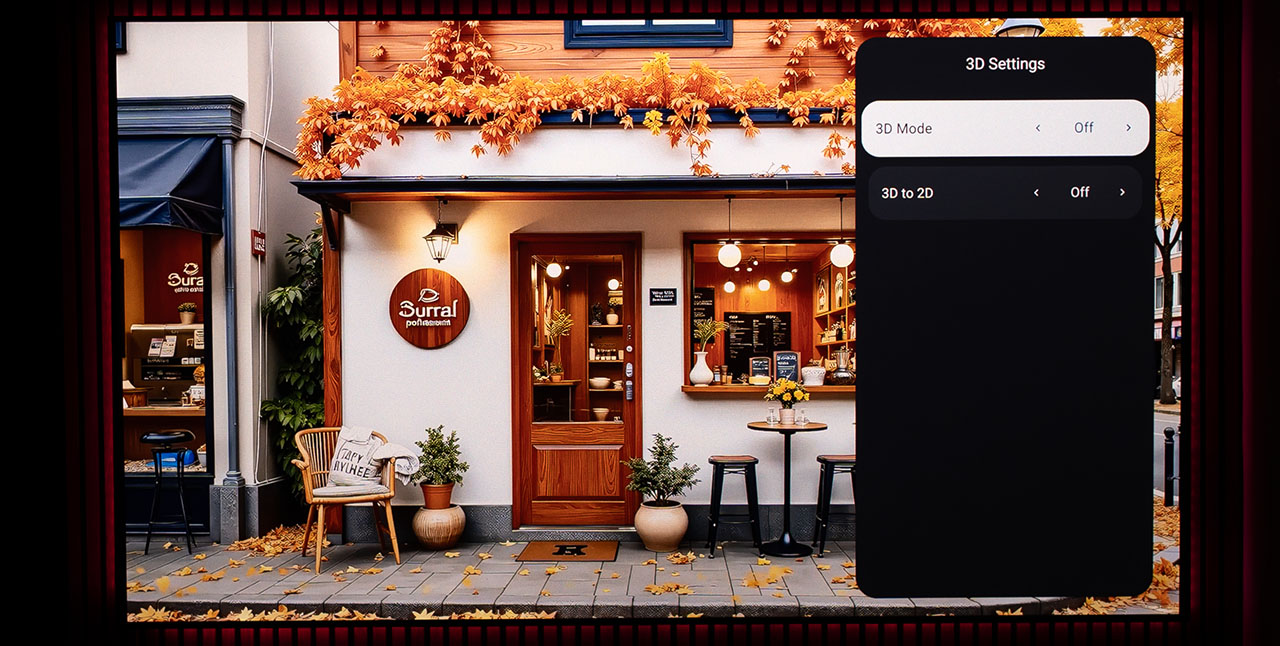
There’s also a Gaming menu, although in my humble opinion it’s mostly unnecessary. With ALLM (Auto Low Latency Mode) working flawlessly, every time I connected a gaming console to the Horizon 20 Max, it automatically recognized it and switched to Low Latency Gaming Mode on its own.
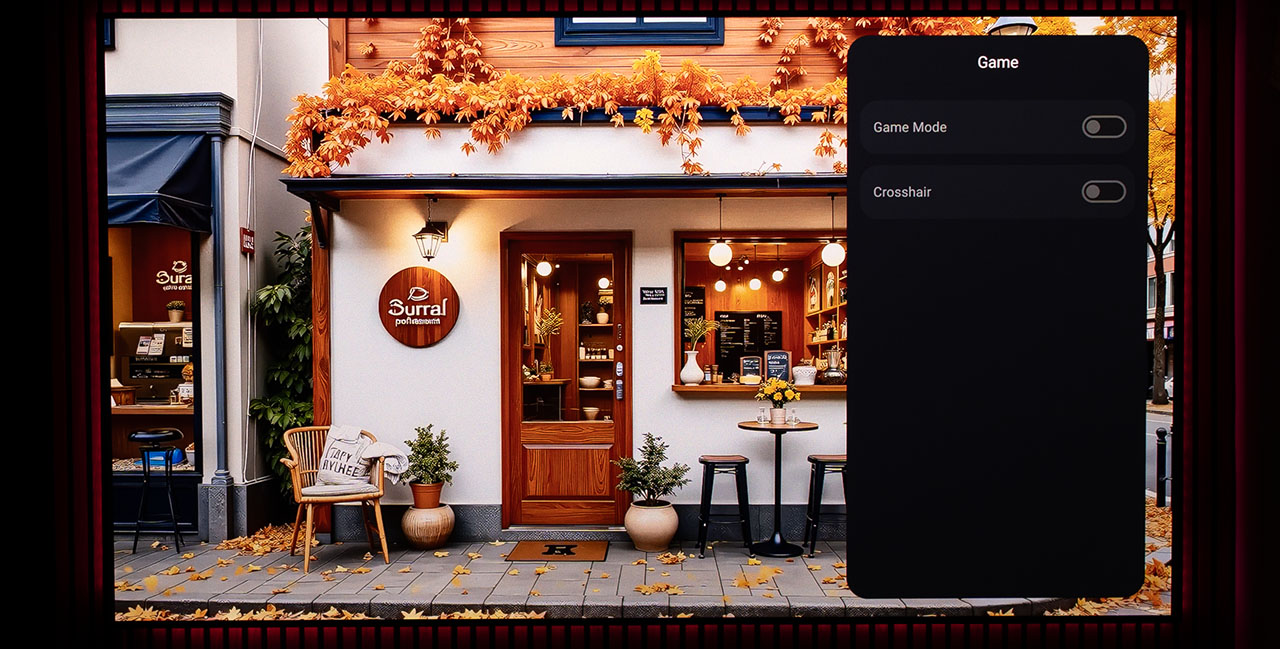
An important option for those of you over 40 whose eyes have seen a lot (I mean used a lot) and now get tired more easily. By activating the Low Blue Light mode, the Horizon 20 Max reduces the emission of blue laser light, making the image warmer, softer on the eyes, and much more comfortable for long viewing sessions.
But let’s now venture into more technical territory, in other words let me make your reading experience even more boring! Why? Because I can!
Let’s move straight to the measurements. How bright is the Horizon 20 Max? What’s its real contrast? What about its power consumption? All these perfectly reasonable questions will be answered in the next few minutes, let’s go!
Measurements
The Horizon 20 Max offers six picture modes, Standard, Movie, Vivid, Game and Sports, but there’s not much point in analyzing them in detail, because unlike some other projectors (such as the Nebula X1, for example), these modes simply use different settings on the white balance, gamma, and color gamut. So, whichever picture mode you choose, if you set the same white balance, gamma, and color gamut, they will perform exactly the same!
The only exception is the High Power mode, which changes the laser cycle from RGB to RGBY (adding a yellow segment) and boost the laser diodes to their power limits in order to increase brightness.
But wait a second, I need to explain some basic information about how an RGB laser engine works in these modern DLP projectors, so you can more easily follow what you’re reading in this review. So, allow me a quick note.
How an RGB Laser DLP Projector Works
In an RGB laser DLP projector, the image is created by three separate light sources (red, green, and blue laser diodes) which flash on and off at extremely high speed. Each video frame is divided into many shorter intervals called cycles, and during each cycle the projector modulates the brightness of every laser using Pulse Width Modulation (PWM).
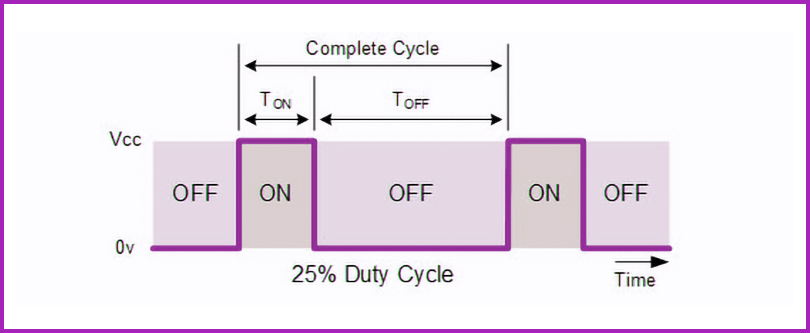
With PWM, the lasers aren’t dimmed in an analog way, instead they are rapidly switched on and off. It’s a digital process, just like the 0s and 1s in a computer’s binary language. The duty cycle, the percentage of time a laser stays on during each cycle, determines the perceived brightness.
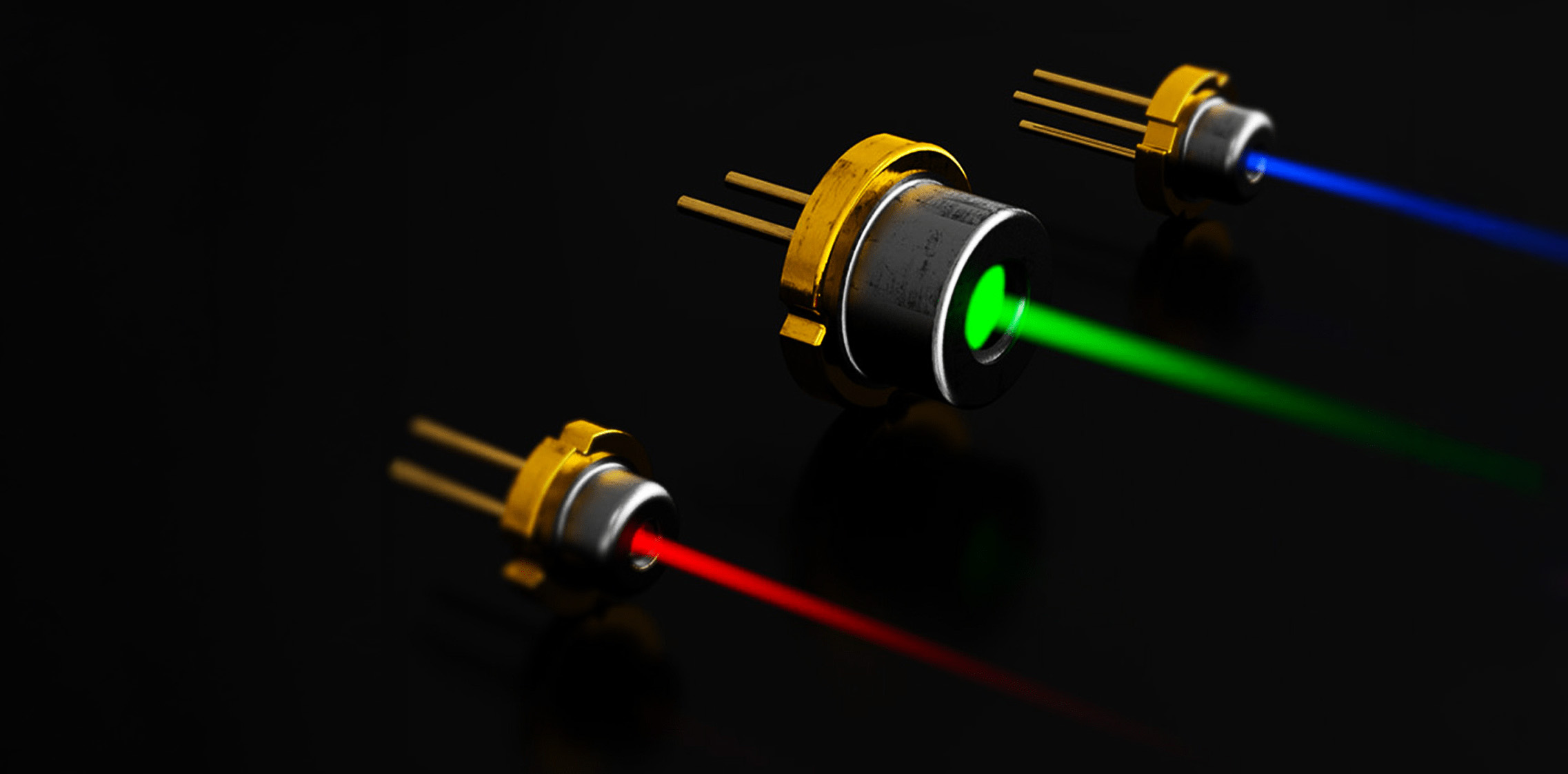
So, apart from how many times the lasers flash within each cycle, there is also the factor of how long they remain on during that time. In other words, within a single frame, each laser might flash once (turning on right after the previous one turns off) or they may divide the time into smaller segments, flashing more frequently but for shorter durations. There is the overall cycle, where all three colors complete their sequence, and within that, the duty cycle, which defines both how long and how many times each laser fires during the cycle.
Interestingly, within a single color cycle, the projector doesn’t always activate just one laser. Sometimes, two lasers can operate simultaneously, for example, the red and green lasers might flash together to produce yellow. This technique helps increase overall brightness, while slightly reducing color accuracy, making the image appear more vivid.
In essence, the DLP chip reflects these rapidly modulated light beams through millions of microscopic mirrors, synchronizing their timing with the video signal. Our eyes integrate these high-speed color pulses into one continuous, full-color image.
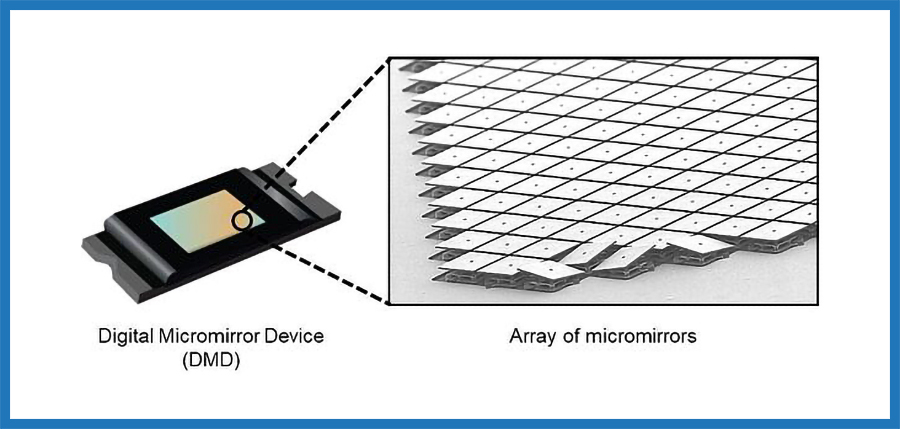
Now, perhaps many of you can better understand why some of us still perceive the rainbow effect on RGB laser projectors, just like we did on older lamp-based DLP models that used a physical color wheel. That’s because, even in modern RGB laser DLP projectors, the fundamental image creation process based on sequential color generation still exists!
Now we can move on to the measurements and analyze them in detail.
Brightness & Power Consumption
XGIMI claims that the Horizon 20 Max produces 5,700 lumens. While it wouldn’t be fair to say that this claim is false, this brightness level (to be precise, I measured 5,270 ANSI lumens) is achieved only in High Power mode where, as I’ve already explained, the laser cycle shifts from RGB to RGBY, and the duty cycle changes dramatically, giving green and yellow more active time than the other primary RGB colors.
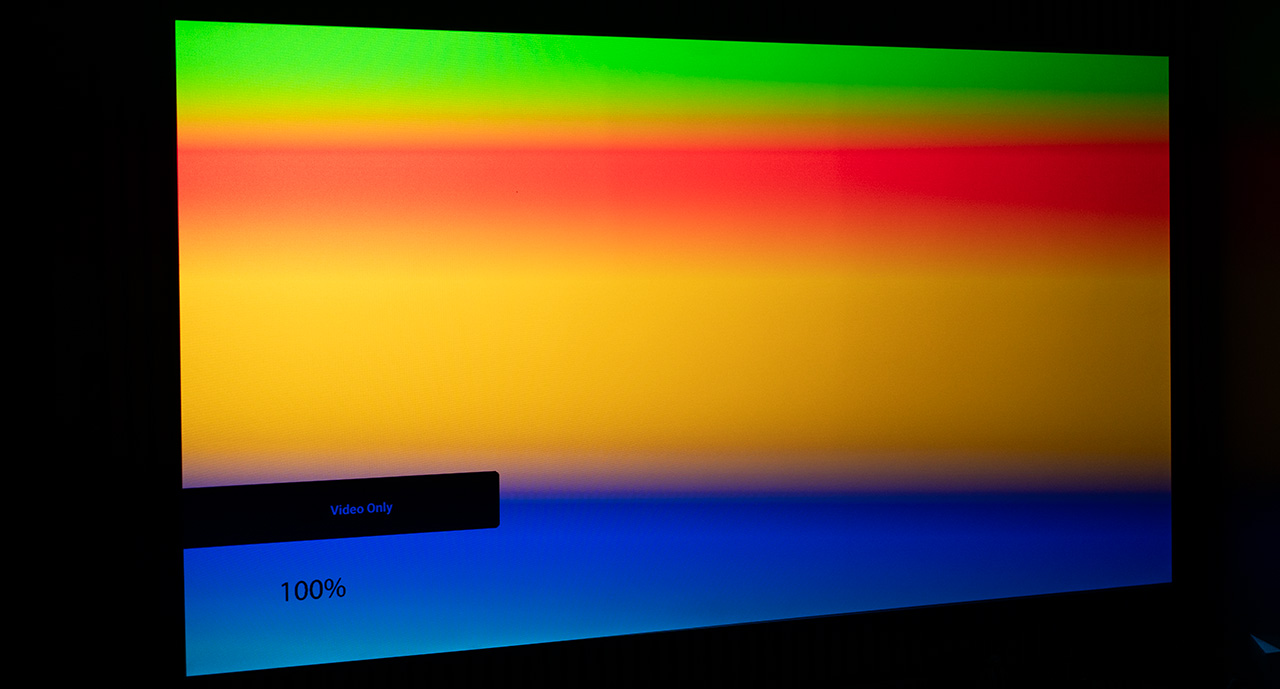
This results in a noticeable green tint in the image, making the projector completely unsuitable for movie viewing. In this mode, the cooling system also ramps up to maximum speed, pushing the fan noise to levels comparable to a fighter jet taking off inside our house.
I’m not sure what XGIMI’s intention was with this picture mode or what kind of use case they had in mind (perhaps a marketing trick to advertise higher brightness? For watching sports in sunlight in your backyard? Who knows..). Either way, I won’t include it in my evaluation here, as it’s not worth further discussion. Also, when you select this picture mode, all image settings become locked, you can’t change anything. For me, it’s as if that mode doesn’t exist.
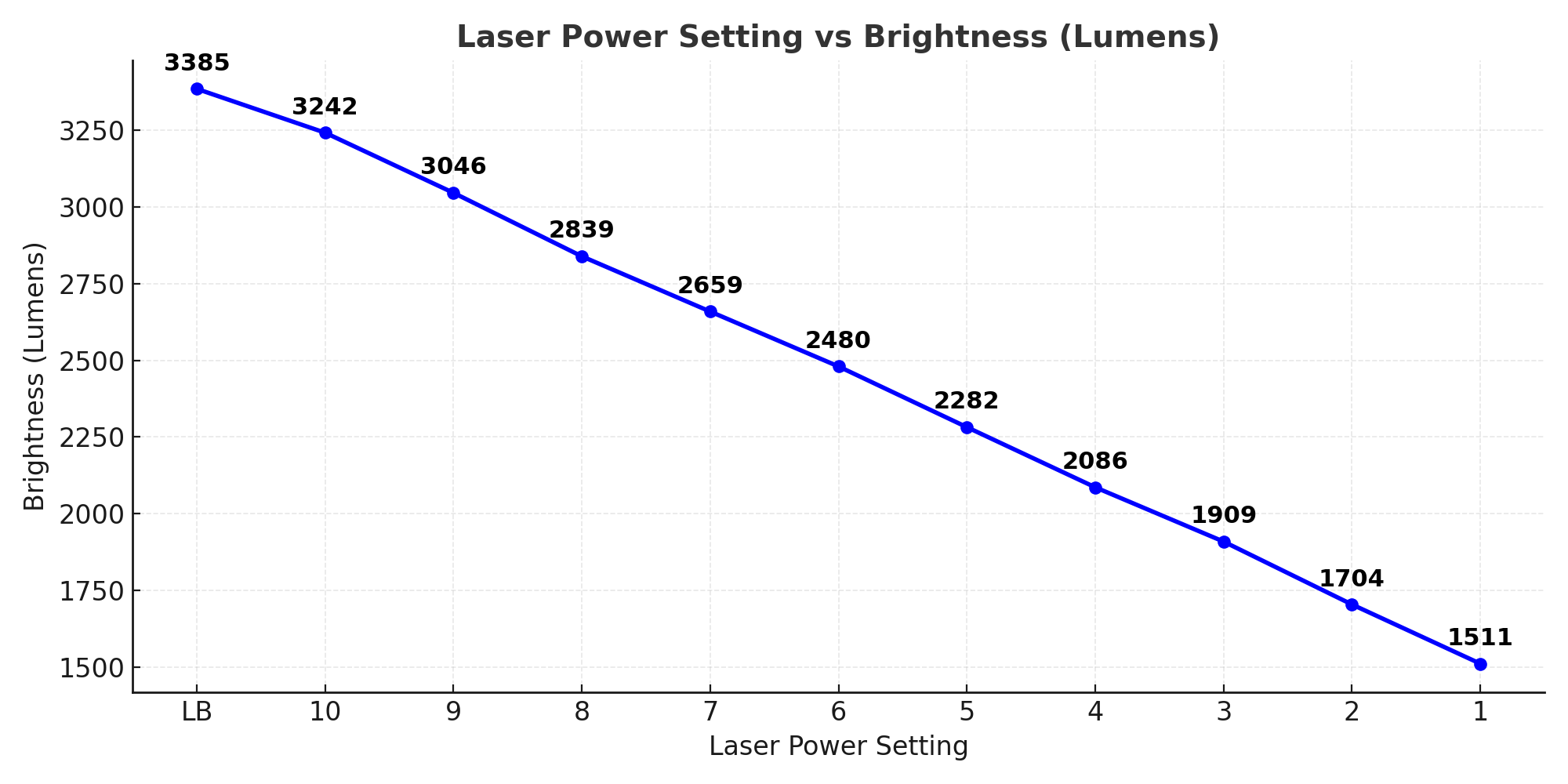
The Horizon 20 Max delivers a maximum usable brightness of 3,242 ANSI lumens with its white balance set to D65, which, as you’ll see below, is its most accurately calibrated mode. (All brightness measurements were taken with the lens set to its widest position, at a 1.2 throw ratio)
It can also produce slightly higher brightness (3,385 ANSI lumens) if you enable the Luminance Boost option. This adds a small yellow segment to the laser cycle and slightly increases the cooling system’s noise, though still at fully acceptable levels. In other words, it’s perfectly usable even for movie playback.
But believe me, 3,242 ANSI lumens is more than enough for any screen size you might use. In fact, for smaller screens (100 or 120 inches), you’ll likely find yourself looking for ways to reduce the brightness!
There’s also something else regarding the brightness of the Horizon 20 Max, but I’ll mention it a bit later in the contrast section.
I’ve also made a chart that shows the brightness levels produced by the Horizon 20 Max depending on the laser setting (labeled Projector Light Output, adjustable from 1 to 10).
For my setup (100-inch screen) I always use it at Laser Level between 1 to 3.
As for power consumption, the Horizon 20 Max, at its maximum laser setting (10) producing 3,242 ANSI lumens, consumes 165 watts. That translates to a total efficiency of 19.6 lumens per watt.
In the chart below, you can see the power consumption levels depending on the laser power setting (from 1 to 10), as well as the power consumption when the Luminance Boost option is activated.
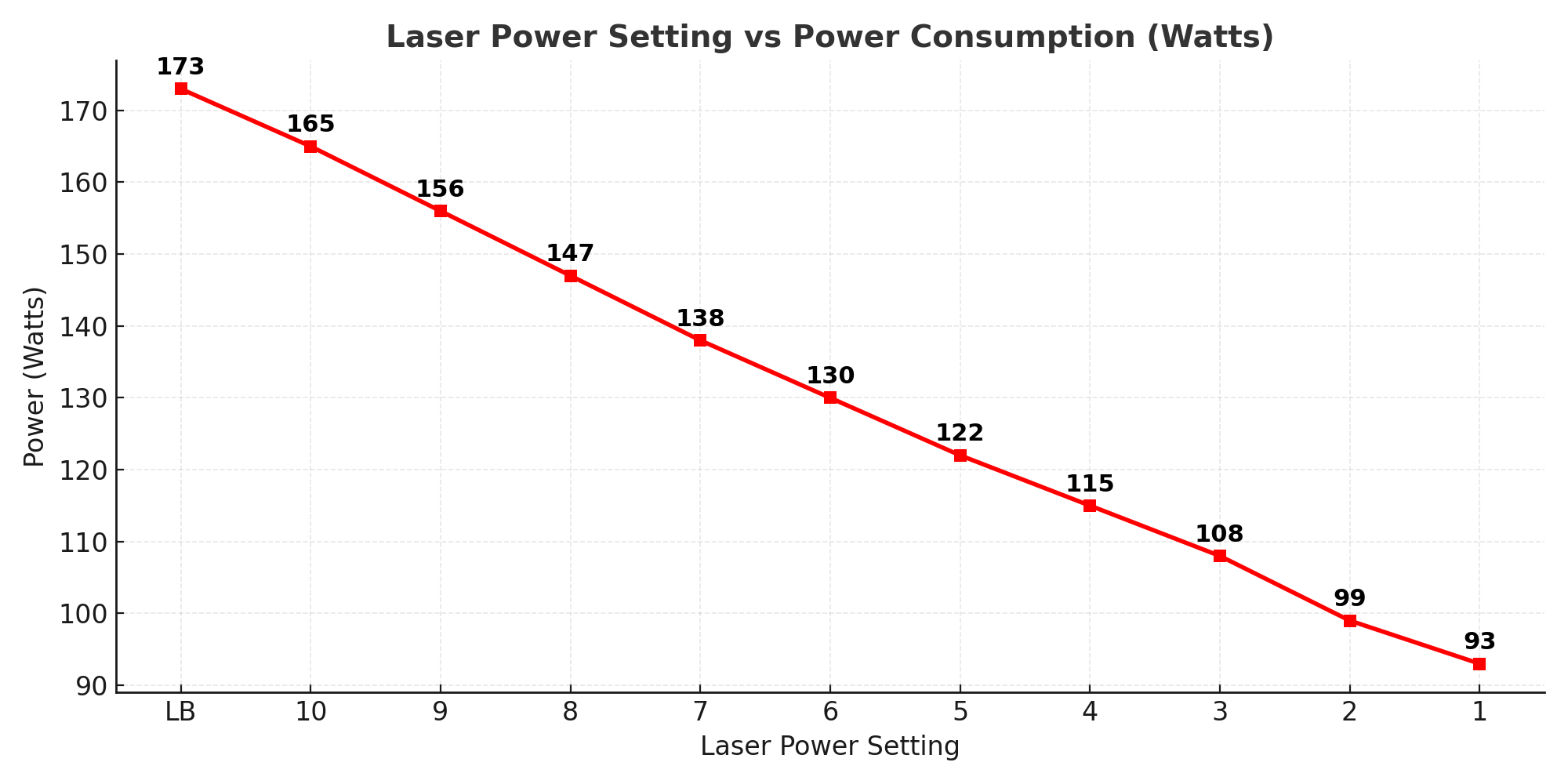
For the record, when you select High Power mode, power consumption jumps to 238 watts.
Contrast
The native on/off contrast I measured on the Horizon 20 Max is 1,340:1 with the lens set at a 1.2 throw ratio, and 1,510:1 with the lens at 1.5.
The dynamic contrast measured at 9,920:1.
Something strange happens when Dynamic Black Level Enhancement is activated, power consumption increases from 165 W to 201 W, and brightness rises from 3,242 to 3,728 ANSI lumens.
It’s unusual, but that’s how dynamic contrast operates on the Horizon 20 Max. That’s what I measured, and that’s exactly what I’m reporting .
I took the contrast measurements several times, using different instruments, because the deviation from the 20,000:1 contrast ratio claimed by XGIMI is enormous.
Unfortunately, the numbers I’m reporting are accurate and represent the actual contrast and brightness performance of the Horizon 20 Max. The measured brightness of 3,242 ANSI lumens in a well-balanced picture mode is solid, but still far from the 5,700 ANSI lumens claimed by XGIMI and not significantly higher than the competition (for instance, the Nebula X1 delivers 3,074 ANSI lumens). Likewise, the 1,510:1 native on/off contrast places it at the lower end of what’s typical for a standard DLP projector
You see, here at Projectorjunkies, we don’t “influence” people just to get views or make you spend your money so we can profit through affiliate links. We simply test projectors.
“5700 lumens light cannon!”, “The brightest projector I ever tested!”, those are some of the kinds of enthusiastic titles I’ve seen from the usual suspects on YouTube, with their sponsored videos that mislead consumers by avoiding any mention of negatives or at least THE TRUTH.
I seriously doubt many of them even tested the projectors for more time than the few minutes it took to film those nice shots for their “promo” videos or articles.
It’s really getting out of hand, and to be honest, I’ve grown tired of all these so-called influencers who’ve turned misleading their audience through sponsored “reviews” and presentations into a full-time job.
And I’m not just talking about projector reviews here, I mean everything. It’s gotten completely out of control! Don’t you see it too?
Alright, now that I’ve gotten that off my chest let’s move on!
White Balance
As I mentioned earlier, the picture modes don’t play any real role here, everything in white balance depends entirely on the setting you choose in the Color Temperature menu.
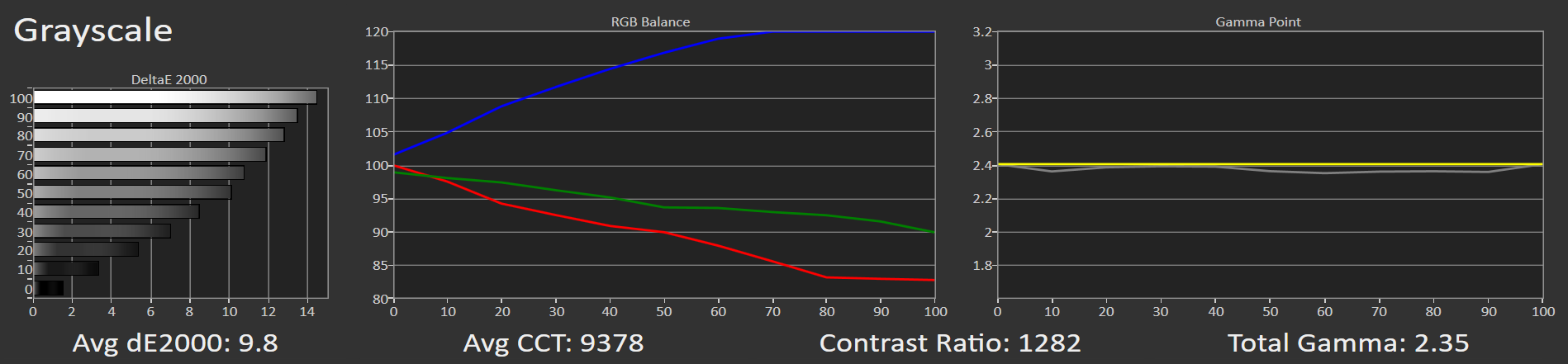
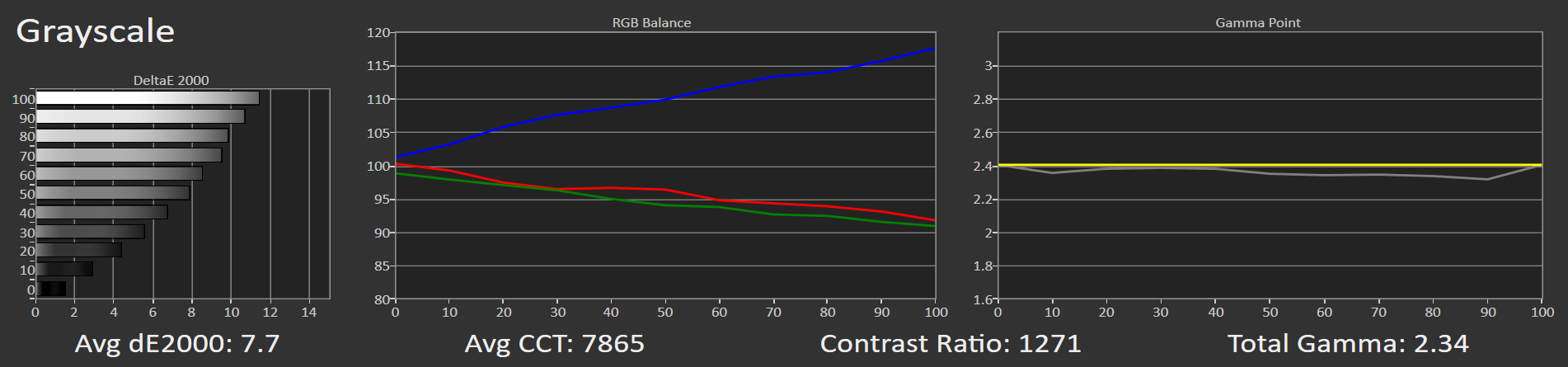
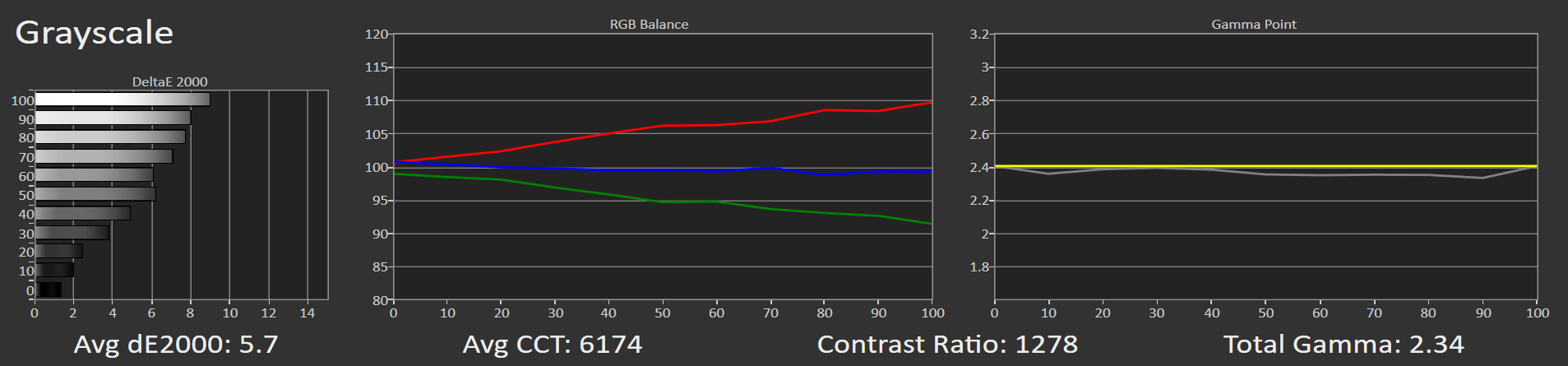
So, I measured the four available Color Temperature modes (on gamma “Dark”), and the results are as follows:
Color Temperature 1
Color Temperature 2
Movie
D65
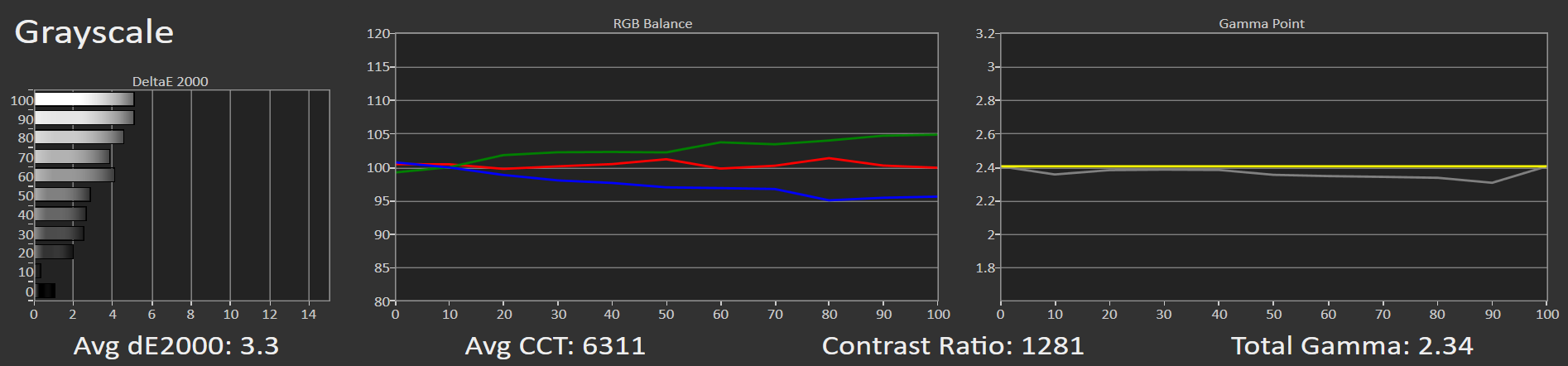
The best result comes from the D65 setting, although the Movie option is also quite good. With just a few minor adjustments in the 2-point white balance correction, the grayscale on the Horizon 20 Max reaches near perfection, with a DeltaE 2000 error below 1 (0.8).
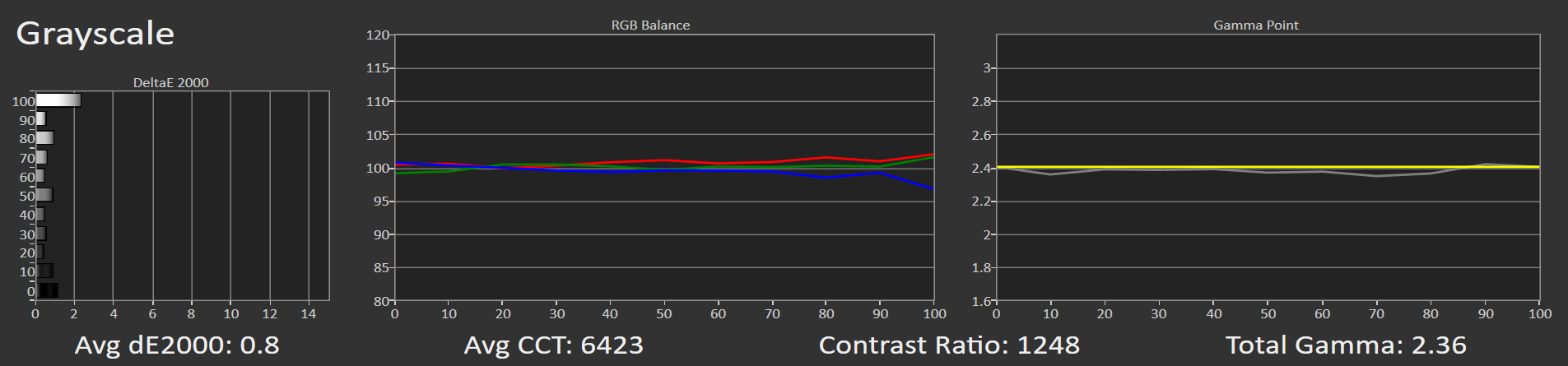
I took a few additional measurements because I was curious to see how the Horizon 20 Max behaves as the laser power setting is reduced, and how evenly the brightness decreases in relation to the white balance.
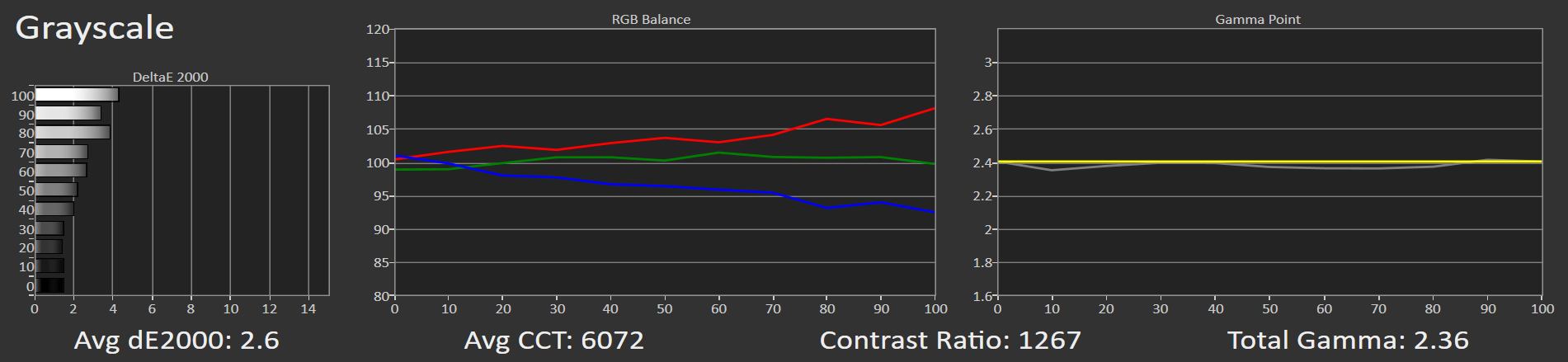
Here are the results, referenced to the chart above, with the Horizon 20 Max fully calibrated :
Laser 5
Laser 1
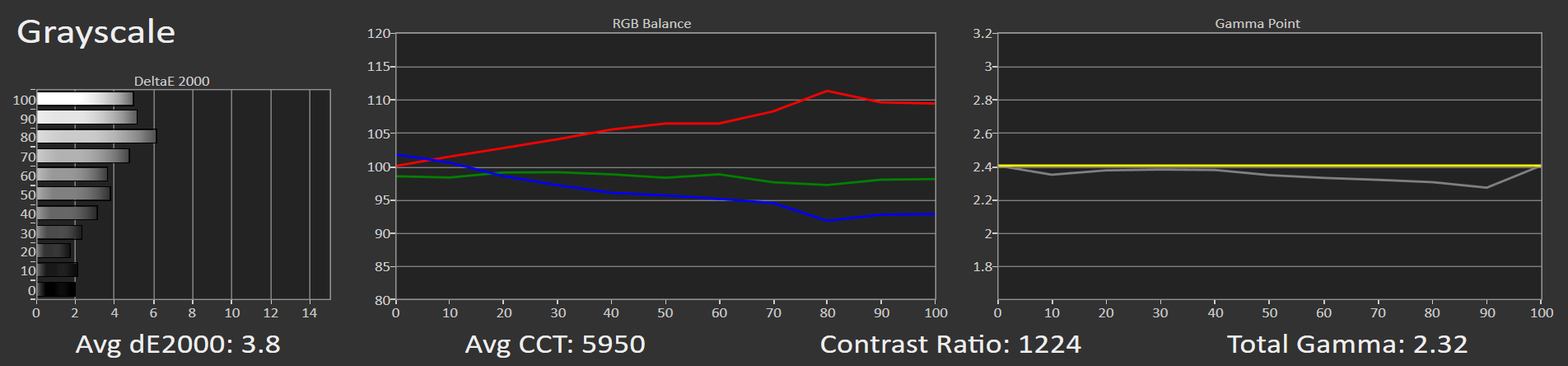
The conclusion drawn from these measurements is that the more we reduce the laser power, and therefore the overall brightness, the warmer the grayscale becomes.
The Horizon 20 Max includes a menu option called “Low Blue Light.”
The “Low Blue Light” mode reduces the strong blue light (in the 415–455 nm range). This type of light can cause eye strain and make it harder to sleep if you watch for long periods, like when you go through two movies in a row or get hooked on a Netflix series and keep watching episode after episode like there’s no tomorrow!
It’s very useful to have a setting that, with just one click, lowers these wavelengths directly from the laser engine. This showing the more human-centered side of XGIMI that it’s already known for.
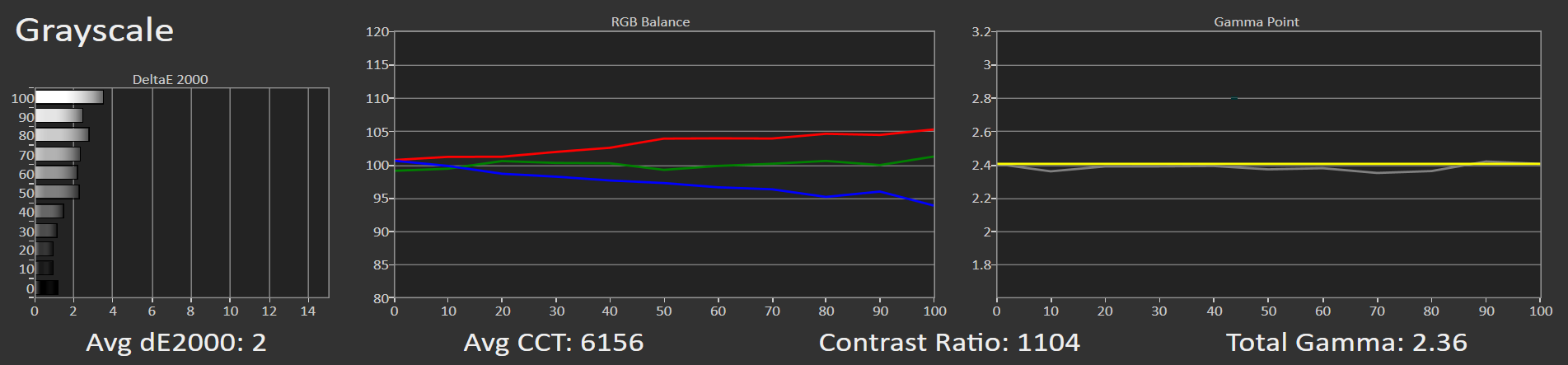
I was curious to see how it affects the grayscale (white balance), so I took measurements at both available settings, Low and High.
Low Blue Light : Low
Low Blue Light : High
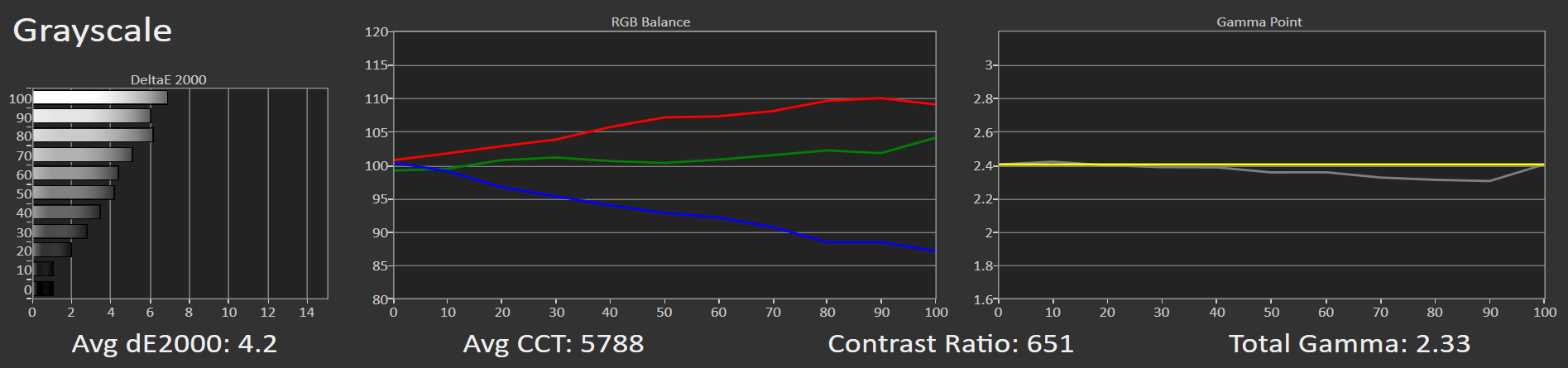
As it turns out, this setting does exactly what it’s supposed to do, it reduces blue light emission evenly without affecting the gamma, nice. Let’s move on!
Colors
The Horizon 20 Max supports all three major color standards used in the world of cinema: Rec.709 for standard definition content, the cinematic DCI-P3, and the often “underrated” BT.2020 used in HDR.
I say “underrated” because about 99% of HDR movie mastering is still done in DCI-P3, even though the official HDR standard is BT.2020. The reason is simple, no display device on the planet, except of these crazy RGB laser DLP projectors, can even come close to covering the full BT.2020 color range.
So, every time you play an HDR movie on your Horizon 20 Max (or any other RGB laser DLP projector) and proudly select the BT.2020 color mode (which your projector can technically display) keep in mind that what you’re actually seeing is the projector’s internal conversion from DCI-P3 to BT.2020 and not the exact colors intended by the director and colorist during grading, just a quick side note.
Nikos!! You’re drifting off again—let’s get back on track!
In Rec.709 mode, the Horizon 20 Max appears slightly oversaturated, nothing major.
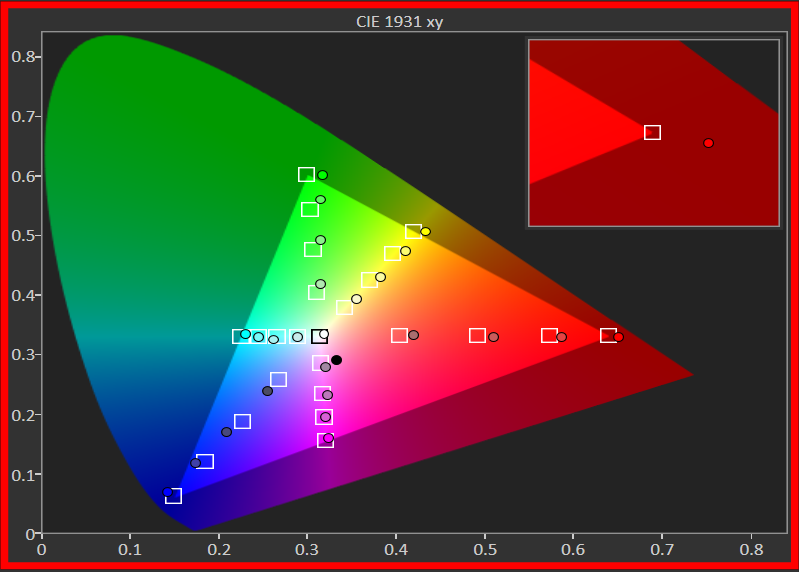
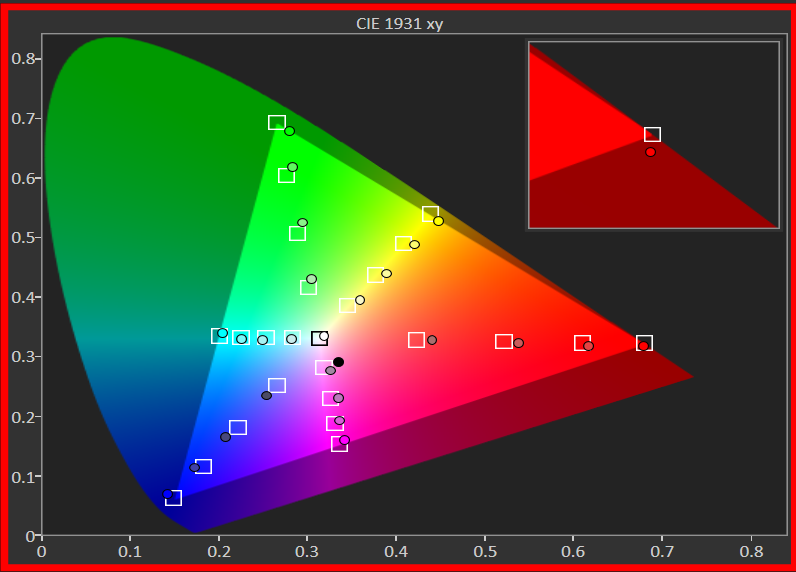
Switching to DCI-P3 expands its color palette beautifully, reproducing the gamut with excellent accuracy.
In BT.2020 mode, the color performance remains outstanding in my opinion, just a bit more saturated overall.
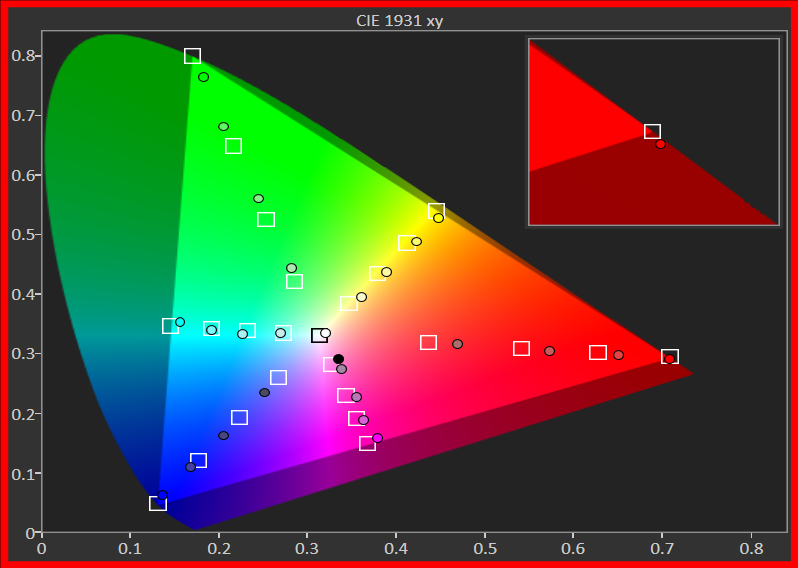
For the record, the Horizon 20 Max covers 92.2% of the BT.2020 color gamut which is, quite simply, excellent.
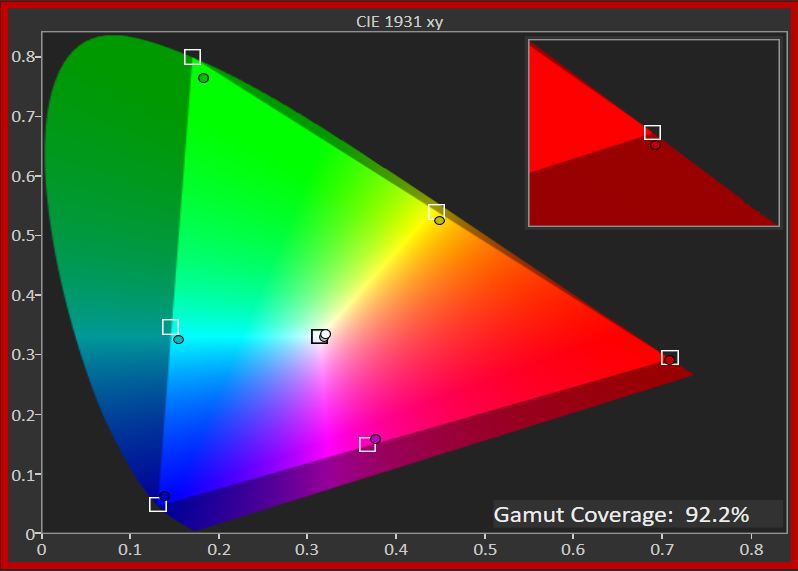
Overall, I’d say the Horizon 20 Max comes exceptionally well factory calibrated, both in terms of white balance (when you select the D65 white temperature) and color accuracy across Rec.709, DCI-P3, and BT.2020.
Dithering and Laser Speckle
Before I talk about how the Horizon 20 Max performs in these two areas, which I know are very important to many of you and can even influence your decision on whether to buy an RGB laser projector or not, I’d like to make a quick note for our new readers here at Projectorjunkies who may not be familiar with these technical terms and what they mean.
So, very briefly, I’ll explain what dithering and laser speckle are. If you already know, feel free to skip the next two paragraphs.
What is Dithering on DLP Projectors
Dithering is a visual effect that appears mostly in dark scenes (low IRE) on DLP projectors. It looks like a soft, moving “noise” or tiny flicker in the black or near-black areas of the image.
This happens because a DLP chip can only turn each tiny mirror on or off, it can’t show true shades of gray on its own.
To create smooth brightness levels, the projector rapidly switches those mirrors on and off many times per second. At very low brightness (low IRE), these tiny light pulses become visible, and that’s what we perceive as dithering.
Some projectors show it more clearly than others, depending on how the DLP controller and the video processing handle this timing.
What is Laser Speckle (on RGB Laser Projectors)
Laser speckle is a shimmering “grain” that can appear usually in the image of an RGB laser projector. It looks like tiny sparkling dots that slightly change when you move your eyes or shift your viewing position.
This happens because laser light is extremely coherent, all its waves are in perfect phase and direction. When those pure red, green, and blue laser beams hit the screen, they reflect and interfere with each other, forming a visible interference pattern called speckle.
RGB laser projectors are more prone to this effect because they use single-wavelength lasers for each color, meaning the light waves are perfectly aligned and highly uniform.
To reduce speckle, manufacturers use techniques like optical diffusers, vibrating elements, or multi-mode laser sources that slightly randomize the light phase and smooth out the pattern.
The Horizon 20 Max exhibits some visible dithering, noticeably more than the Valerion Pro 2 and Nebula X1, which I consider its closest competitors. I’ll include a screenshot where I’ve artificially enhanced the effect to make it easier to identify.
In real viewing conditions, however, it’s not distracting and remains invisible from a normal seating distance.
What did catch my attention is that the effect persists up to relatively high brightness levels (even around 30 IRE) it can still be seen if you move close to the screen and look carefully, something that doesn’t occur with the other two models mentioned above.
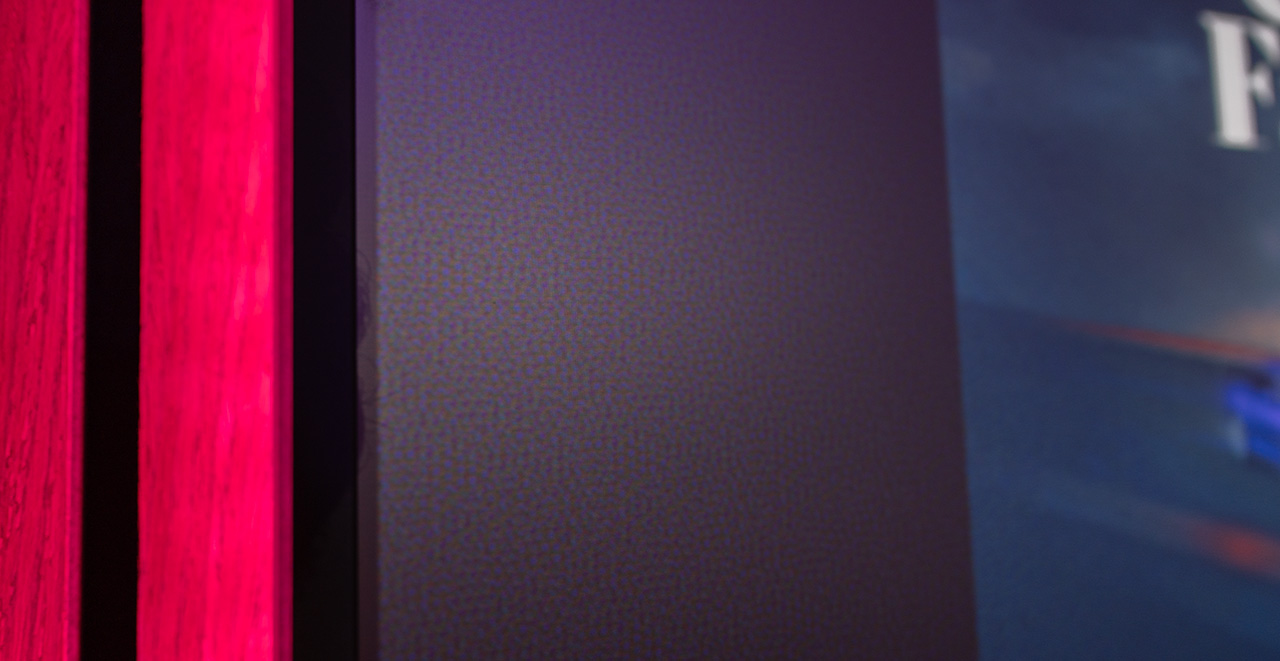
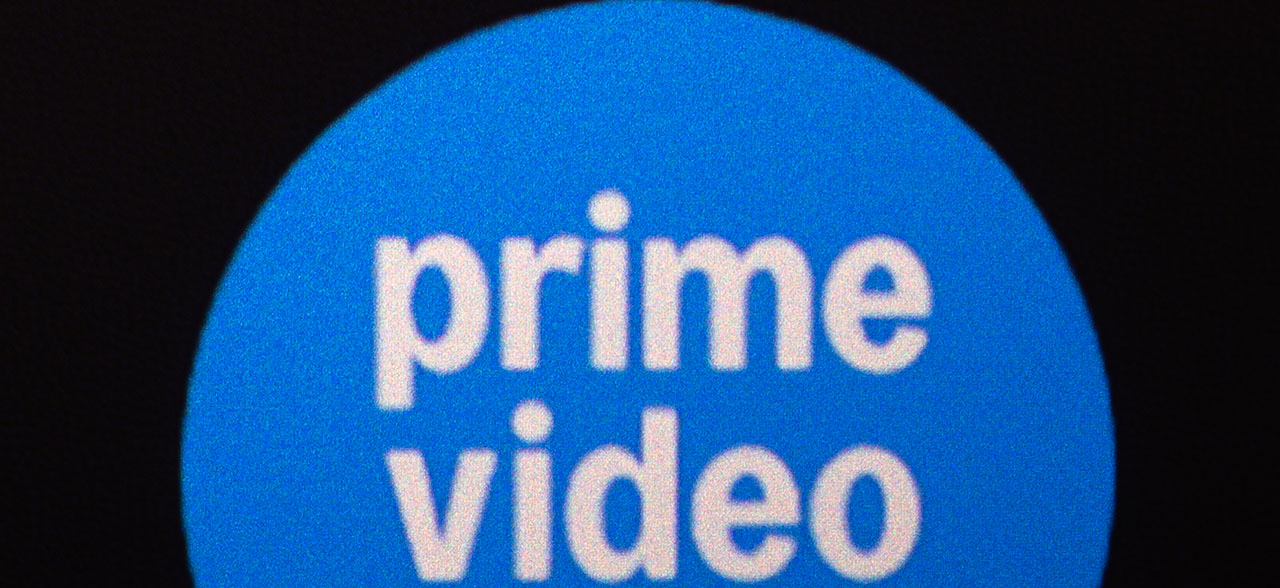
Laser speckle is also present on the Horizon 20 Max, as it is on all laser projectors, especially on pure triple RGB laser models. However, the effect is noticeably less pronounced on the same screen where I tested it side by side with the Valerion Pro 2 and Nebula X1.
If I had to quantify it, I’d say it’s roughly 30–40% lower in intensity. Personally, as I’ve mentioned before, I’m one of those lucky people whose brain naturally ignores it, and I only notice it if I intentionally try to.
The screenshots below were taken on a Fresnel ALR screen.

Laser speckle can be almost completely eliminated by choosing the right screen, in some cases by as much as 90%. The following screenshots show the Horizon 20 Max projected on the white textured Valerion White Screen.
Can you see the difference?

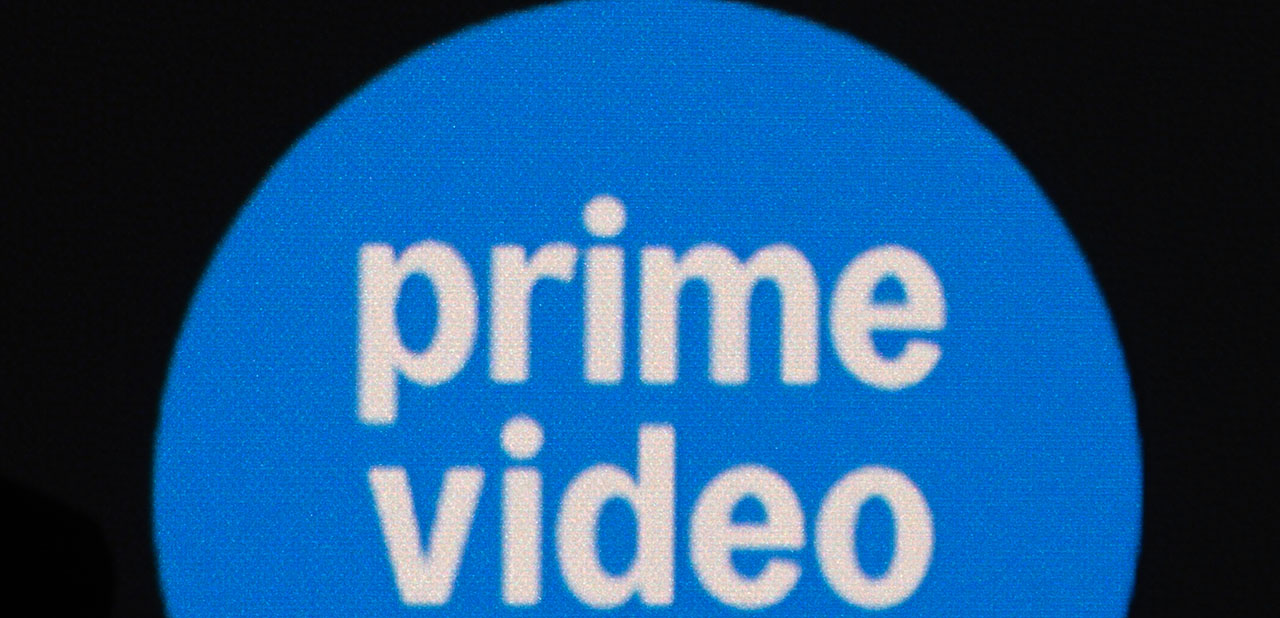
By choosing the right screen, you can almost completely eliminate laser speckle if it happens to bother you, and that’s what really matters.
As for the Horizon 20 Max, I’d classify it among the RGB laser projectors with relatively mild speckle visibility, making it a safe choice for anyone who’s particularly sensitive to this phenomenon.
We Have to Talk About Those AI Features
There are two AI algorithms available in the XGIMI Horizon 20 Max, found in its menu, that almost no one has paid attention to. I’m referring to AI-PQ and AI-SR, both located in the advanced settings of the projector.
But what exactly are these two AI tools, and what do they offer to the Horizon 20 Max user?
AI-PQ is an AI learning tool that I would describe as part of the internal dynamic tone mapping algorithm built into the Horizon 20 Max.
Before going deeper into this AI feature, I would like to clarify a few basic terms for readers who don’t have specialized knowledge and find it difficult to understand some key features I’m going to describe, features related to HDR and PQ in general.
What Is PQ in General?
PQ stands for Perceptual Quantizer, the electro-optical transfer function (EOTF) used in HDR10 and Dolby Vision.
In simple terms, PQ defines how digital signal values have to be converted into visible brightness (you send electrical signals when you play a movie to your projector, and the projector translates them into light on your screen, right?Τhe PQ is the translator).
Think of PQ as the HDR equivalent of gamma in SDR.
While gamma describes how brightness behaves in standard dynamic range (up to about 100 nits is rec.709 standard), PQ is designed for HDR and covers a much wider range (from 0.0001 to 10,000 nits) based on how the human eye actually perceives light.
So, PQ is a fixed mathematical curve embedded in the HDR signal itself, helping the projector’s optical engine translate the incoming digital data from your player into light output.
The Simplest – HDR10

HDR10 uses static metadata, which are just a few numbers included once for the entire movie:
MaxCLL – the brightest pixel in the whole movie
MaxFALL – the average brightness of the brightest scene
Mastering Display – the monitor used when grading (e.g., 1000 nits, D65, BT.2020)
These values give your projector a general idea of how bright the film is meant to be, but only on average. They don’t change scene by scene, or frame by frame so the projector must do its own analysis to adjust brightness dynamically.
That’s where Dynamic Tone Mapping (DTM) comes in, and the Horizon 20 Max has its own built-in one.
The Smarter – HDR10+
HDR10+ is an evolution of HDR10 developed by Samsung and Panasonic. It still uses the PQ curve but adds dynamic metadata, similar to Dolby Vision and not static like regular HDR10 that we analyzed above.
This allows scene-by-scene (or frame-by-frame) adjustments directly from the content, instead of leaving all tone-mapping decisions to the projector internal dynamic tone mapping.
Compared to Dolby Vision, HDR10+ metadata are simpler and open-source, but the principle is the same: They tell the Horizon 20 Max how to adapt the PQ curve dynamically based on the mastering brightness and the projector’s own performance limits (maximum brightness, maximum contrast, etc.).
In other words, here the Horizon 20 Max’s dynamic tone mapping receives more accurate, dynamic, and detailed instructions (frame by frame and scene by scene), helping it handle HDR content better and display it on our screen with the best possible result.
What Dynamic Tone Mapping Does
Dynamic tone mapping is the projector’s own intelligence that adjusts the PQ curve in real time. It looks at each frame, measures its overall brightness, and compresses the 10,000-nit HDR range into whatever brightness and dynamic range the projector can actually produce.
Without DTM, HDR10 and HDR10+ can look too dark, washed out, or lose highlight detail. With DTM, the projector continually reshapes the PQ curve so that bright and dark scenes both look natural and detailed.
In other words:
When you watch HDR10 or HDR10+, your projector using dynamic tone mapping modify on the fly the PQ. The only difference is that in the case of HDR10+, it can do a better job because it receives dynamic instructions during playback, not just static ones at the start of the movie as in regular HDR10.
(Many projectors choose to ignore the dynamic metadata of HDR10+ and simply play it back as standard HDR10, using their own internal dynamic tone mapping instead. Others, on the other hand, display HDR10+ as it is, but disable their internal tone mapping while doing so. These are technical details that aren’t important for now, I don’t want to confuse you any further so let’s just focus on the basics that really matter).
The Best – Dolby Vision

Here, things change completely because the projector doesn’t perform tone mapping “as it wishes.”
Dolby has already defined (through the device profile it created in its laboratories) exactly how tone mapping will be done, and the Horizon 20 Max simply executes the commands of the Dolby Vision engine, based on the dynamic metadata of each frame and the display configuration produced during certification.
In other words, when playing Dolby Vision content, everything is already predefined by Dolby, and the projector’s own dynamic tone mapping does not take any initiative in how the Horizon 20 Max reproduces the Dolby Vision Movie.
In my humble opinion, the Dolby Vision HDR format is the best and most consistent one, giving viewers a sense of confidence that what they’re seeing is the best possible result. A projector that’s certified for Dolby Vision playback has been sent to Dolby’s labs, measured, and officially approved for its ability to reproduce Dolby Vision content. It also has a locked (non-editable) dynamic tone mapping system made specifically for Dolby Vision playback.
Sorry guys, I tried to explain the whole HDR “circus” as simply as I could, I hope I managed to give you at least an idea… or maybe just confused you even more? Only you can tell!
Now, let’s move on to our main topic, the AIPQ algorithm of the Horizon 20 Max.
The XGIMI’s ChatGPT – AIPQ
The AIPQ algorithm in the Horizon 20 Max uses the power of the MediaTek SoC and isn’t a full dynamic tone mapping system on its own, I want to make this clear because the “PQ” part of its name might be misleading.
Instead, it’s an AI-based image processing algorithm that analyzes each frame in real time to enhance gamma and contrast in HDR content. In the Horizon 20 Max, AIPQ works alongside XGIMI’s built-in dynamic tone mapping, examining both the content and the PQ curve frame by frame to make subtle adjustments wherever they can help deliver a more balanced and visually refined final image.
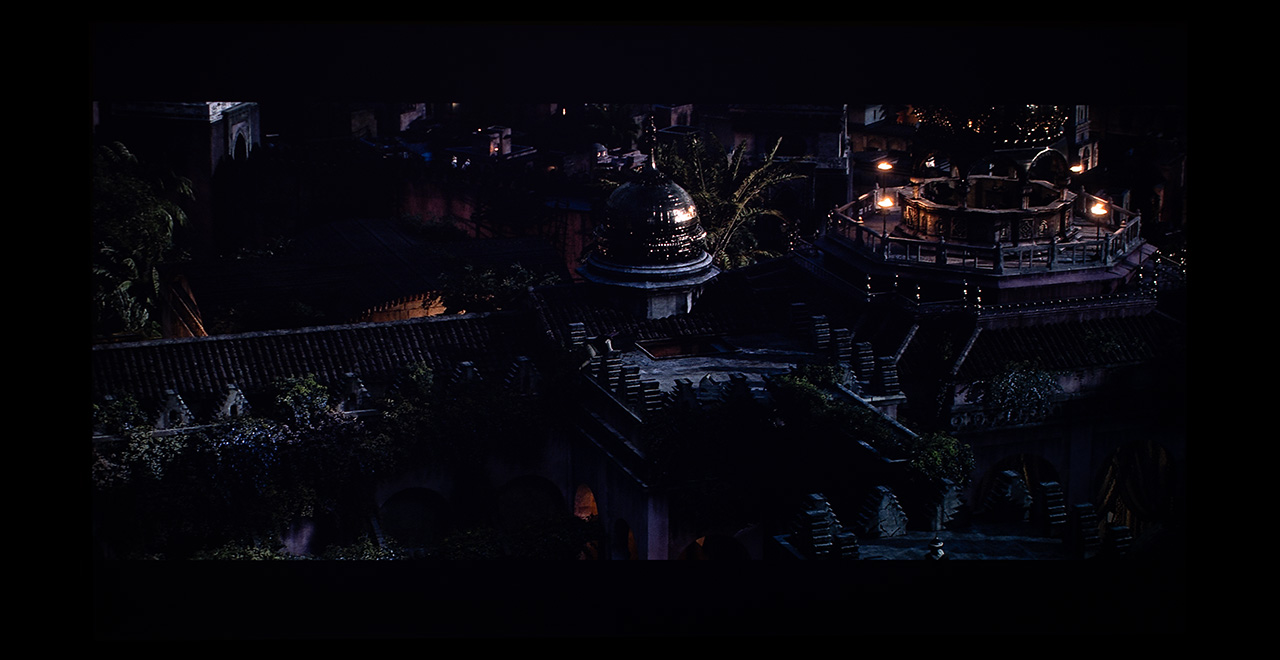
I’ll show you two screenshots taken with the exact same camera settings. Don’t focus on whether the exposure is perfect or if some shadow details are missing, the goal here is to observe the differences between AIPQ off and AIPQ on.
Here’s the first screenshot from HDR10 content with AIPQ turned off.
And here’s the same exact frame, captured with the same camera settings, but this time with AIPQ turned on.
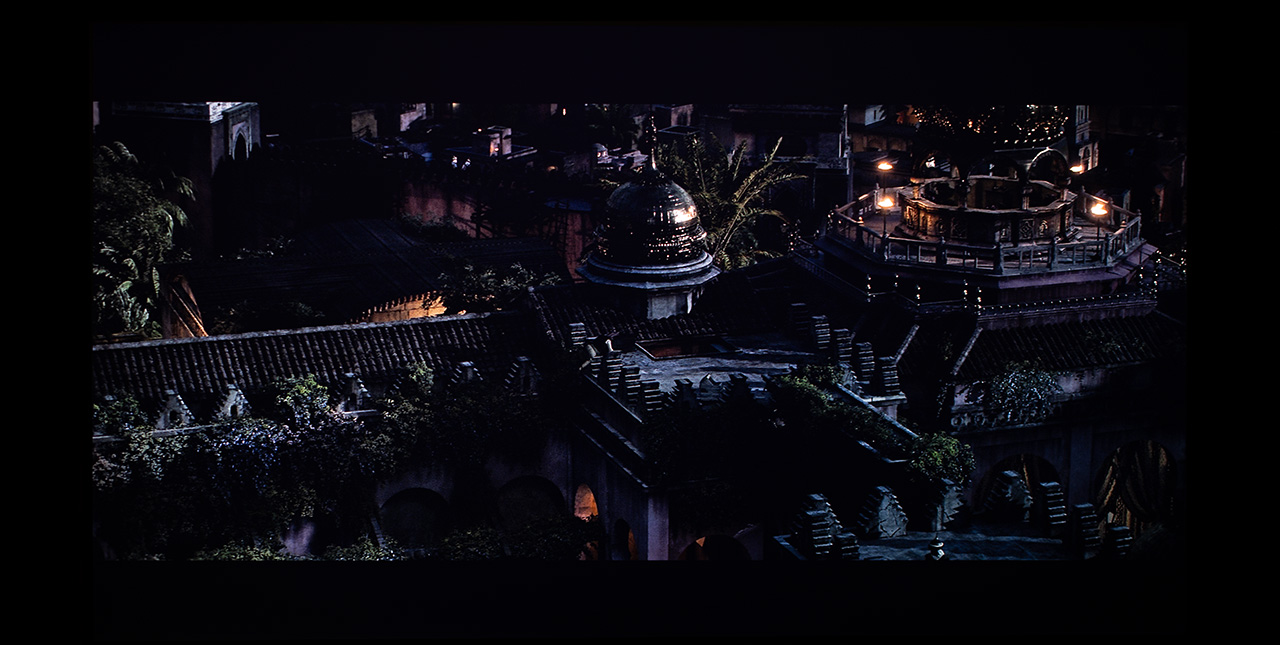
The work AIPQ does is simply outstanding. It doesn’t affect the entire image like a basic gamma adjustment would. Instead, it analyzes, learns, and recognizes objects, backgrounds, faces, shadows, color tones, and much more, then intervenes with surgical precision to deliver every bit of image detail to the viewer’s eyes without exaggeration, just in a slightly more “vivid” and more colorful way.
I tested the algorithm with many HDR movies, and there wasn’t a single moment where I saw anything distracting or any kind of “oops, that looks wrong” effect. Needless to say, whenever I watched HDR content, I always kept it on!
In essence, we’re talking about an AI, a sort of XGIMI’s ChatGPT specialized in assisting and fine-tuning the Horizon 20 Max’s dynamic tone mapping whenever and wherever it’s needed, helping it deliver the most impressive image possible. Not bad at all!
A strange bug I noticed is that when you enable AIPQ, the 11&2-point white balance adjustment options disappear from the menu! The settings you’ve already made still affect the image, but you can’t change them anymore because those two sub-menus are gone. So, before deciding to leave the AIPQ algorithm permanently enabled, make sure to adjust the 11- and 2-point white balance settings to your liking, before they disappear 🙂
The next AI algorithm I want to talk about is AISR (Artificial Intelligent Super Resolution).
The AI is here – AISR
This is an AI system designed for one simple task, to upscale any non-4K content you feed into the Horizon 20 Max, up to full 4K resolution. Sounds simple, right? We’ve all seen plenty of upscaling algorithms before, Nikos, nothing special here, some might say.
Hold on though, this isn’t the typical upscaling, guys!
AISR is something quite different. It analyzes every single frame in real time, recognizing faces, objects, blurred backgrounds, and more, then processes each one separately, almost like a professional working in a studio who spends weeks converting a 1080p movie into 4K, frame by frame, to achieve the best possible result.
AISR works like magic, it handles everything, from low-quality 720p files and 1080p Blu-rays to TV streaming apps and even local news broadcasts. The upscaling quality is so good that, in my own test comparing a 1080p movie upscaled with AISR to the same title in native 4K, I could barely tell any difference in sharpness or detail. Simply amazing.
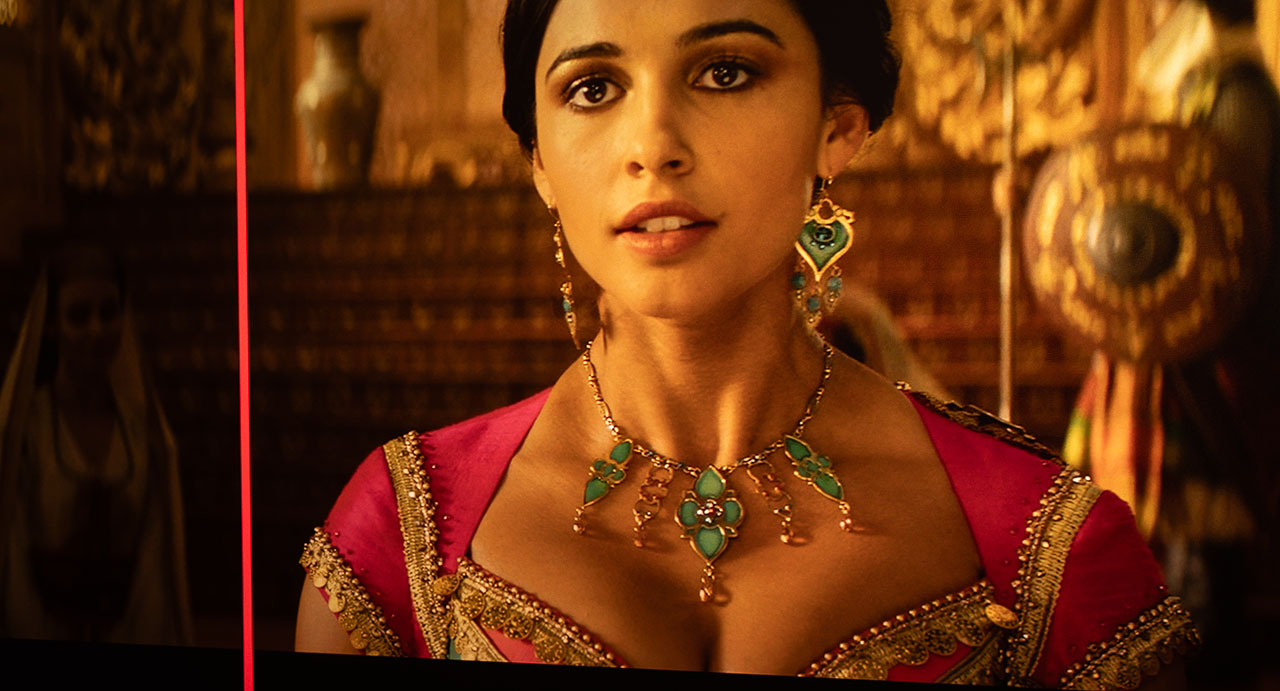
In the screenshots below, you’ll see a frame from a movie in its 1080p version. The first image shows a part of the frame with AISR turned off, and the second shows the exact same part with AISR turned on, take a look. (And keep in mind that the photos you’re looking at are low-resolution and heavily compressed)
AISR Off
AISR High

Well, I kind of lied to you earlier. AISR doesn’t technically upscale content to 4K in the literal sense of the term, I just used that expression for simplicity.
What AISR actually does is a selective upscaling, adjusting the level of enhancement depending on our chosen setting. Yes, when you set it to High, the image looks strikingly close to native 4K, so my earlier statement wasn’t completely off.
AISR offers three levels, Low, Medium, and High, allowing you to decide how strong you want the upscaling effect to be. It also includes four demo modes that let you see the “before and after” results live on screen. You can move a vertical slider left and right to compare the two versions, or even drag a small square around the image to preview exactly how AISR improves different areas in real time.
The amazing thing is that AISR even performs a kind of upscaling on 4K content! Below are two screenshots from the series “The Gentlemen,” streamed through the built-in Netflix app in 4K Dolby Vision.
Don’t tell me the difference isn’t impressive, because it really is! What’s even more remarkable is how subtle and precise AISR’s effect is, no artifacts, just targeted, surgical enhancement exactly where it’s needed.
AISR Off (4K)

AISR High (4K)
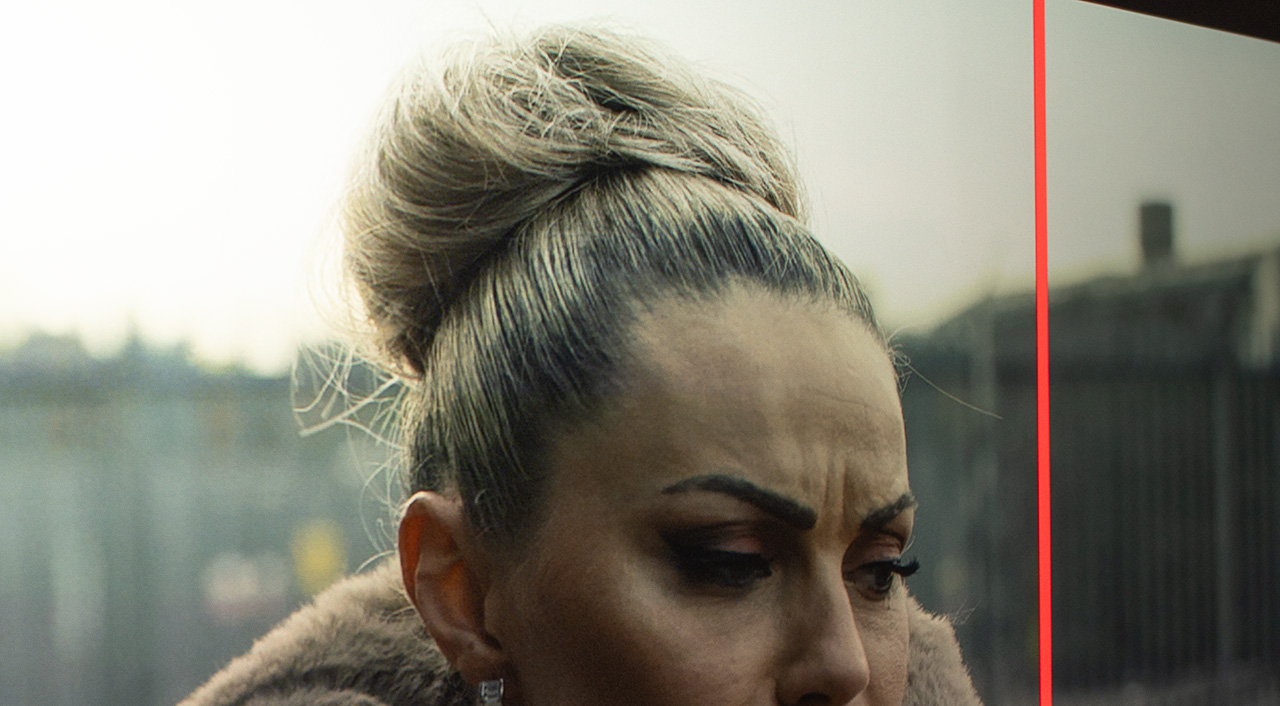
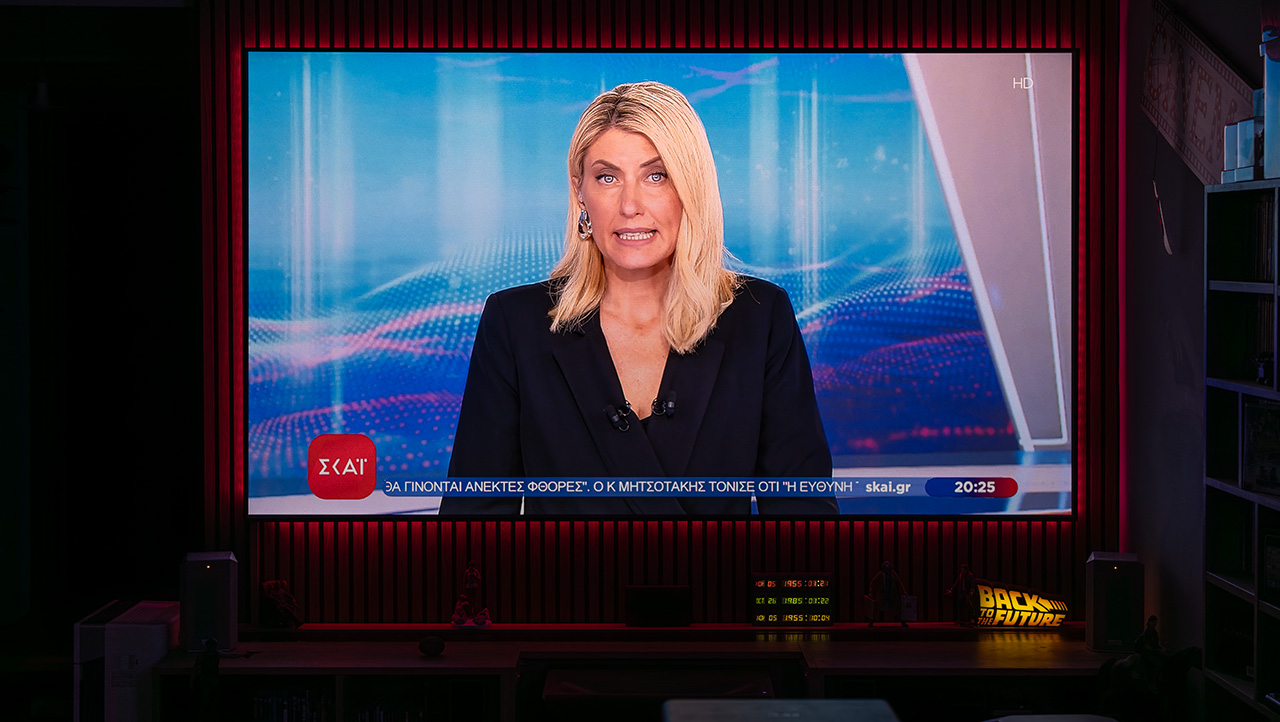
Overall, it’s an AI algorithm that works brilliantly. Even on a local Greek TV channel I tested, where the broadcast was a heavily compressed 720p signal, the result looked so clean and detailed that if someone told me it was 4K compressed streaming content, I would have believed them.
Let’s move on now to another so-called “super artificial intelligent” feature called Dynamic Black Enhancement, or should I say super artificial disaster? We’ll see…
Dynamic Black Enhancement
This new and highly promising technology we first saw working exceptionally well in AWOL Vision’s UST projector series (LTV-XXXX), and later as EBL in the latest Valerion models, is also present in the Horizon 20 Max.
I’m referring to the well-known intelligent dynamic black algorithm that analyzes the content frame by frame and scene by scene in real time, adjusting the cycle and duty cycle of the three RGB lasers while simultaneously modifying the gamma (EOTF) in specific parts of the image to achieve the highest possible contrast and optimized black levels depending on the scene.
XGIMI has developed and equipped the Horizon 20 Max with its own version of a Dynamic Black algorithm. The difference between this implementation and those used by other manufacturers is that it represents the latest generation and operates in a more comprehensive way, I would say.
The new DMD controller, the DLPC8445, allows continuous gamma (EOTF) adjustment across different parts of the image to be performed directly at the signal level, rather than as an overlay or external correction. In addition, the high-speed data transfer to the DMD through a rolling buffer, as I explained earlier, enables an even faster and more immediate adjustment of the laser duty cycles whenever a brightness reduction is required.
In simpler terms, the new hardware of the Horizon 20 Max allows the Dynamic Black algorithm to intervene directly within the content dynamic tone mapping process, rather than acting as an additional layer on top of it. This results in faster and more precise operation, less perceptible to the viewer, and with greater potential in terms of overall system performance.
The major drawback, however, is that this algorithm is blocked by the “firewall” of Dolby Vision’s closed and inaccessible dynamic tone mapping system, as I described earlier. In other words, this kind of Dynamic Black cannot operate within pre-defined and locked tone-mapping environments like Dolby Vision. It works perfectly in SDR, HDR10, and HDR10+, but not in Dolby Vision. I believe XGIMI might find a way to overcome this limitation through a clever workaround in a future firmware update but for now, Dolby Vision + Dynamic Black… sorry, can’t be done.
I’m also quite sure that if the team at Dolby Labs witnessed how XGIMI’s Dynamic Black algorithm operates in practice, they’d probably revoke its certification rather than allow it to interfere with Dolby Vision’s PQ.
This Dynamic Black feature is, in my opinion, still at an early stage of development and not yet ready to be released as a feature on the Horizon 20 Max. I’m not saying XGIMI was wrong to include it despite its serious flaws, I believe it was more of a statement: “We’re here, and you’ll experience its evolution through future firmware updates.”
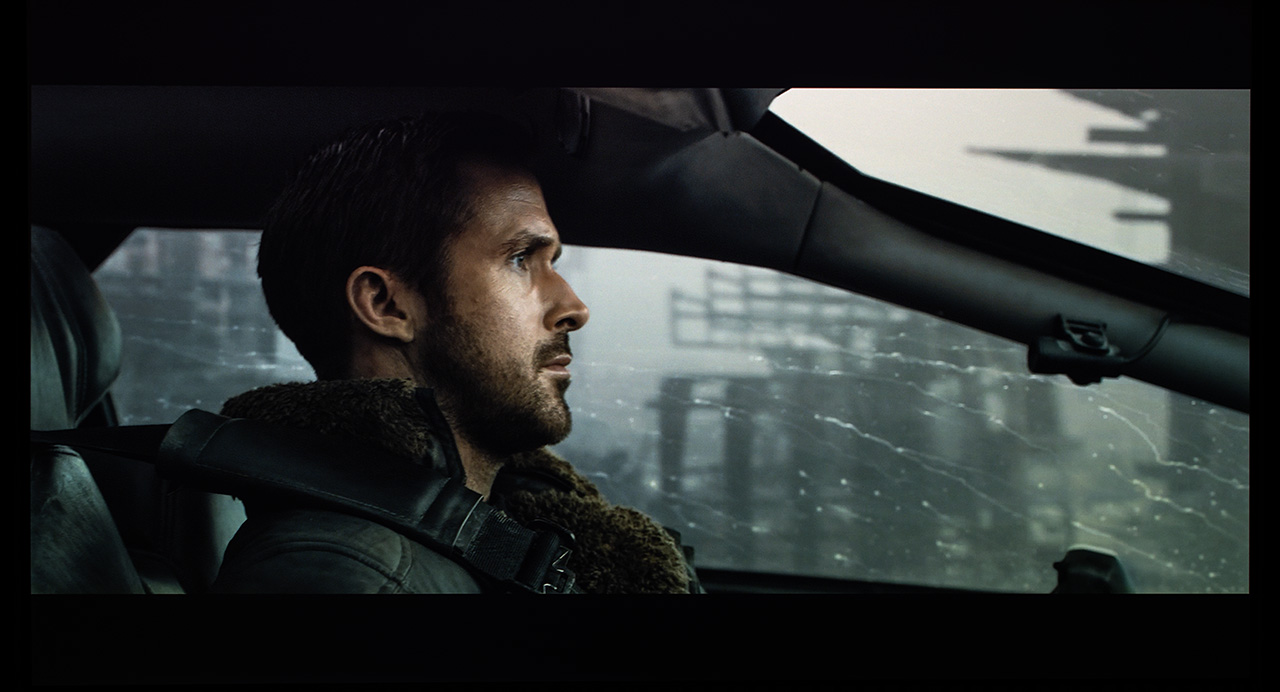
Technically, it works quite well. If you look closely at how it adjusts the gamma and laser output scene by scene, you can clearly see how smoothly it operates and how significantly it increases the overall contrast of the image. On the other hand, it handles the individual RGB laser adjustments completely wrong, resulting in a severely distorted white balance.
In many cases, the white balance distortion is so severe and widespread that it really makes you wonder how on earth XGIMI’s engineers allowed this algorithm to appear as a finished feature in the projector’s menu settings. See for yourself what I mean…
Dynamic Black Off
Dynamic Black On
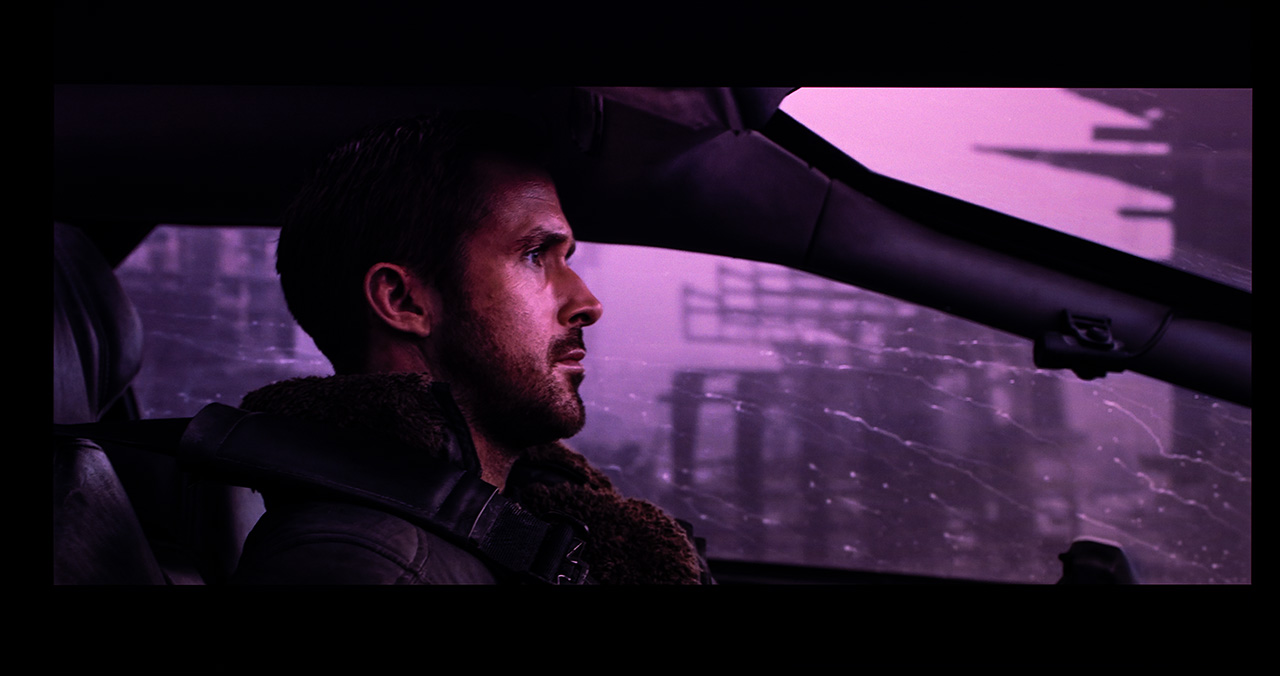
Apart from the ruined white balance, the work this algorithm does in managing brightness and making subtle gamma adjustments to preserve shadow details is excellent.
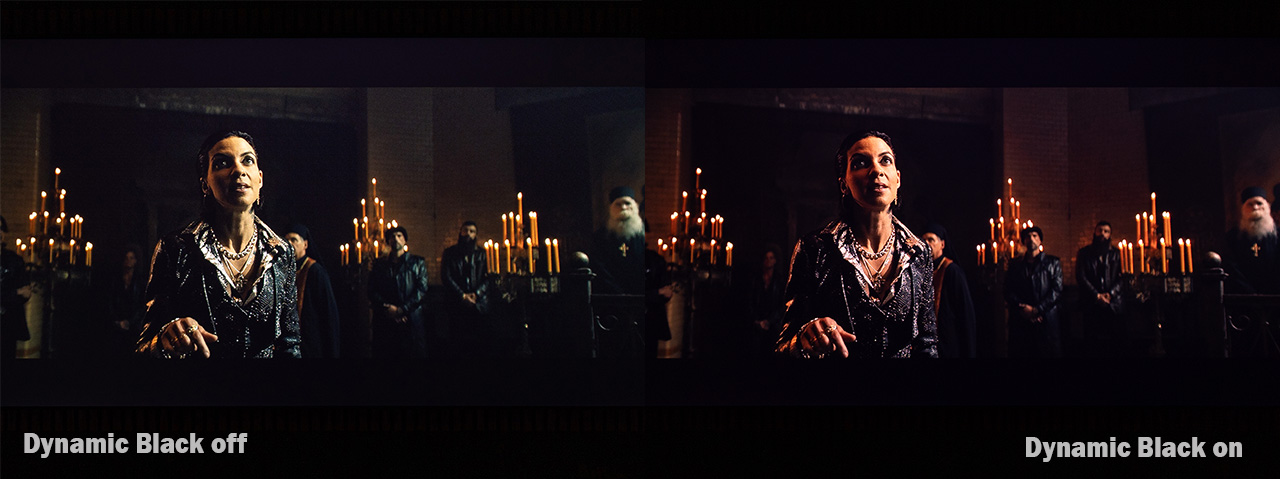
As an overall conclusion, I’d say we’re dealing with a highly promising but completely unready-to-use Dynamic Black algorithm. I truly hope to see major improvements soon through firmware updates, because with such capable hardware, it would be a real shame if XGIMI’s engineers didn’t push the Dynamic Black performance to its full potential. For now, just consider the Horizon 20 Max as having no Dynamic Black at all.
Here is a video next to the Valerion Pro 2 and the Nebula X1, and you can clearly see the XGIMI’s dynamic black behavior.

SDR – HD Performance
With AISR enabled, as you can imagine, watching your favorite 1080p or 720p movies on the Horizon 20 Max takes on a completely different meaning. Armed with its suite of image-processing algorithms such as MPEG NR, which cleans up compression artifacts, and DNR, which effectively removes the familiar digital noise found in many classic films, the 20 Max delivers impressive results. I can say with confidence that you won’t miss high resolution or image clarity for even a second, no matter what content you feed the Horizon 20 Max, regardless of how compressed or low in resolution it may be.
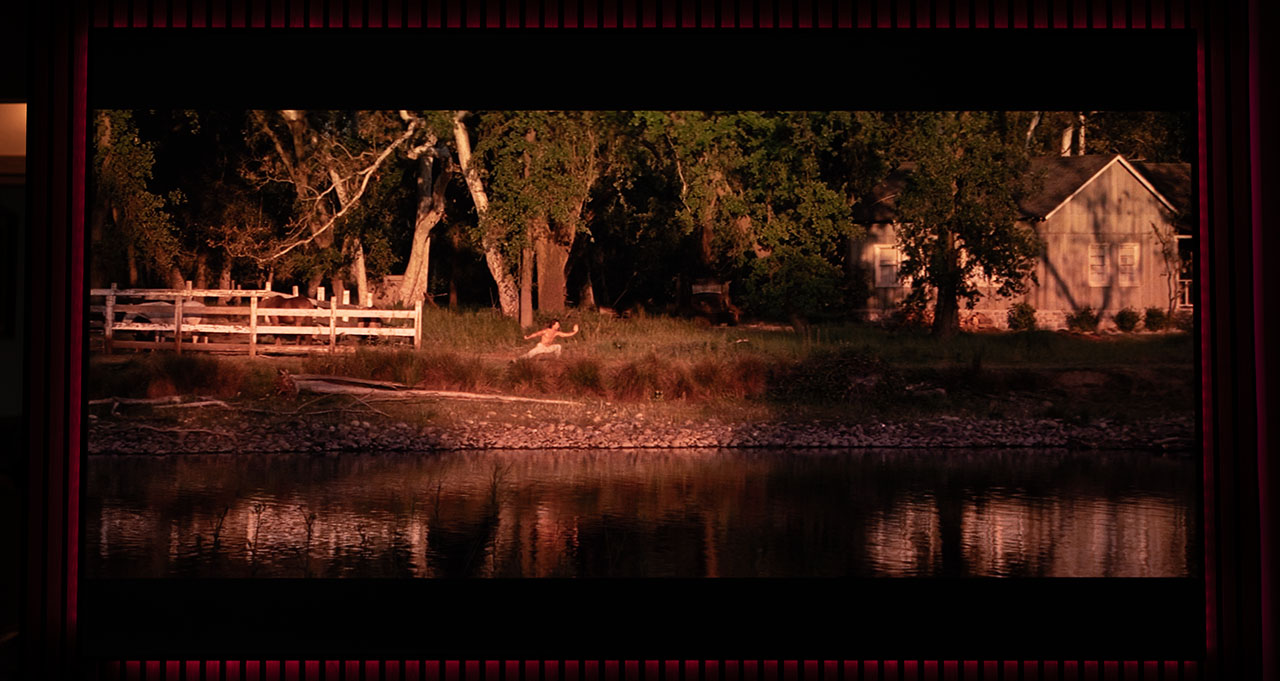
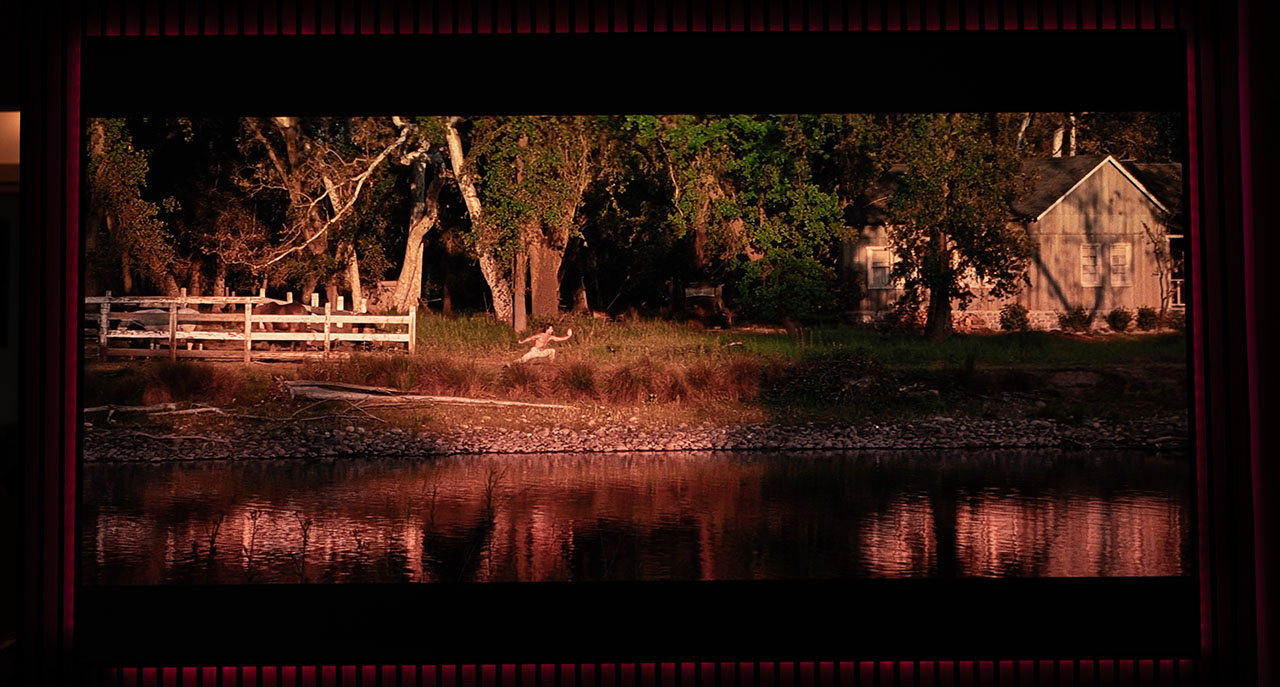
And here, a magnified section of the image, just to make sure you can clearly see what I’m referring to.
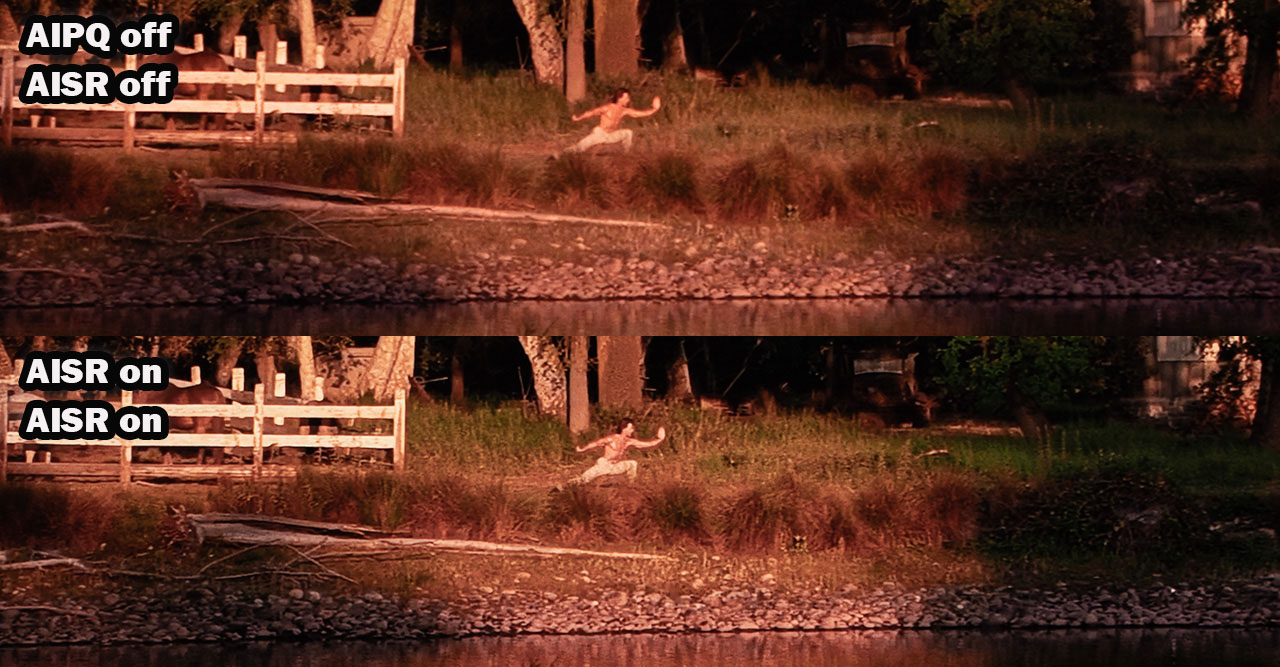
Don’t tell me the result isn’t impressive, because I simply won’t believe you! Keep in mind that you’re looking at compressed 1280×720 images, in reality the difference in picture quality and clarity is absolutely jaw-dropping.
What’s truly great is that you can fine-tune all these image enhancements at different levels of intensity until you find the setting that fits you perfectly.
It’s time to dig out all your old movies and watch them again, but now in 4K resolution! 😄
The De-contour (De-banding) feature also plays its part. Adjustable in three levels, from Low to High, it contributes significantly to improving the quality of compressed or low-bitrate content by eliminating banding effects, those visible “steps” or “stripes” often seen in dark scenes, skies, or sunsets, by smoothing out the gradients of colors and brightness. I suggest keeping it on the Low setting, as I noticed that at High, it can make the image appear noticeably softer in some scenes.
There’s something I didn’t quite like when it comes to SDR playback on the Horizon 20 Max, specifically how the projector handles color internally when you switch from the standard Rec.709 color gamut to DCI-P3 or BT.2020 in an attempt to get more saturated, vivid colors on SDR content.
Now, someone might say, “But Nikos, SDR content isn’t meant to be viewed in such wide color gamut,” and they’d be absolutely right!
Still, let’s call it one of my personal quirks, every now and then, I enjoy watching TV programs, sports events, or even movies mastered in Rec.709 but viewed in BT.2020. I like seeing those intense reds and striking blues.
I mean, I have an RGB laser projector, for God’s sake! It can reproduce extreme color saturations, so why not make the most of it whenever I feel like it?
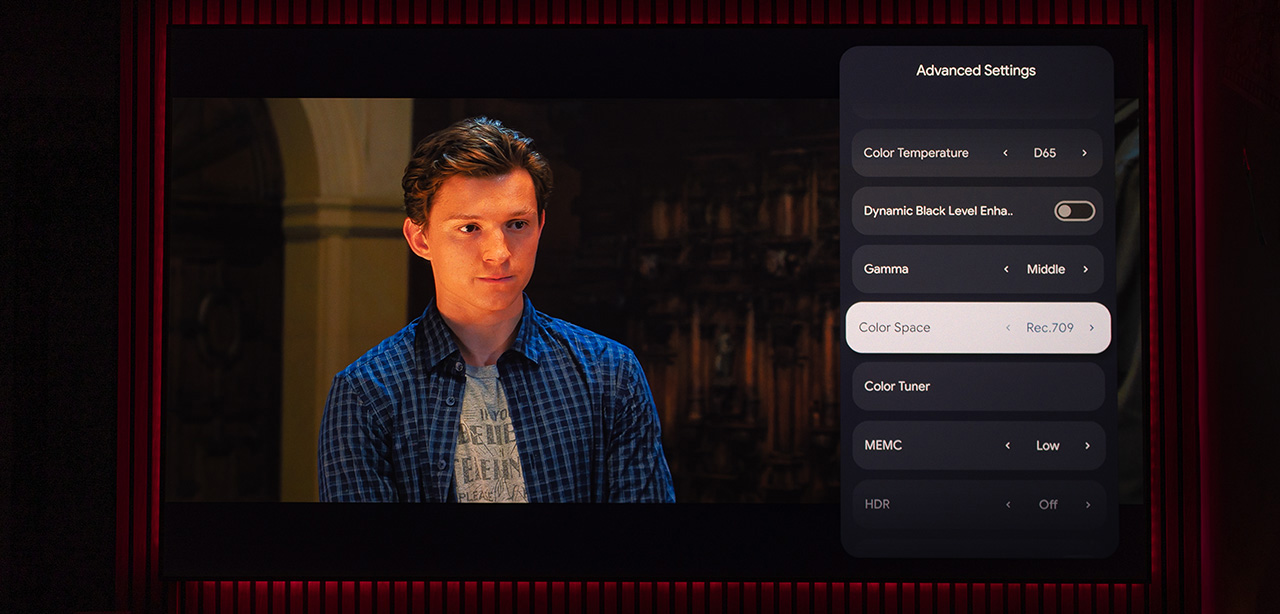
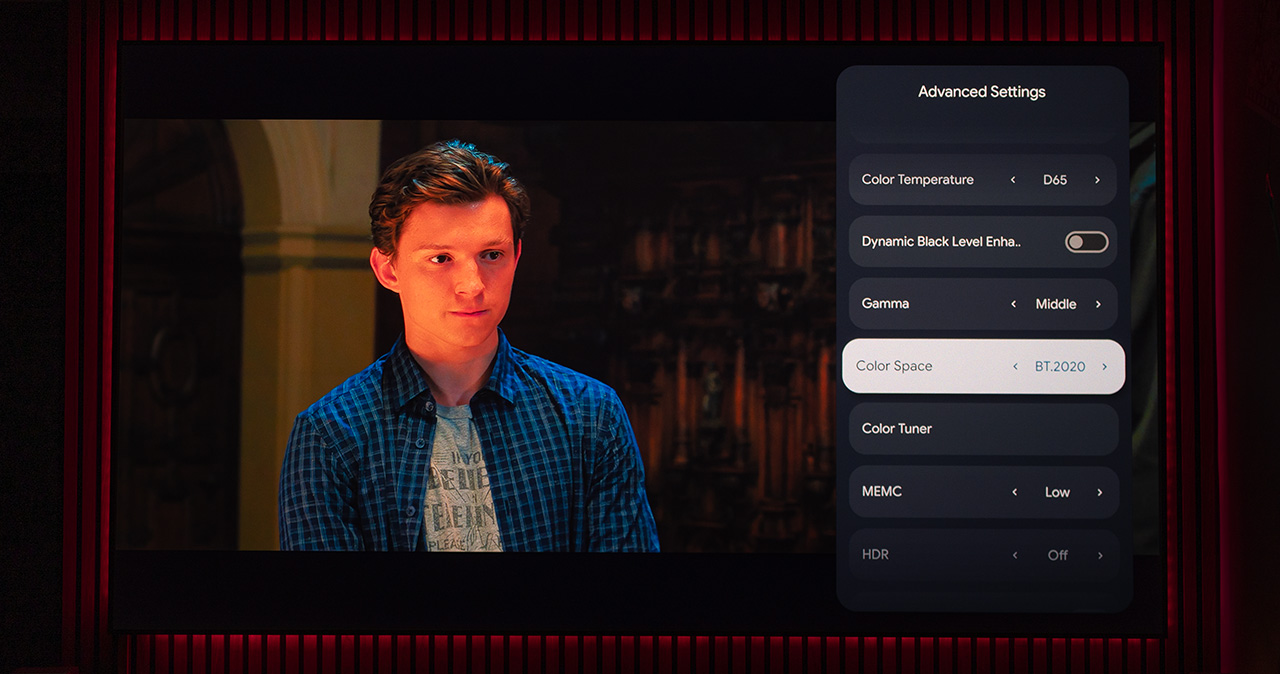
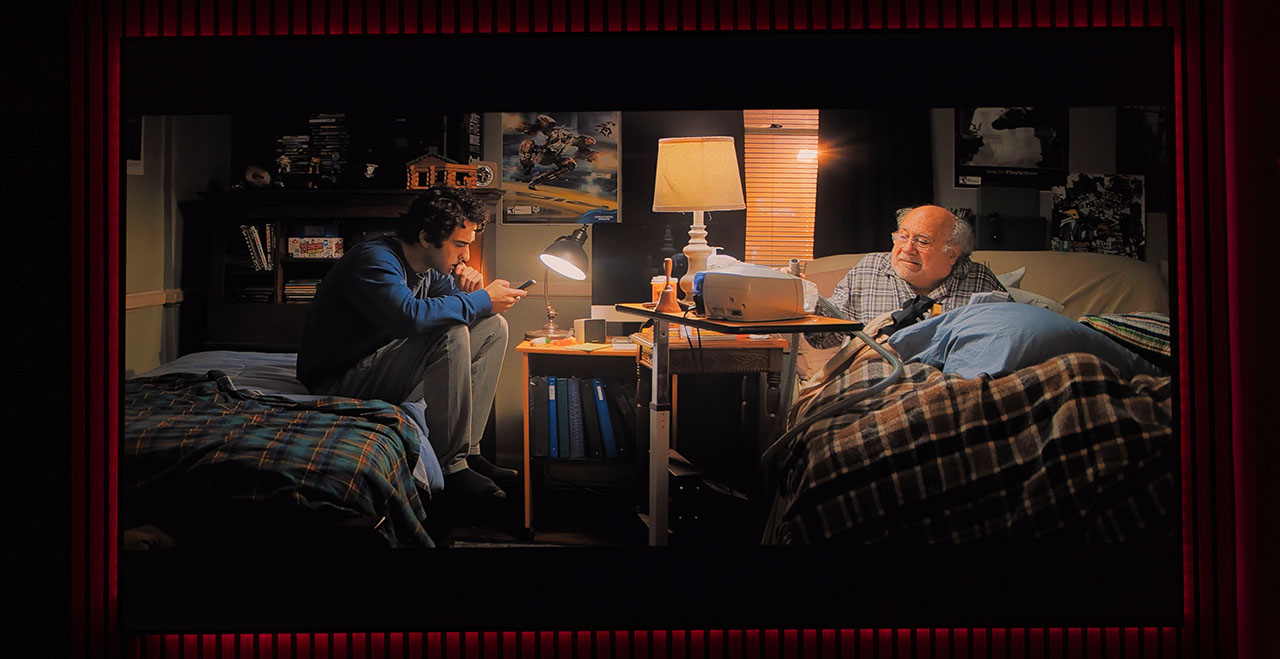
However, when you select DCI-P3 or, even worse, BT.2020 for Rec.709 content, you’ll immediately notice that the Horizon 20 Max pushes everything toward red. Even the most delicate color transitions become overly saturated. In other words, it mishandles (or doesn’t handle at all) the remapping of color coordinates to fit the new gamut.
Let me explain it as simply as possible…
If Rec.709 defines red from 1 to 10, and a movie uses, say, shades 9 and 10, then when we switch to BT.2020, which can represent red from 1 to 100, the correct mapping should make 9 become 90 and 10 become 100, right?
The Horizon 20 Max, however, turns 9 into 99 and 10 into 100, because it “thinks” the difference between those two shades should remain one unit apart. It doesn’t expand the gradations smoothly, unlike projectors such as the Valerion or other RGB laser models I’ve tested.
In practice, unless you manually reduce color saturation through the CMS, what you’ll see is an image with unnatural color balance, exaggerated skin tones, and minimal distinction between color shades, exactly as in the numerical example I gave you above.
See for yourself what I mean..
Rec.709
BT.2020
Another example with screenshots so you can see it even more clearly…
Rec.709
BT.2020
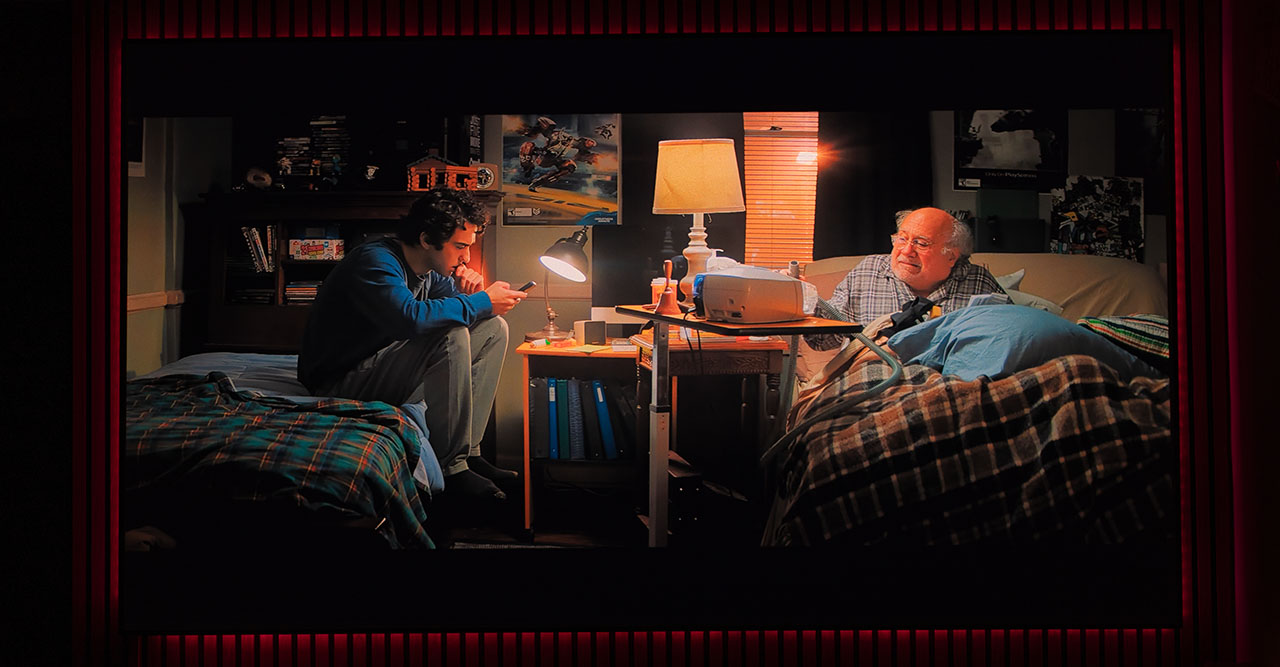
In my opinion, this behavior is a clear bug that needs to be addressed in a future firmware update, as it results from incorrect color remapping when changing color gamut in the menu (between Rec.709, DCI-P3, and BT.2020).
Beyond my personal preferences or minor complaints, I can honestly say that if you’re someone who enjoys watching sports, news broadcasts, or documentary channels through your subscription or cable TV, the Horizon 20 Max might just be the perfect projector for you among all the lifestyle models on the market.
Thanks to its powerful AI algorithms, combined with its excellent brightness and this sharp, high-quality lens, it often feels like you’re watching everything in 4K.
Dolby Vision – HDR10 – HDR10+
I’ll start by saying that the Horizon 20 Max always recognizes the correct HDR format and automatically switches to the appropriate internal dynamic tone mapping each time. It features three separate dynamic tone-mapping modes, one for each HDR standard.
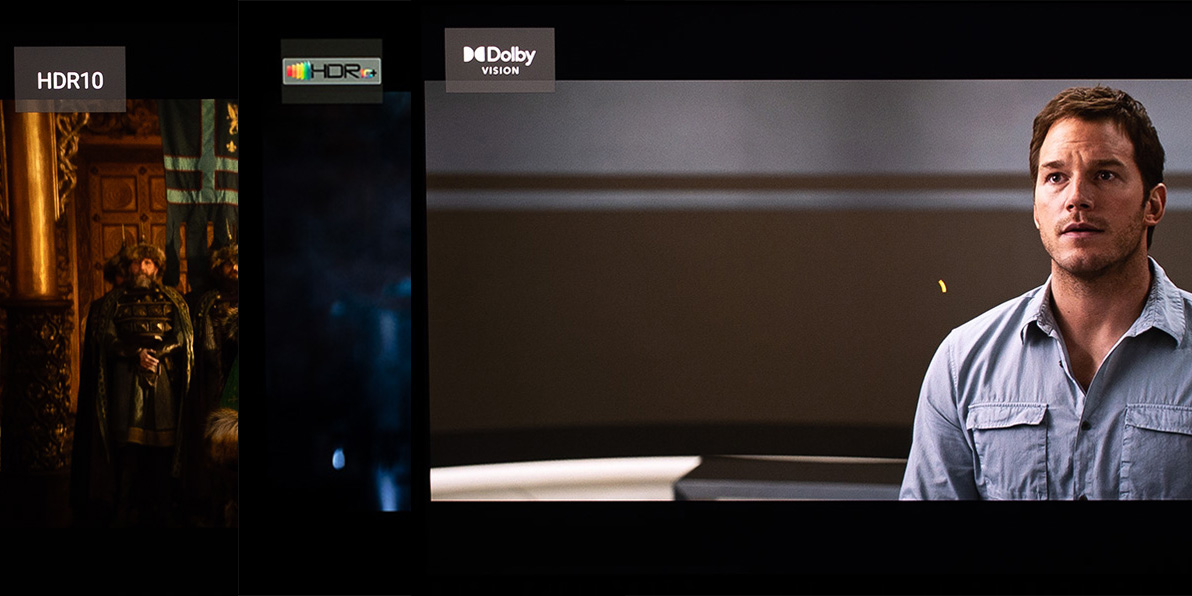
The HDR10 tone mapping is extremely well balanced and finely tuned. In terms of color, it feels slightly less saturated or rather, I’d call it less aggressive compared to other projectors I own in the same lifestyle category. Also, despite its relatively modest native contrast, it handles shadow detail and dark gradations surprisingly well, I’d even say better than some competitors with higher contrast ratios.
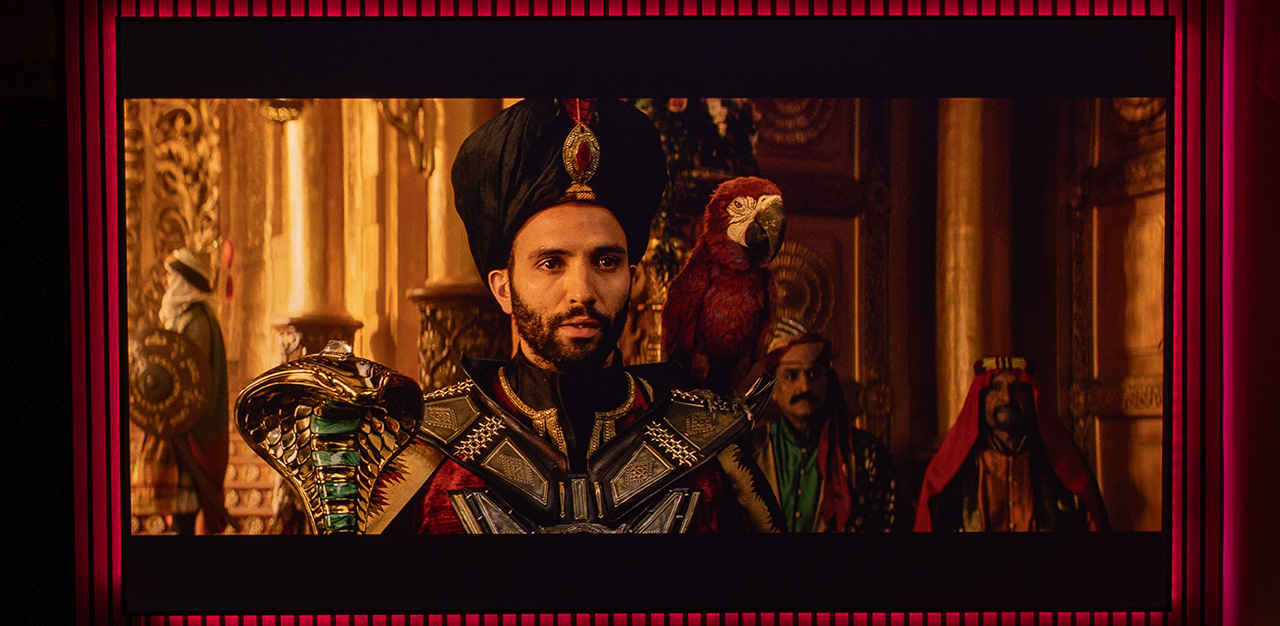
Although the BT.2020 color palette is fully present (you can clearly see that bright, fiery red when it appears in a scene) the overall impression when watching standard HDR10 content feels soft, cinematic, and beautifully balanced.
It’s such a distinct look that, in a blind test I could easily bet and win, if the challenge was to “spot the Horizon 20 Max“.

I have only one remark, not a serious one regarding HDR10 (or even HDR10+) — but I’ll mention it later below as a general observation.
In HDR10+ content, the dynamic tone mapping of the Horizon 20 Max becomes slightly more aggressive. That soft, tonally uniform look you see in standard HDR10 is no longer present.
In scenes like the one below, the Horizon 20 Max pushes its limits, delivering full brightness, almost clipping the whites while keeping neighboring pixels as deep black as possible.
Here you can truly witness the maximum HDR performance the Horizon 20 Max is capable of and appreciate its razor-sharp lens with zero internal reflections, which skyrocket the ANSI contrast.
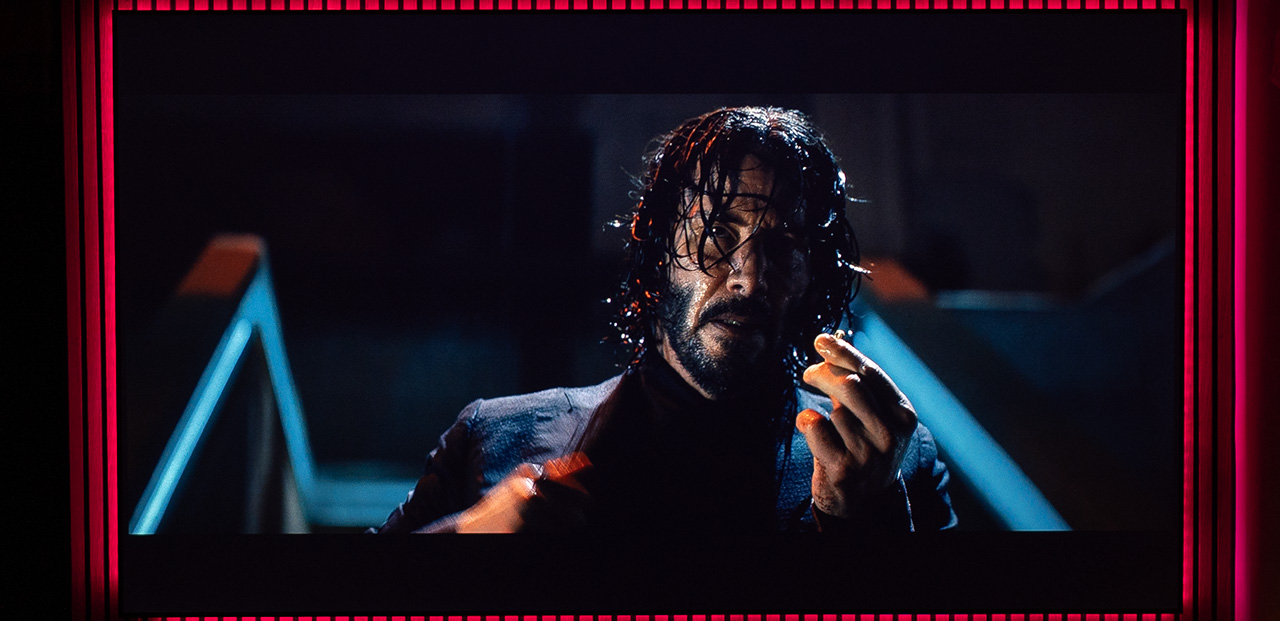
And then, with a scene change in the same movie — boom — it’s back to that cinematic look, just like when playing standard HDR10.
But here, in HDR10+, you can clearly see that the projector is fighting for maximum dynamic range, preserving plenty of bright, eye-popping details to give the image that extra punch.
That’s the power of HDR10+ dynamic metadata, new scene, new tone, new mood.
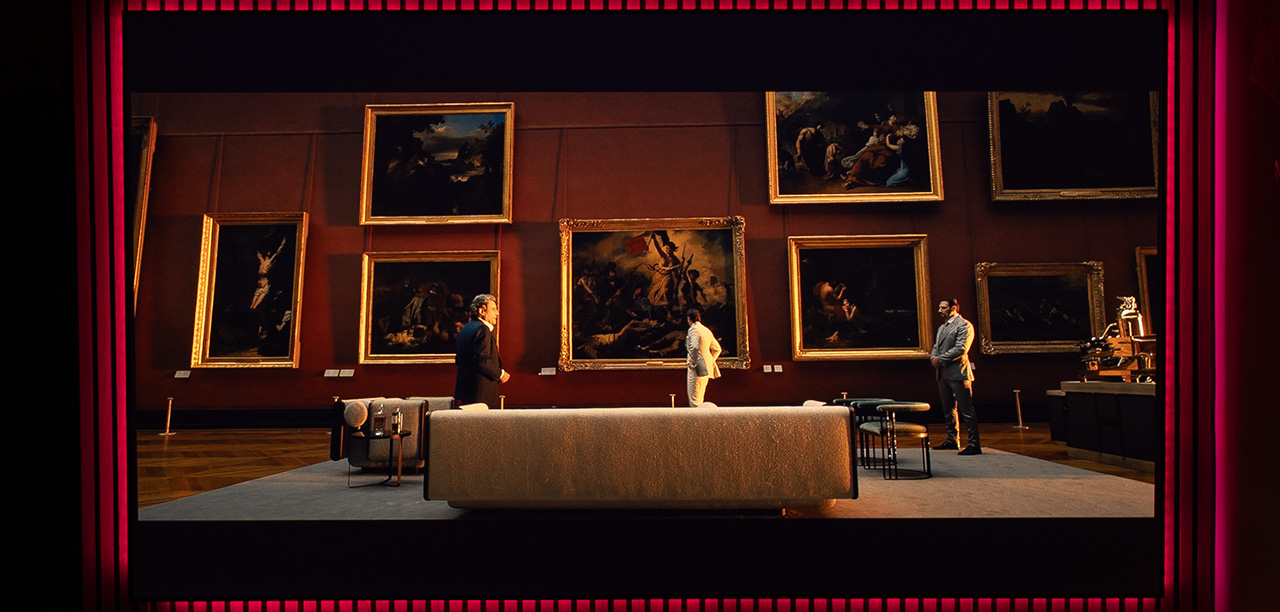
With Dolby Vision content, the Horizon 20 Max truly shows its teeth. The pre-calibrated color and tone mapping settings, at least to my eyes, are close to perfection. No matter what profile I played, whether from a Blu-ray player, Plex, or Netflix, the result was exactly what I wanted to see.
Αccurate gamma, ideal brightness, and excellent color gradations with proper BT.2020 remapping.
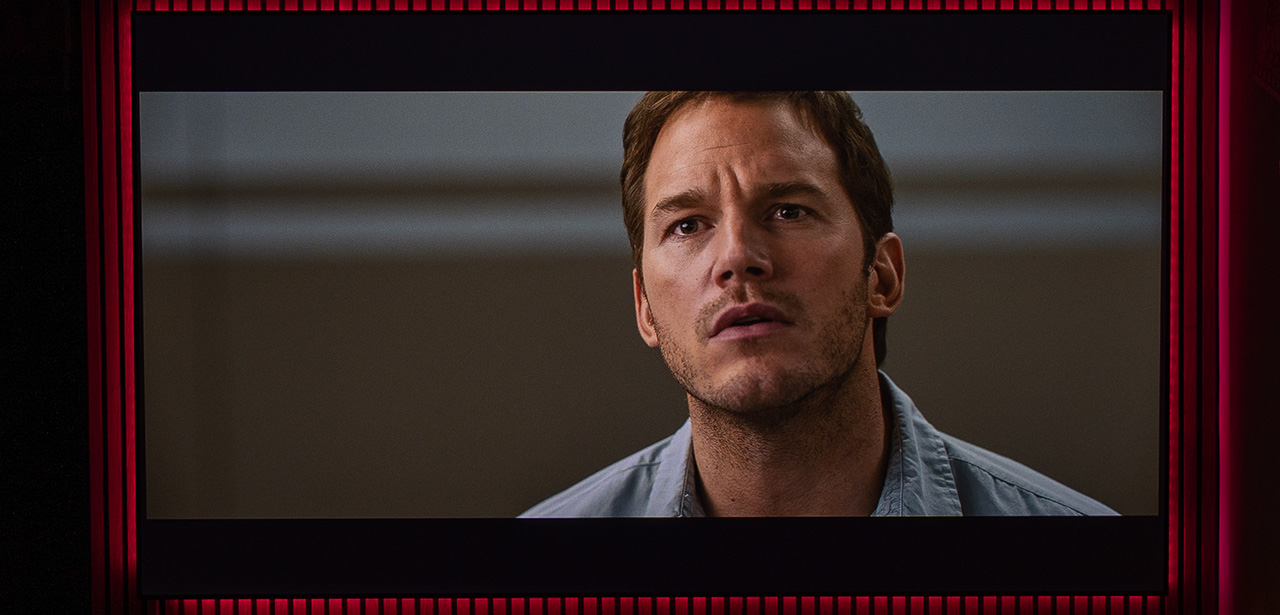
The brightest parts of the image hit exactly where they should be, perfectly tuned for the Horizon 20 Max max brightness. I don’t know who deserves the credit here, XGIMI or Dolby, but either way, they both get it from me.
Now you understand why I like Dolby Vision so much as a format, because someone has already pre-calibrated it perfectly. All I have to do is press play on the movie I want to watch, it’s that simple.
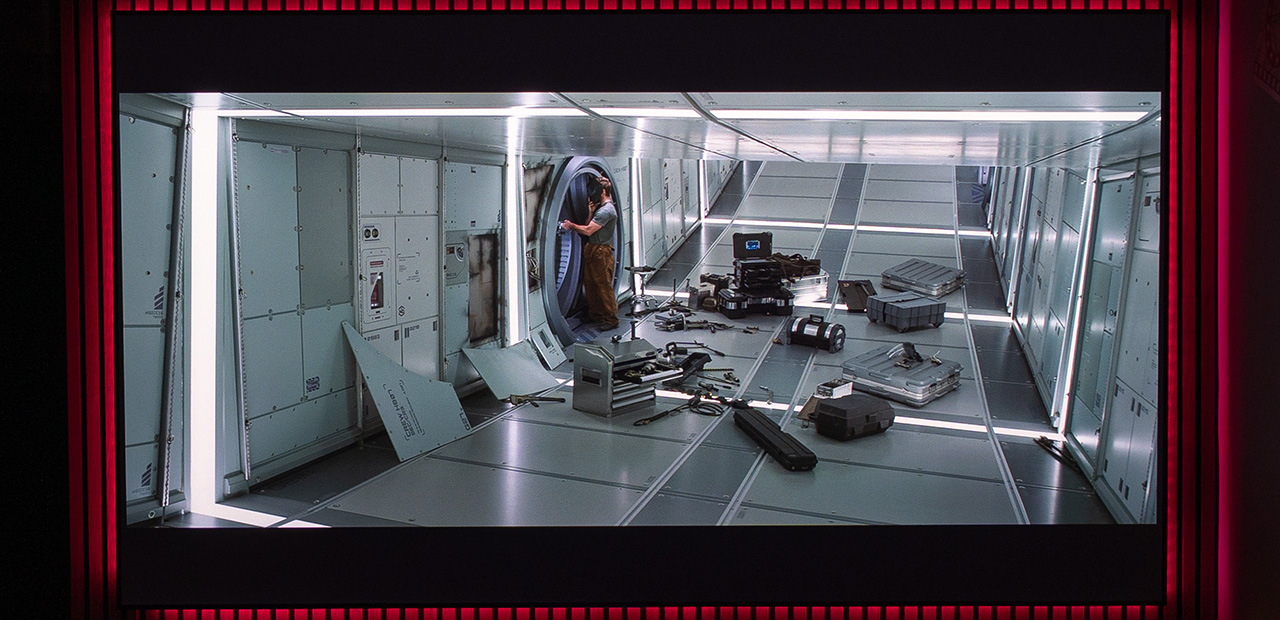
My overall experience with the Horizon 20 Max’s HDR and Dolby Vision performance has been extremely positive. I honestly keep asking myself, how can a projector with only average contrast produce such a stunning final image? It’s something that still makes me scratch my head even as I’m writing these lines.
But, being the picky person I am, I have to point out something not really a negative, but something that, in my opinion, pushes the upper limits of what I consider ideal.
The tone mapping of the Horizon 20 Max in HDR and HDR10+ (and even in HDR gaming) is tuned quite aggressively when it comes to the very bright gradations near the top end of its brightness range. Don’t get me wrong, it doesn’t clip the highlights, but it comes very close! I understand that XGIMI pushed the HDR EOTF curve to its absolute limits to make the image as impressive as possible and they were right to do so. It’s eye-catching, no doubt, but it might surprise some viewers.
You’ll see exactly what I mean in the screenshot below, those dazzling bright details are what I’ve been talking about..
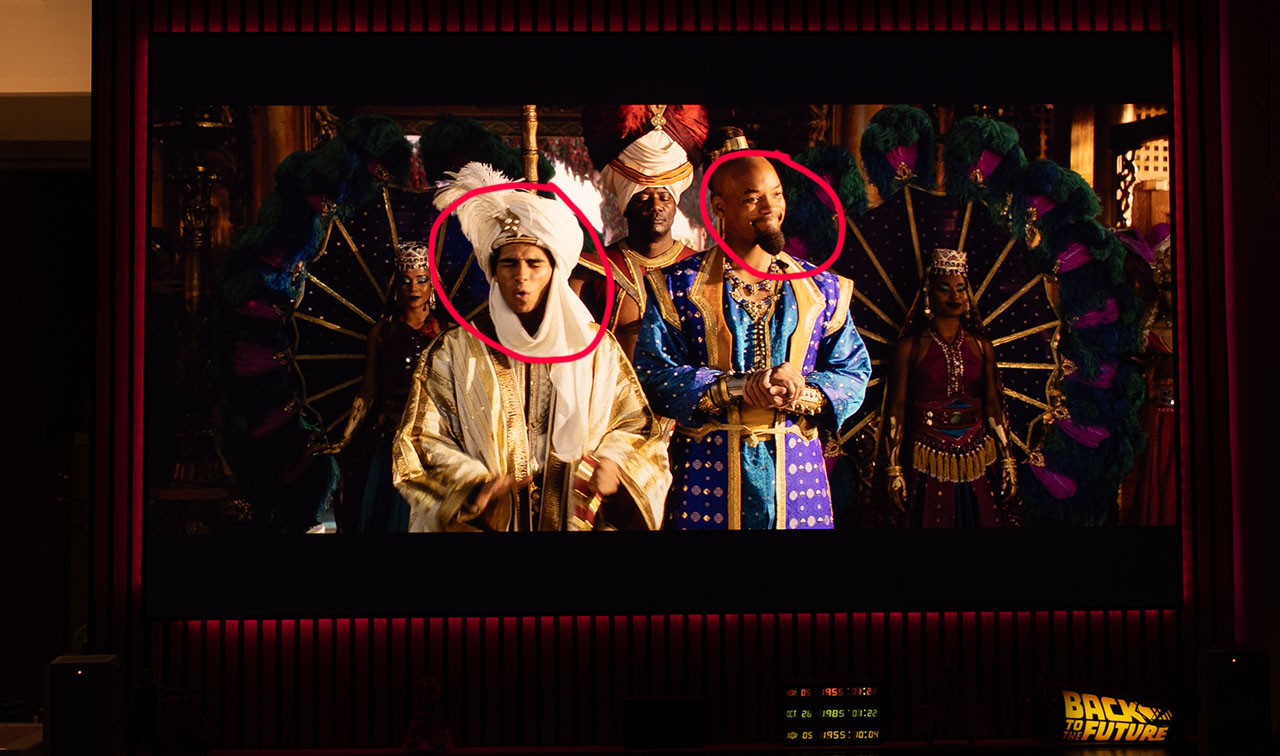
But I’m not done with my complaining session just yet, you know me, I have to keep going! 😄 I’ve got two more little gripes about HDR and Dolby Vision playback.
Every single time the Horizon 20 Max detects HDR or Dolby Vision content and switches to the proper picture mode, it resets the laser power to 10 (maximum brightness) no matter where you had it before. This drove me a bit crazy, because in my setup I almost always run the Horizon 20 Max with the laser power set between 1 and 3.
So yes, that’s another bug waiting for a fix.
And okay, I get it, in Dolby Vision everything’s locked, as it should be. But even in HDR, the projector won’t let you select the color gamut, and you can’t even see which one it’s using! The familiar Rec.709, DCI-P3, and BT.2020 options vanish, replaced by a lonely “Native.”
I honestly think users should be free to pick and change the color gamut if they want, there’s really no reason for it to be locked.
Free the colors!
And a warm request to XGIMI, and to all manufacturers, really.
Please, don’t release even brighter models! Before long, setting the laser to its minimum brightness won’t be enough for me to watch comfortably on my 100-inch screen.
Can you believe it?
We’ve reached the point where we’re actually asking for less brightness!
24Hz Playback
And now we come to one of the most common questions I get through your emails about the projectors I test: “Nikos, does it play movies in native 24p, or does it convert them to 50 or 60Hz, causing those familiar 3:2 pulldown judders?”
Sorry guys, the Horizon 20 Max does not play true native 24p like, for example, the Valerion does. It always performs a conversion to 60Hz. It’s not a huge issue though, because with MEMC set to Low, you can hardly notice any difference in motion. Still, it’s a minor drawback, considering that some competitors already offer native 24p playback as a feature.
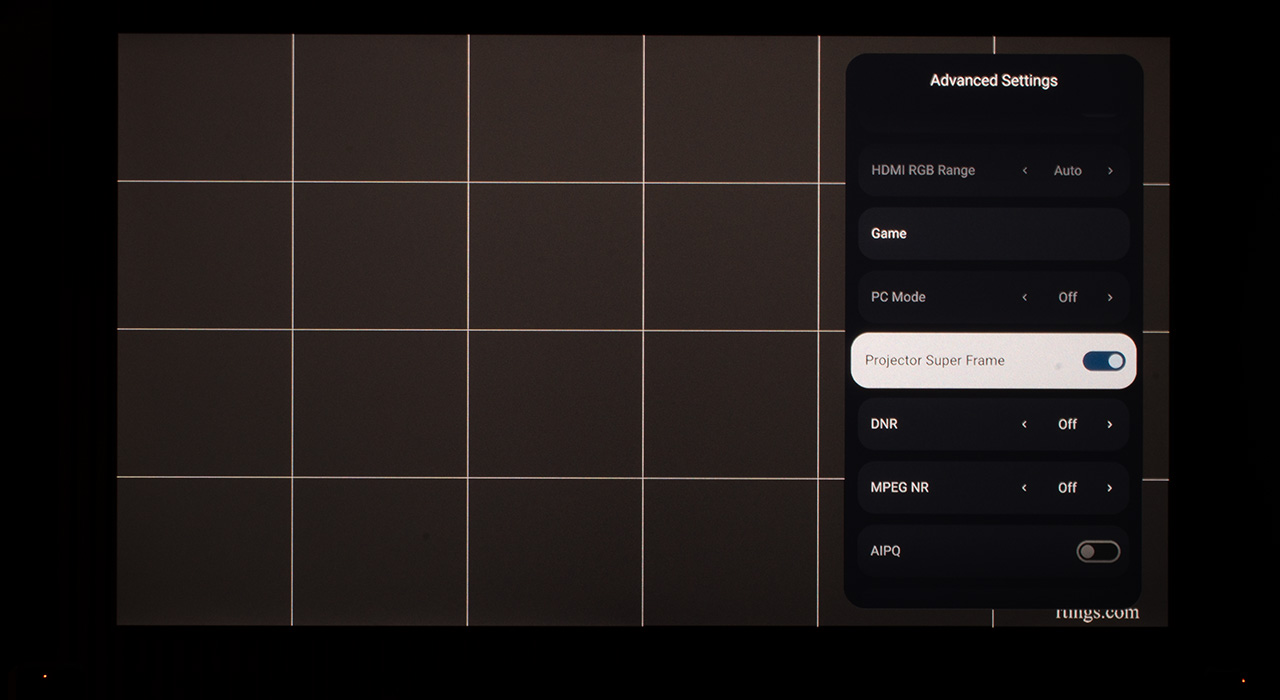
However, I did discover something interesting, if you disable the XPR module (for those who don’t know, it’s the hardware responsible for pixel-shifting the projector from native 1080p to 4K), the Horizon 20 Max can actually play 24Hz content natively, with no frame conversion at all!
I honestly felt like I had just reinvented the wheel! 😄
ΧGIMI Horizon 20 Max 24Hz 4K Test
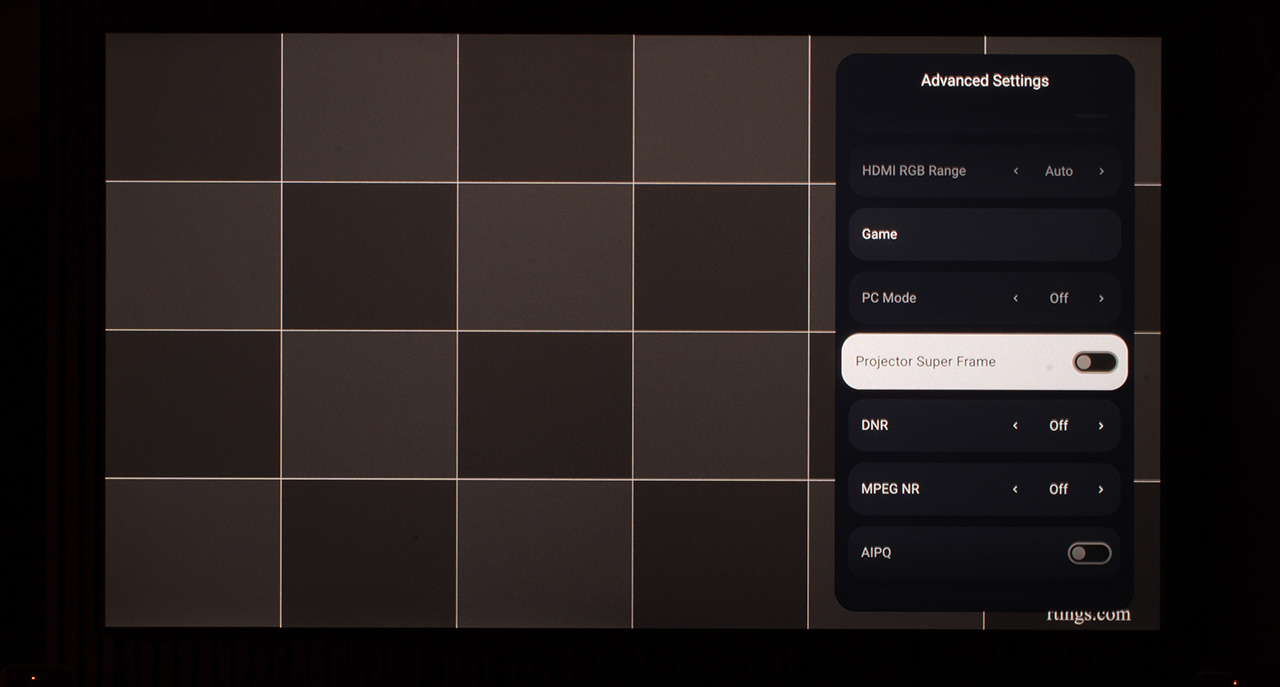
XGIMI Horizon 20 Max 24Hz 1080p Test
And of course, this is the point where the smart guy jumps in and says,
“Come on, Nikos! What are you so happy about? You’re disabling the XPR module, freeing up all the DMD controller’s bandwidth from the hundreds of refresh cycles needed for 4K creation, of course it can easily play 24Hz now!”
Well, no, it’s not that obvious! Many projectors both 1080p and 4K models running in 1080 mode, still can’t play native 24Hz even under the same conditions!
So yes… I think I can keep celebrating, right? 😄
About the MEMC, I can confirm that it works perfectly on all three settings (Low, Medium, and High). However, I definitely recommend using it on Low, as it smooths out the motion just enough without removing the cinematic feel of 24 fps. The result is natural, clear and artifacts free motion.
Two more things I’d like to point out
On the Netflix internal app, I noticed some strange banding appearing whenever the Netflix OSD is displayed over the movie being played. The horizontal lines used for the OSD become more visible across the entire width of the image, as shown in the picture below. Right after that, I’ll share my own explanation of what I believe is happening.
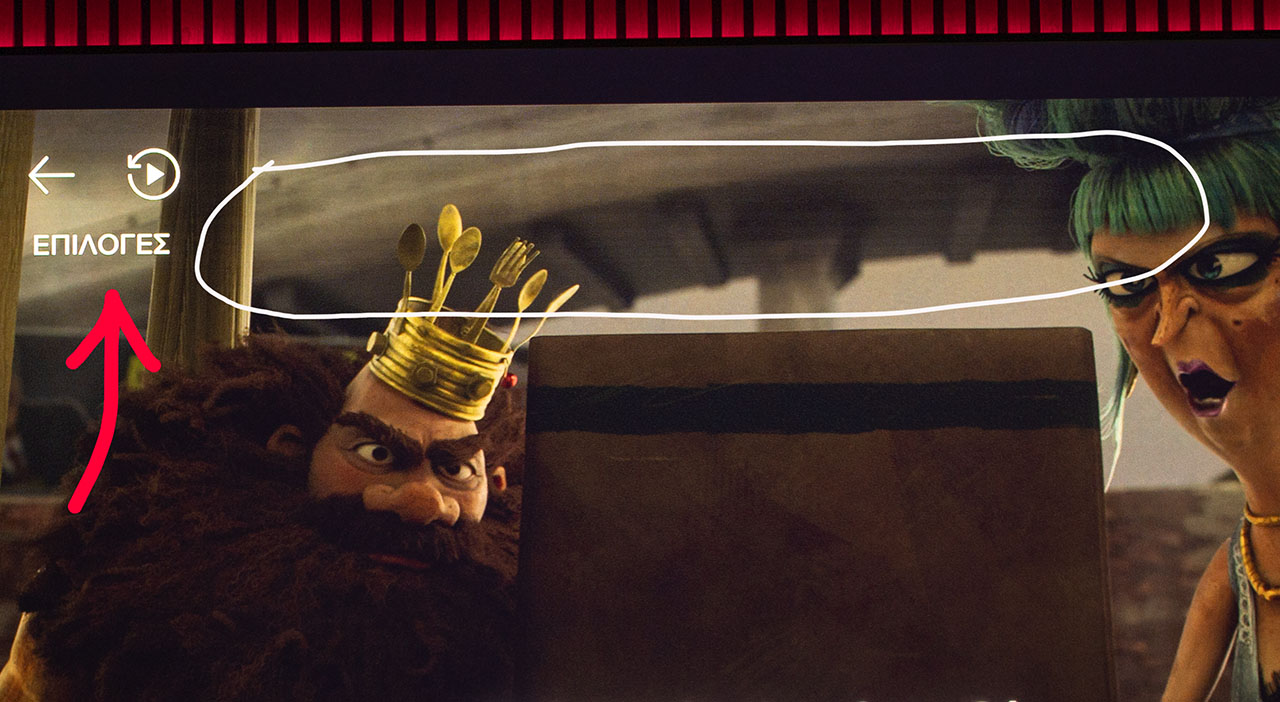
When the Netflix app runs on the Horizon 20 Max’s internal Android system, its on-screen display elements (such as subtitles, play controls, etc.) are rendered by the Mediatek GPU rather than by the video decoder itself. These graphics I believe are overlaid onto the image at a later stage in the signal chain, after tone mapping and video processing have already been completed.
Because of this late compositing, bright white OSD elements can temporarily alter the brightness level of the lines they occupy, especially since the DMD controller scans the frame line by line, as the DLPC8445 does. This can result in thin horizontal bands appearing across the image, visible only when Netflix overlays are active.
In my opinion, this behavior is entirely correctable through a future firmware update. At this point in the review, I feel more like an XGIMI beta tester than a reviewer!
Of course, this is not an actual problem and doesn’t cause any real distraction, since it only appears on a static image when you pause a movie on Netflix and its OSD is displayed. I’m simply mentioning it because I happened to notice it.
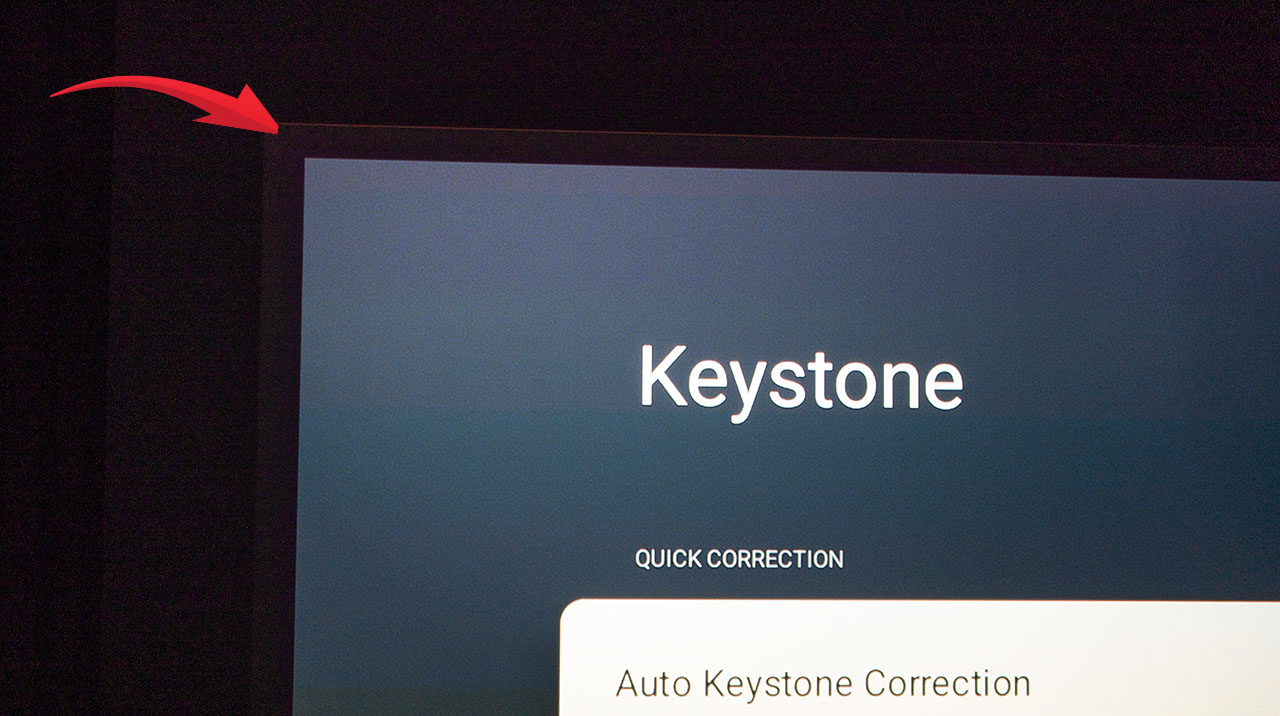
The second thing I want to mention is the extra black frame that appears just outside the active image area of the DMD chip, a characteristic of the 0.47″ DMD. It’s barely noticeable and won’t cause any issues or distractions during viewing. I’m simply showing how it looks so that any owner who happens to notice it will know that this is completely normal.
The photo is intentionally overexposed to make the phenomenon more visible
But let’s move on to my favorite part of every review, or at least, it used to be… 😄
3D
It would truly be a shame if such a bright and sharp projector didn’t support Blu-ray frame-packing 3D, like the previous models in the Horizon series. And luckily for all of us 3D projection fans, XGIMI heard our prayers, the Horizon 20 Max now offers full support for all 3D formats, including the highest-resolution one, frame-packing 3D.
As you can imagine, I dusted off all my 3D Blu-ray discs, charged every pair of 3D glasses, hooked up my favorite 3D Blu-ray player, the Sony BDP-S6700, and began the magical 3D journey on a 100-inch window to the world.
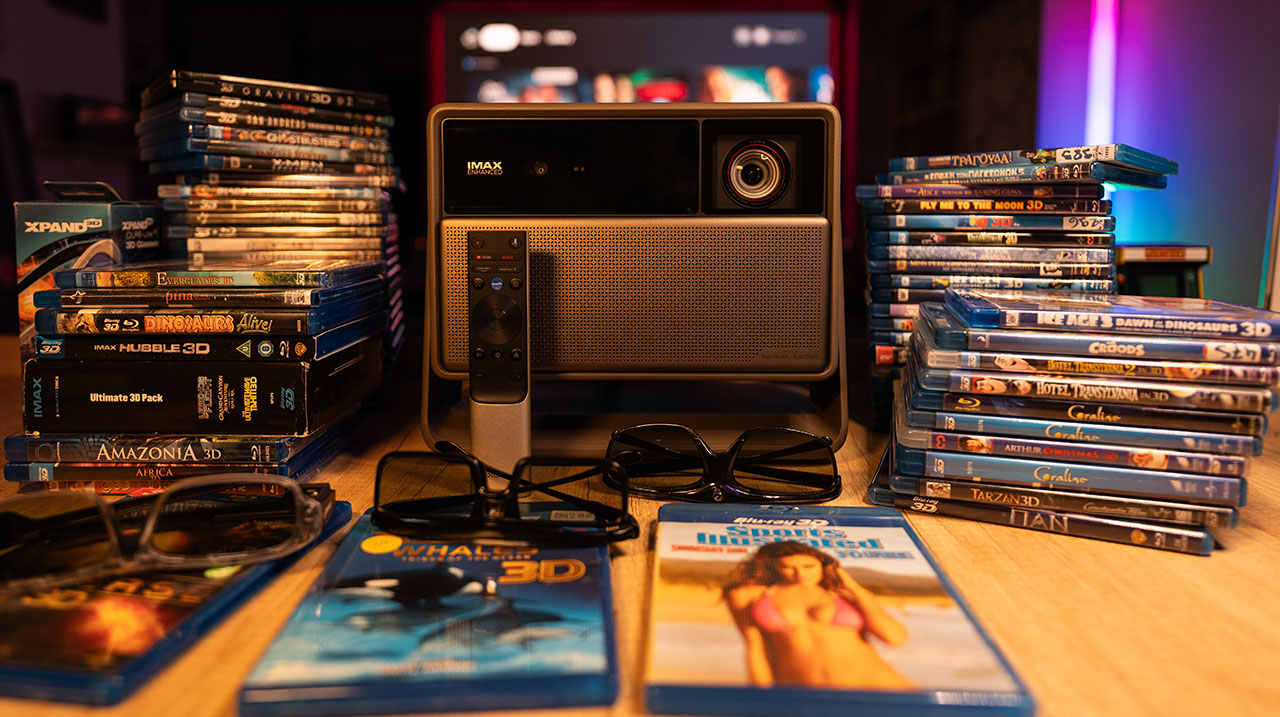
The first movie I watched, of course, was Steven Spielberg’s “Ready Player One”, which I consider my 3D reference film, since I’ve watched it multiple times on many different 3D projectors. I never get tired of watching it, every single time I relive that magical journey this masterpiece delivers.
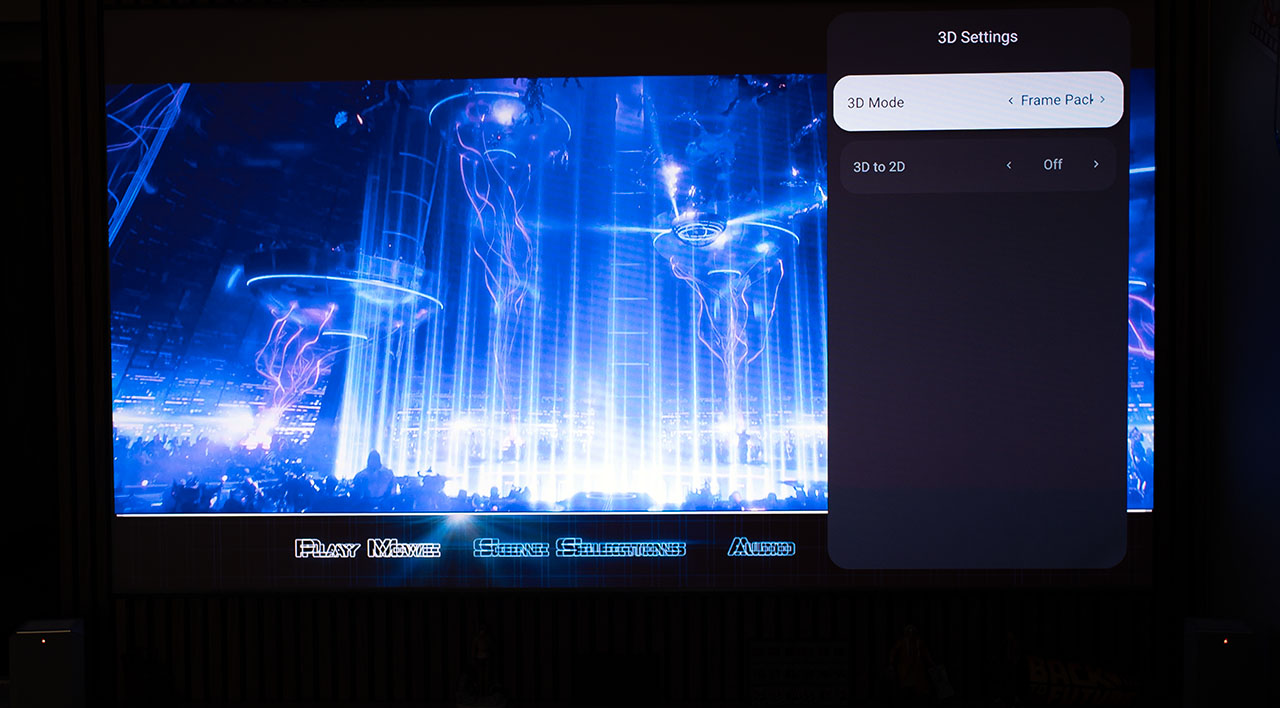
Unfortunately, frame-packing 3D doesn’t work properly, and here’s why. There seems to be a misalignment between the glasses and the projector, which results in weaker 3D depth and a feeling that one eye is slightly lagging behind the other.
I spent many hours testing, honestly, several full days filming multiple scenes at 240 Hz and analyzing them frame by frame in DaVinci Resolve. I didn’t reach a definitive conclusion, but my working theory is as follows. I’m writing it mainly so XGIMI can investigate and fix the issue, and less for the purposes of this review.
If you download Texas Instruments’ programming guide for the DLPC8445 controller, there are some key 3D guidelines on page 93 of the PDF.
https://www.ti.com/product/DLPC8445
Below, as clearly as possible, I explain how active 3D works on the XGIMI and what I believe the problem is.
3D Signal Structure and Synchronization Timing
The Horizon 20 Max receives two separate 24 Hz images from the Blu-ray 3D player, one for each eye. The total input signal resolution is 1920×2025, which includes 1080 active lines for each image and roughly 45 blanking lines used for timing and synchronization.
Once 3D mode is activated, the projector combines these two images into a single 1920×1080 120 Hz output (that’s 5 × 24 Hz). Each frame alternates between the left and right eye, essentially showing the same image from slightly different viewpoints to create the 3D effect. This results in 60 Hz per eye.
Since one second equals 1000 milliseconds, dividing 1000 ms by 120 frames gives 8.33 ms per frame. Each frame, therefore, remains visible on screen for approximately 8.33 milliseconds. To display one full 3D frame (as seen by both eyes), the total time is 8.33 ms + 8.33 ms = 16.7 ms.
Within these 16.7 milliseconds, the projector also inserts a 3D L/R trigger (a short red flash used to synchronize the active 3D glasses). This flash informs the glasses when to close one shutter and open the other.
If we assume that this 3DLR trigger lasts 0.5 ms, then the frame sequence looks like this:
8.08 ms for the right-eye frame
0.5 ms for the 3DLR trigger (to signal that the right-eye image has finished and it’s time to switch to the left)
8.08 ms for the left-eye frame
In total: 8.08 + 0.5 + 8.08 = 16.7 ms, which corresponds exactly to the 60 Hz refresh rate per eye.
The Role of VSYNC and TI’s 1ms Rule
According to Texas Instruments and its documentation for the DLPC8445 controller, the VSYNC pulse marks the start of each new frame. It acts as a master timing reference that keeps the DLP controller, the micromirror array (DMD), and any external 3D synchronization system perfectly aligned.
For stable operation, TI specifies that there must be a minimum 1ms gap between the 3DLR trigger (the flash seen by the glasses) and the VSYNC pulse (the timing signal used by the DLP controller).
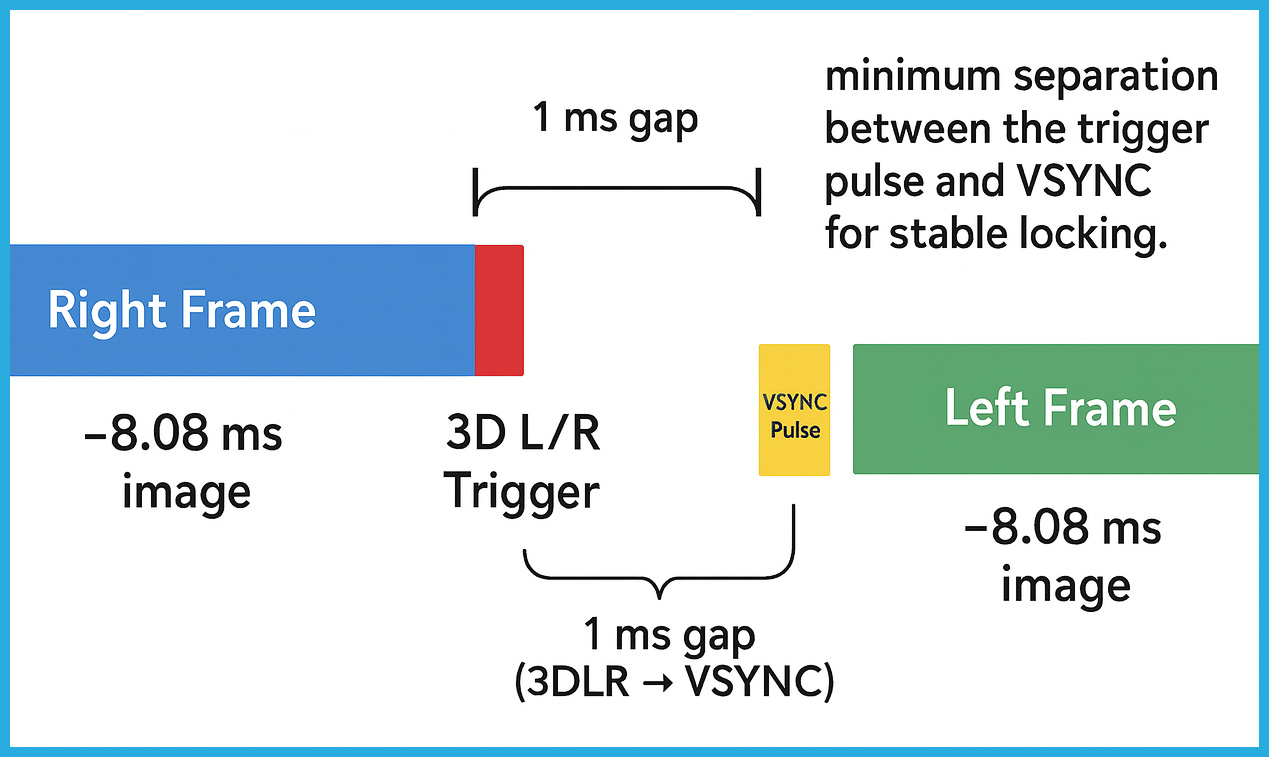
This small delay allows the system enough time to:
Ensure the glasses have received the trigger and switched shutters correctly.
Give the DLP controller a clean window to begin the next frame without overlapping signals.
If the two pulses occur too close to each other, the VSYNC can misinterpret the trigger signal, resulting in phase errors, unstable synchronization, or visible 3D flicker and ghosting.
After countless hours of testing, my conclusion is that the VSYNC signal on the Horizon 20 Max isn’t fully stable.
A small example, not an entirely accurate one since the frame resolution of my captured videos barely reaches 3.8 ms, but it helps to better illustrate the general idea of the 3DLR signal.
In the photo below, the lower projector (Valerion MAX) shows the 3DLR red pulse, while at the very same moment, the upper projector (Horizon 20 Max) has only just begun to generate it.
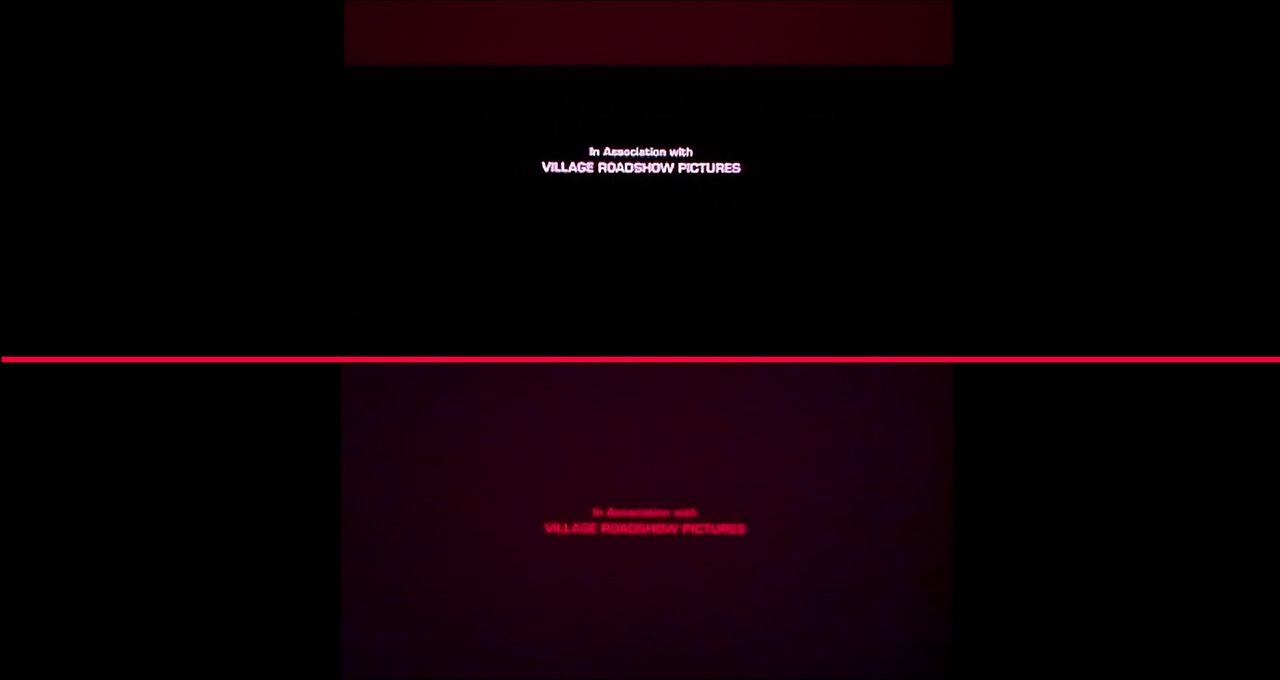
In the next frame, the Valerion MAX has already withdrawn the 3DLR signal, while the Horizon 20 Max is still displaying part of it. Hopefully, this now makes it clearer how crucial the VSYNC signal synchronization is when watching frame-packing 3D content.
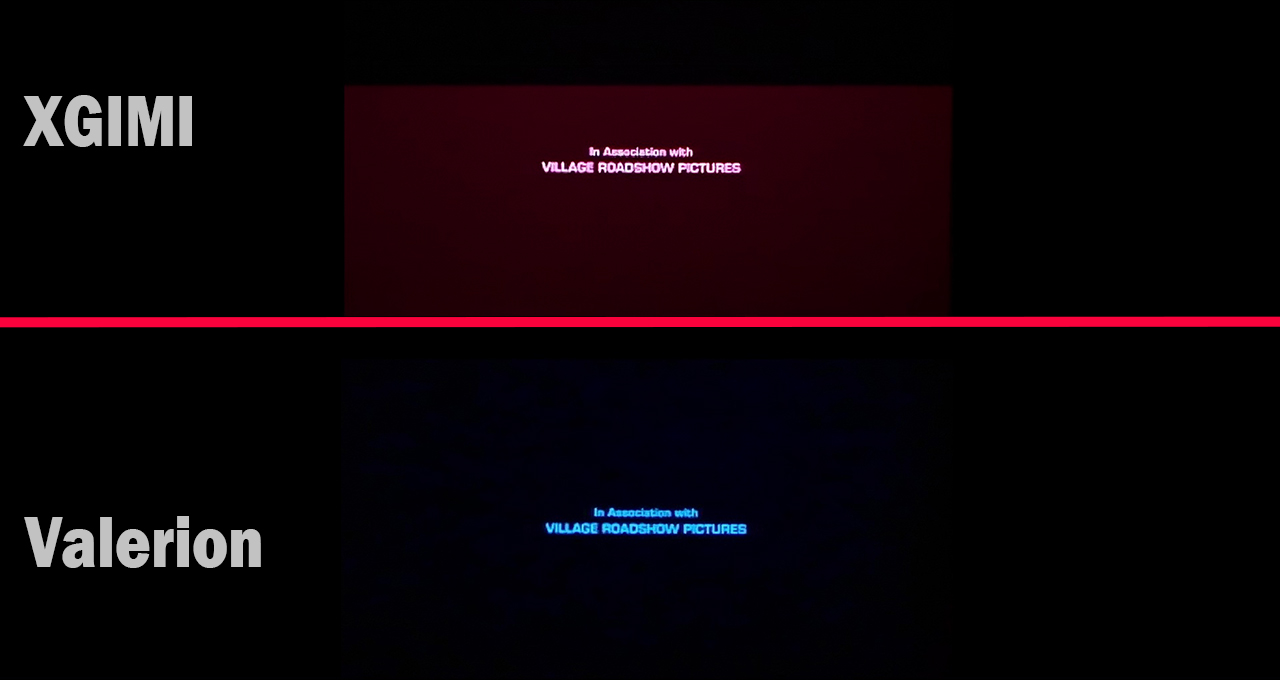
This instability appears to come from either an incorrect time gap between the VSYNC pulse and the 3DLR trigger pulse, or from an improper duration of the 3DLR trigger pulse itself. Both possibilities would explain the inconsistent synchronization between the projector and the 3D glasses.
The result is reduced depth perception and a subtle yet noticeable feeling that one eye is slightly out of sync with the other, something that quickly becomes tiring in frame-packing 3D playback.
Interestingly, and not entirely unexpectedly, SBS (Side-by-Side) 3D works flawlessly, just as it did on the S MAX. Depth, dimensionality, and overall comfort are all excellent in this mode.
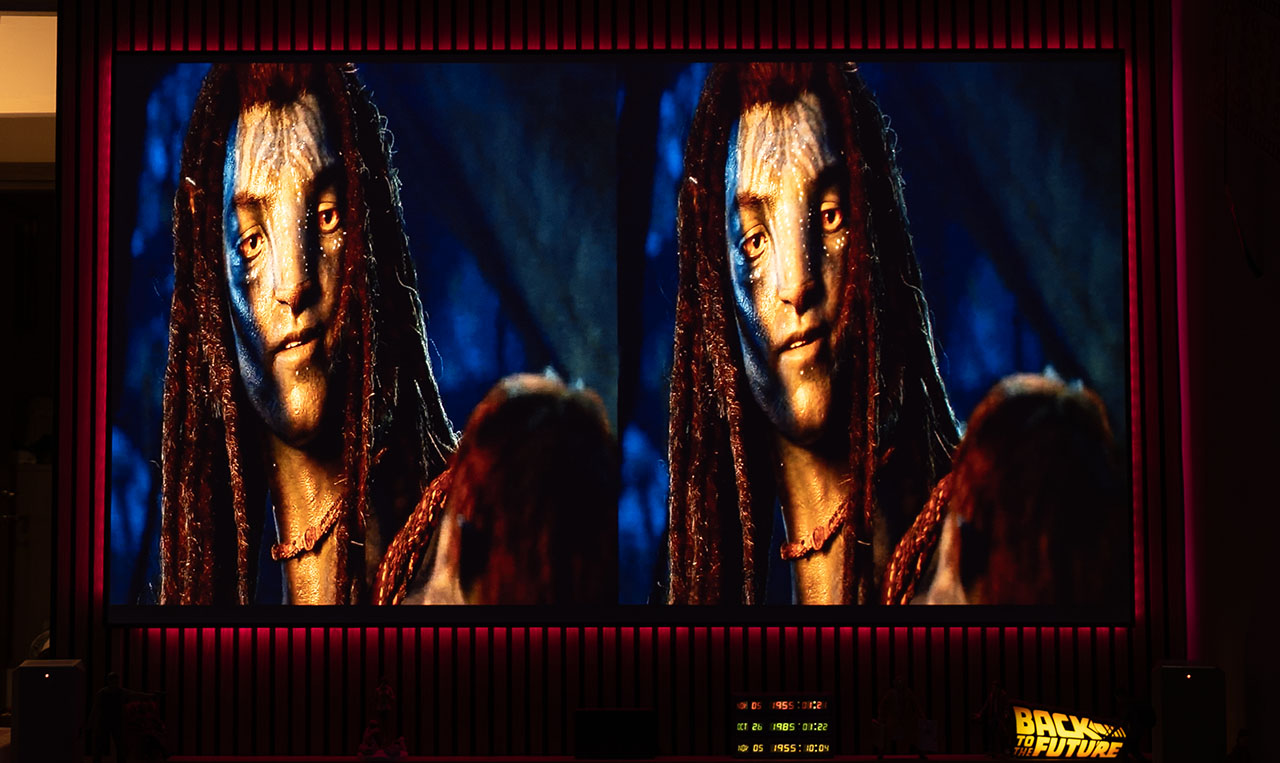
It’s a real pity, though, because the new DMD controller inside the Horizon 20 Max is technically ideal for 3D playback, Texas Instruments even makes special reference to its 3D capabilities in the official documentation.
Hopefully, XGIMI will review these findings carefully and address the synchronization timing in a future firmware update, as a proper tuning of the frame-packing 3D mode would easily elevate the Horizon 20 Max to the top of its class in 3D performance.
A pleasant surprise is that XGIMI’s impressive AISR upscaling algorithm continues to function even in 3D mode, improving fine detail and perceived sharpness.
Gaming with Horizon 20 Max
The first console I connected to the Horizon 20 Max’s HDMI port was, of course, my PS5, what else? The ALLM immediately kicked in, notifying me that it had activated the Standard Gaming Mode (the one that still allows keystone adjustment, unlike Extreme Mode, which disables all digital frame corrections for the lowest possible input lag). Within seconds, I had HDR image on screen.
The HDMI ports on the XGIMI are honestly some of the fastest I’ve ever experienced on any display device, you get a picture in just fractions of a second the moment you plug something in.
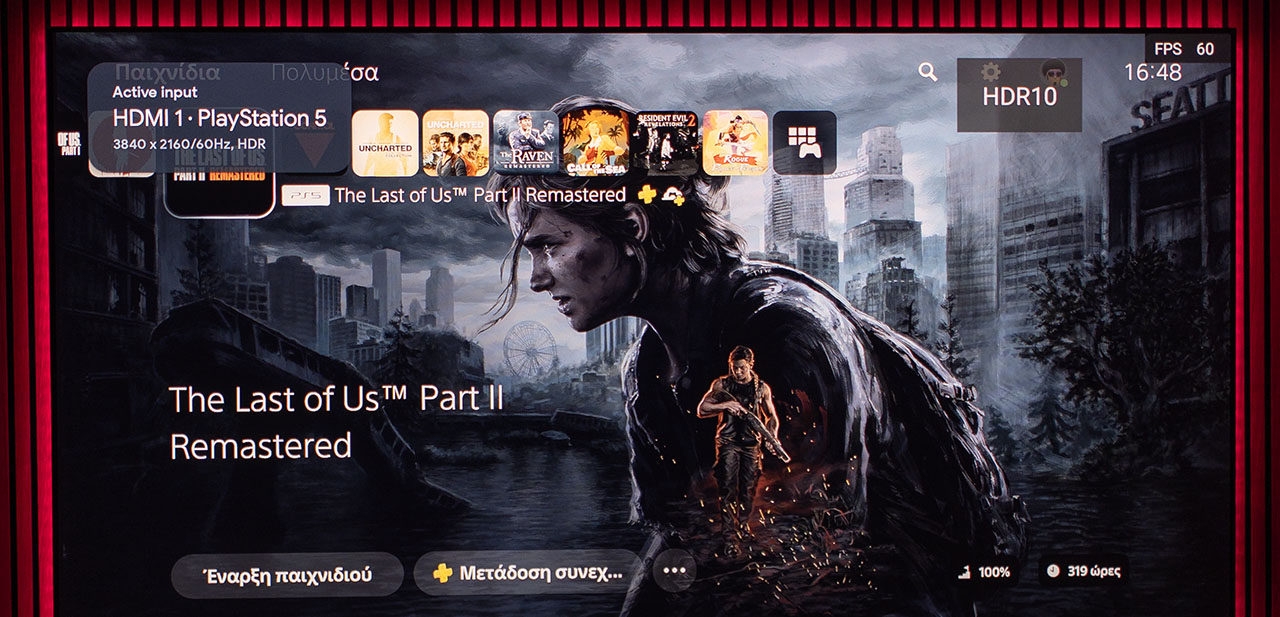
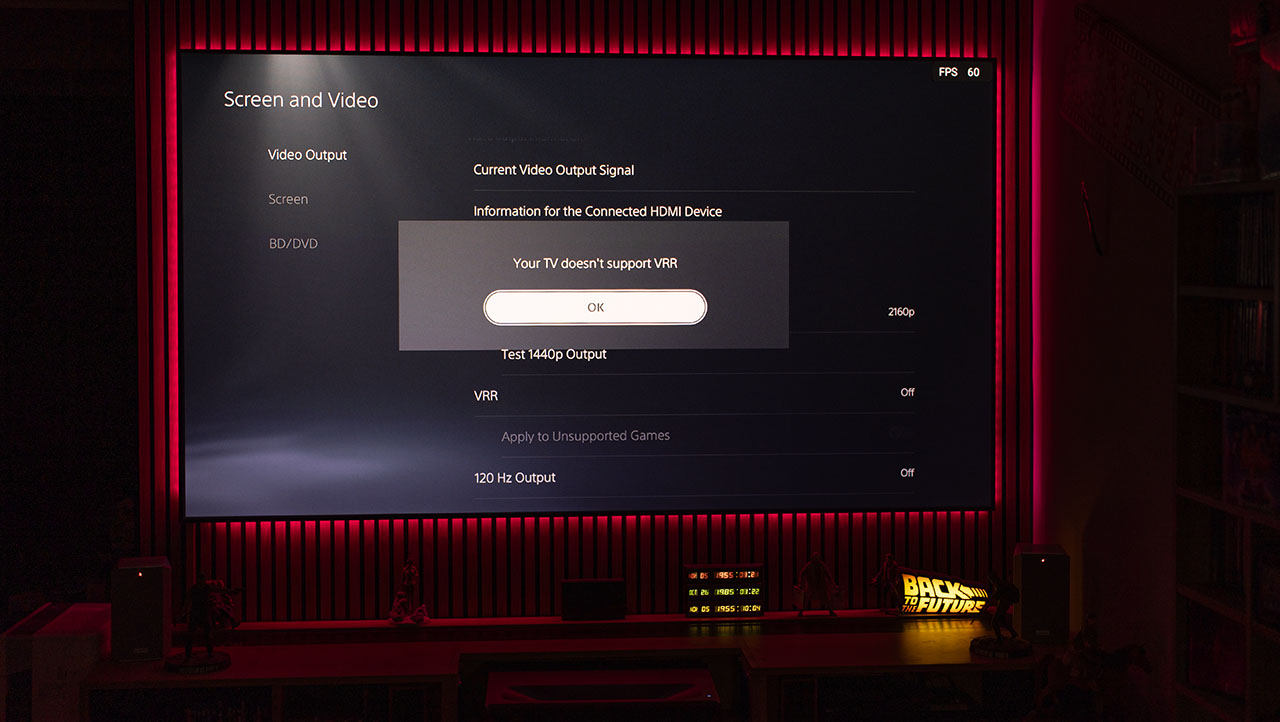
Unfortunately, the VRR option on the Horizon 20 Max was disabled as soon as I connected the PS5, and it wouldn’t let me turn it back on. As a result, the PS5 didn’t detect VRR support on the other end of the HDMI connection.
I’m not sure why this happened, maybe it’s the PS5’s fault, maybe not. I didn’t really look into it further, partly because VRR isn’t something I care much about, and partly because I was in a hurry to play!
What could be more natural for a reviewer, right?
I recently bought a new game for the PS5, Tormented Souls 2, and decided it would be the first title to test on the Horizon 20 Max, and believe me, I have absolutely no regrets about that choice.

Tormented Souls 2 takes you back into a world of mystery and fear, where silence feels alive and danger waits in the dark.
The game’s fantastic lighting and beautifully detailed environments create an atmosphere that keeps you on edge, your sense of fear growing with every step.
With its classic tank controls (reminiscent of the original Resident Evil), and a series of well-crafted puzzles, it perfectly captures that old-school survival horror spirit we all missed.
A masterpiece!
To all gamers out there, for heaven’s sake, don’t waste this masterpiece on a tiny 24-inch monitor or even a regular 50-60-inch TV. This game must be experienced on a big projection screen, with all the lights off and your phone set to airplane mode. Nowhere else!
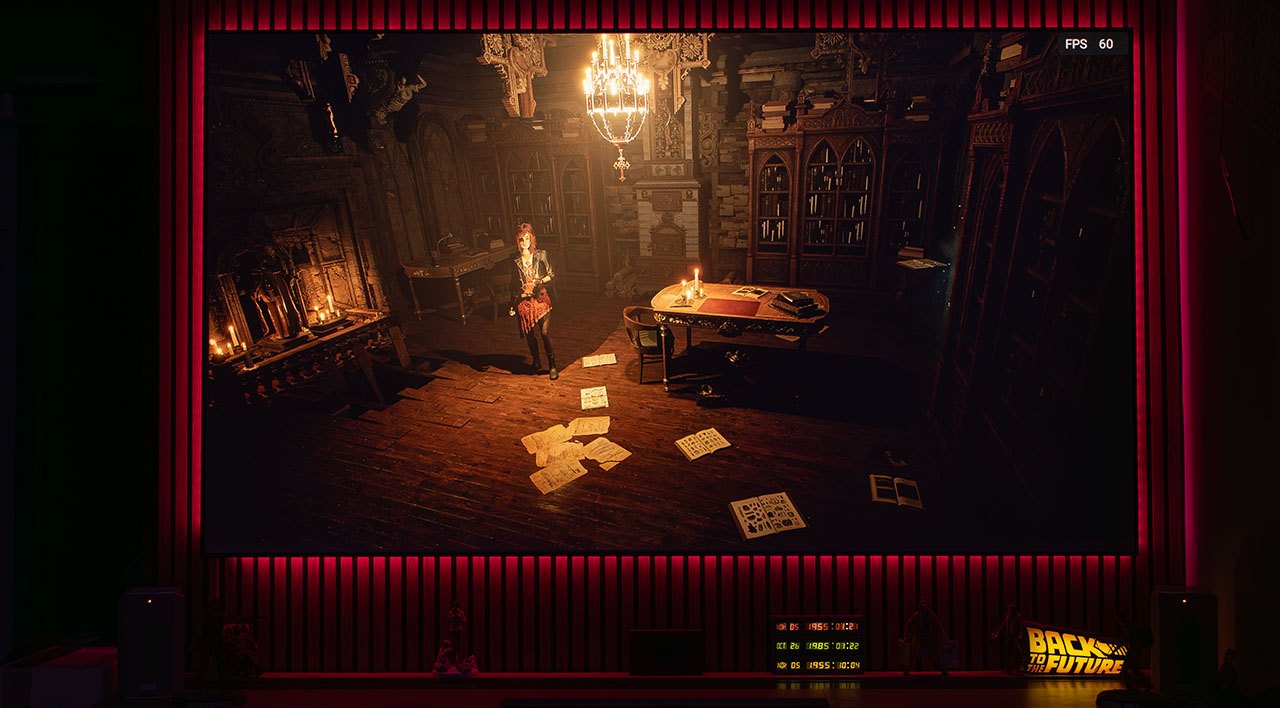
Beautiful, just beautiful. An image you simply can’t get enough of. Here, the Horizon 20 Max is truly playing at its absolute best.
The depth of the picture is incredible, with flawless shadow details in such a dark and demanding game, and a color balance so natural that when I tried to continue the game the next day on my regular 32″ Dell 4K monitor, I was shocked, it felt like a completely different, lifeless game!
The gaming experience you get with the BT.2020 color gamut and the crystal-clear 4K image on the Horizon 20 Max simply has no comparison to any gaming monitor on the market, period.
Now, let’s keep this between us, alright? I wouldn’t want it reaching the ears of the companies that trust me with their projectors to test and present to you.
One of the reasons my reviews sometimes take a bit longer to finish isn’t of course, because I spend too much time testing to provide the most objective and detailed review possible, that’s just a rumor.
The real reason is that when I reach the gaming part of my testing and start a really good game, I just get completely hooked and forget about everything else.
So let’s keep that our little secret, deal?
Of course, for my HDR vs SDR tests, input lag test, and the overall technical side of image and gaming performance, I had to bring out the heavy artillery, the Naughty Dog and the Uncharted 4: A Thief’s End.
What an absolute masterpiece that studio created back in 2016! Honestly, how many years ahead of its time was that game? Just for the record, I finished it again on the Horizon 20 Max, there was simply no way I could play it just for testing! Tell me now that you could!
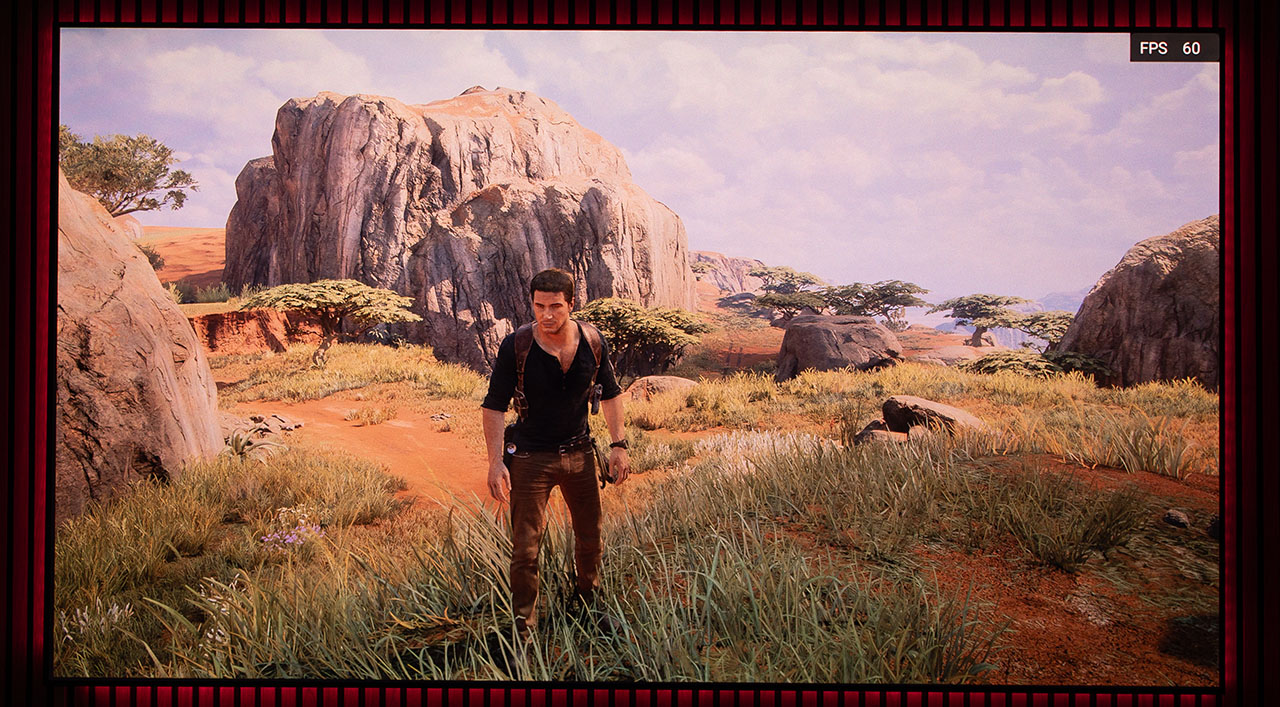
Below are two screenshots, one in HDR and one in SDR. Take a moment to look at them, and right after, I’ll share a few thoughts about HDR and gaming.
HDR
SDR
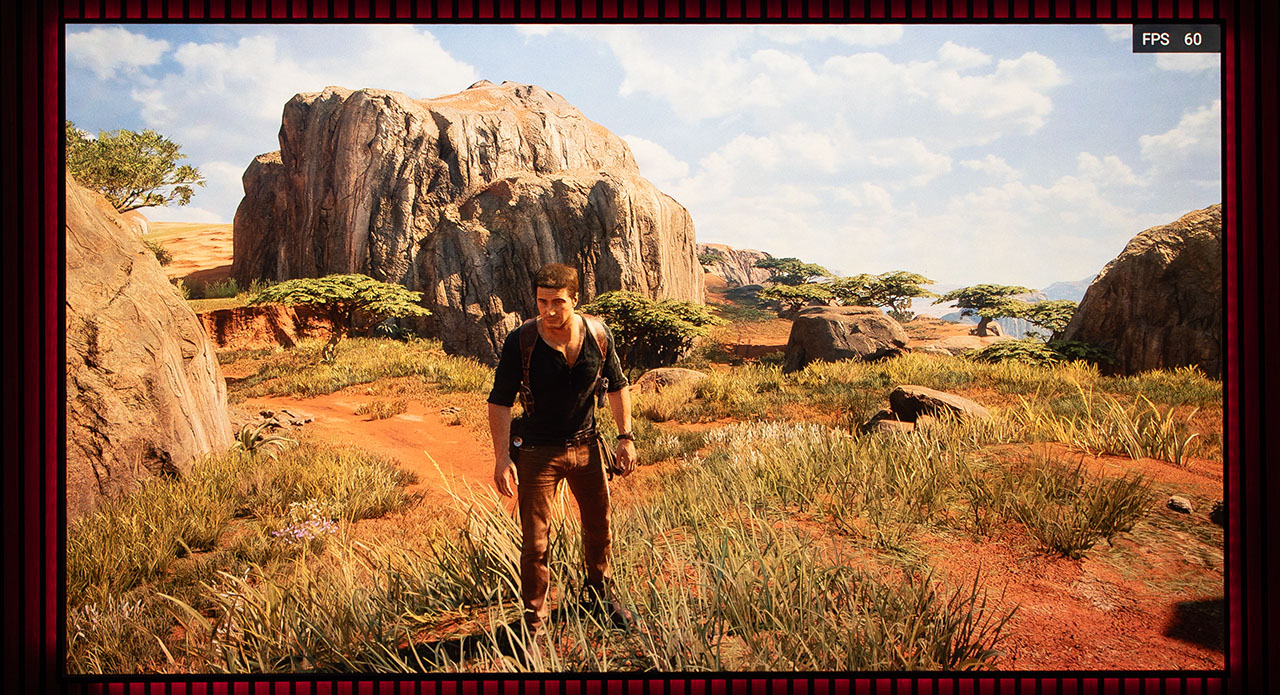
Sorry, but I’ll take SDR any day, hands down. What you’re seeing here has nothing to do with the Horizon 20 Max. I face the same issue with every console I own, no matter what display I test them on, from a JVC projector to an OLED TV. There’s simply a problem with HDR in gaming, and I’m sure I’m not the first to tell you that.
There are games where not design for HDR, no matter how perfectly you calibrate the PS5 and adjust the console and display brightness, the HDR image actually looks worse than the SDR version! There’s no defect here, don’t be fooled by the HDR screenshot showing a missing blue sky. I made the same mistake at first when I looked at my own screenshots, the damn Naughty Dog actually includes dynamic weather and moving clouds, and by the time I went into the PS5 menu to switch from SDR to HDR, it had already clouded over completely!
Overall, HDR rarely impresses me, and I don’t prefer it in about 90% of the games I play, whether on a monitor or any projector. As for the Switch 2, which I tested afterward, its HDR is even worse than the PS5’s.
It’s a pleasure to see a Nintendo Switch running in 4K resolution, isn’t it?
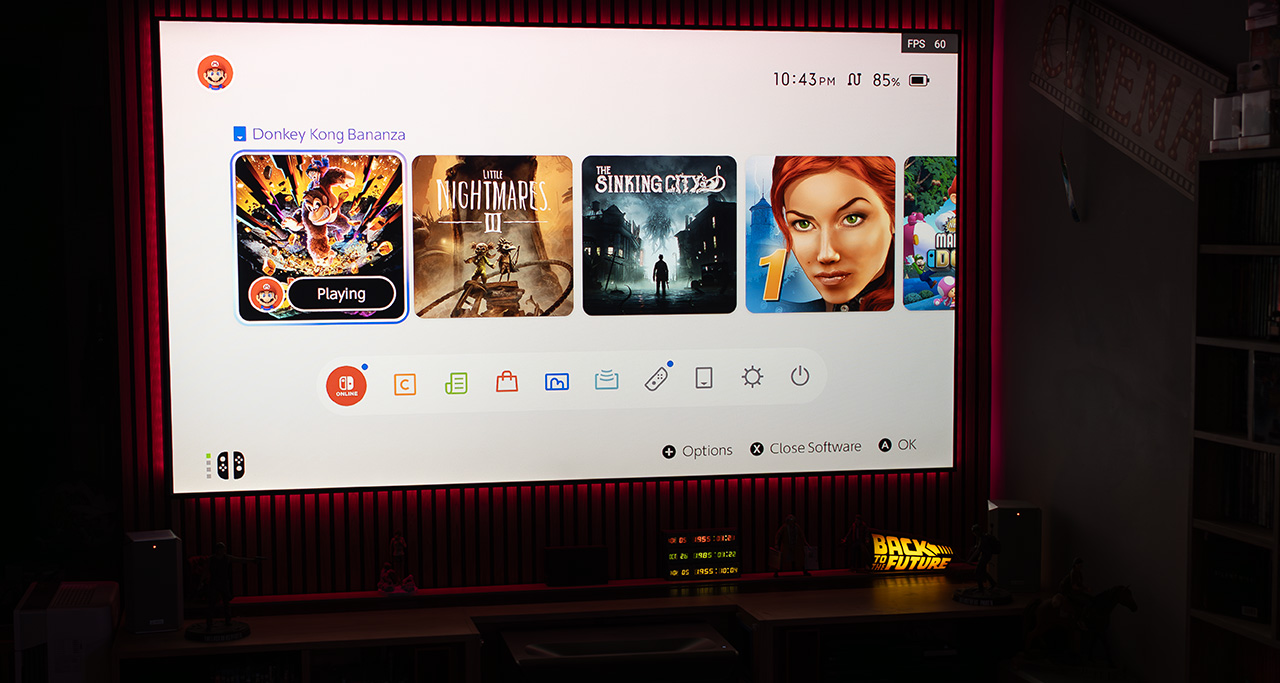
The ultimate game to play when you’re broke and can’t afford therapy sessions is called Donkey Kong Bananza!
And if you ever catch yourself having dark thoughts about punching that annoying supervisor we all have at work, calm down and start playing Donkey Kong Bananza immediately, every day after work.
Finally, the perfect game to test how much real input lag there is between the controller in your hands and the image you’re watching on the projector screen in front of you is, once again, Donkey Kong Bananza.
Of course, I play Donkey Kong Bananza every day after work to test the lag, obviously!
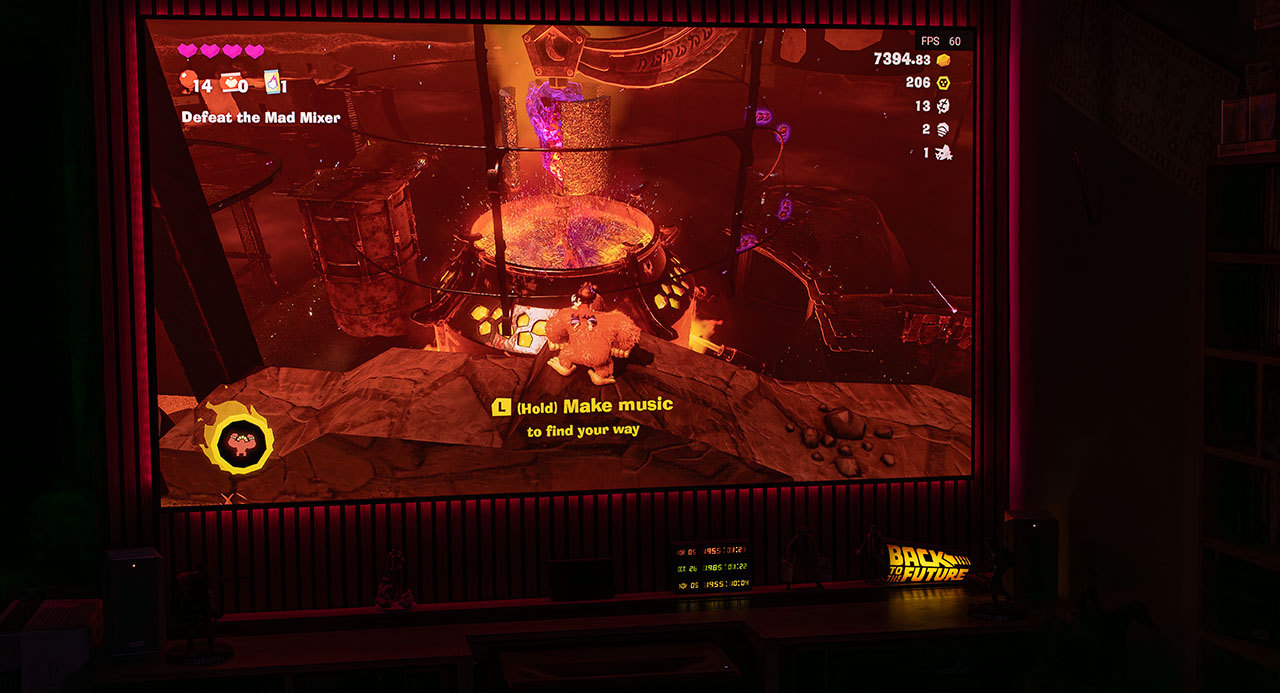
When it comes to the Horizon 20 Max, talking about lag simply makes no sense. I don’t care what the specs say or what the sensors measure, after more than 40 hours of gaming, I didn’t experience a single trace of lag, not even placebo-level one. It is by far the most capable RGB laser 4K projector ever made for the hardcore gamer.
And it’s not just about the practically zero input lag, its overall gaming performance is outstanding. It locks instantly with any console in a fraction of a second, recognizes it automatically, and switches to gaming mode right away. The picture quality, sound, and brightness are all exceptional, even for the most demanding users.
The Horizon 20 Max is a gaming projector that simple can also serve as a home theater machine for watching your favorite movies when you’re not playing games.
Almost forgot, the image enhancements “Local Contrast Control” and “Adaptive Luma Control,” don’t even think about touching them while gaming. Games don’t like them, and the artifacts they produce will completely ruin your gaming experience. Just leave them off! You can use everything else.
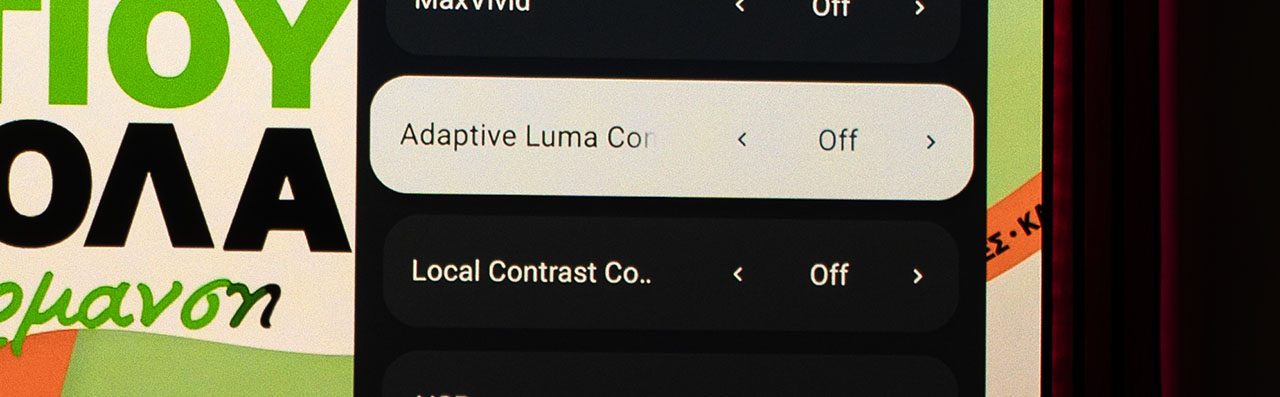
What I Loved on the Horizon 20 Max ✔
✅ I was genuinely impressed by its outstanding lens, which shows zero color aberration and delivers exceptional sharpness. The huge horizontal and vertical lens shift (+125% and +45%) is something you rarely find in DLP models and in no other lifestyle projector. Combined with its optical zoom (1.2–1.5), it makes placement flexibility effortless.
✅ The triple RGB laser light engine produces plenty of brightness (over 3,000 real lumens) and covers almost 100% of the BT.2020 color gamut. Most importantly, it has noticeably lower laser speckle compared to other models on the market. I’m not saying there’s no speckle at all, but it’s significantly less visible than on most competitors.
✅ Its HDR performance and overall internal dynamic tone mapping are excellent, delivering a truly impressive image.
✅ The response/speed and overall navigation experience within the Android TV 14 interface are lightning fast, smooth, and among the best I’ve seen on any Google TV–based device.
✅ The sound from its Harman Kardon speakers is superb, well-balanced out of the box and ideal for all types of content, from movies to music.
✅ I really liked the finish of the Horizon 20 Max, its outstanding build quality, and the overall elegance of its design.
✅ The ANSI contrast is very high, helped not only by its optics but also by the laser light engine itself. While the on/off contrast is moderate, in mixed scenes that require high ANSI contrast (bright and dark objects within the same frame), the Horizon 20 Max performs remarkably well.
✅ Its AI and image-enhancement algorithms work very effectively, providing plenty of tools and fine adjustments to shape the picture exactly the way you want it.
✅ In gaming, it delivers an impressive experience, both in terms of image quality (although HDR needs some attention) and input lag performance, making it one of the best lifestyle 4K DLP projectors available today. The ALLM and VRR support give gamers everything they need for a smooth and pleasant experience.
✅ Fan noise is very low, even at full laser power, with reasonable power consumption ranging from 90 to 165 watts, depending on brightness settings. Another highlight is its operational stability, the fan noise remains constant, with no sudden speed fluctuations or high-frequency tones from the XPR module or laser drivers, no matter the settings, and that’s very important for me.
What disappoint me on the Horizon 20 Max ✖
❌ You can fool a few people for a long time, or many people for a short time, but not many people for a long time. Personally, the claimed brightness of 5,700 ANSI lumens feels misleading (not technically, but practically) because the projector reaches that level only in a special, unusable in practice mode.
I consider this a cheap marketing trick, something the Horizon 20 Max doesn’t need in the first place, as it already delivers around 3,200 real lumens in its best calibrated mode, which still places it ahead of most competitors. It would have been more honest to list its true brightness, let’s say 3,500 ANSI lumens, and promote 5,700 lumens as a boost mode for special cases.
❌ I’m also not very happy with its native on/off contrast. At 1,500:1, it sits on the low end of what we typically see in DLP projectors. I expected something closer to 2,000:1 from a model with so much new technology inside.
❌ The Dynamic Black algorithm is completely unready for real use. I list this cautiously under the negatives, because technically, it works well in my opinion, it just needs better tuning and refinement, which I believe will come through future firmware updates.
❌ There are several bugs that make users life difficult. For example, the 2-point and 11-point white balance menus disappear when you enable AIPQ with no reason. No matter what laser power setting you choose for HDR or Dolby Vision, when you try another HDR content, the laser always jumps to level 10 (maximum). Even more annoyingly, if you manually set the laser power where you want it, it stays that way across all picture modes except Movie Mode, which resets to max power every single time.
Another bug I discovered is that when you select HDMI 2, whether or not a source is connected, the Horizon 20 Max loses all the digital adjustments you’ve made, such as keystone correction and digital zoom. And the strange part is, this only happens on HDMI 2! These are the kind of everyday firmware bugs that can become frustrating after a few weeks of use.
❌ I also need to mention the incorrect color remapping that occurs when you try to watch SDR or standard HD content (like TV) using a different color gamut than Rec.709. Technically, this isn’t something the Horizon 20 Max should or is obligated to handle perfectly. However, when almost all of its competitors allow you to switch between color profiles without completely ruining the color balance, why shouldn’t we expect the same from the 20 Max? Am I wrong?
❌ It doesn’t play native 4Κ24Hz, it performs a frame conversion instead. I’m listing this as a negative because, although with MEMC set to Low you’ll never really notice it (most users wouldn’t even realize it’s happening), some competitors, like the Valerion Pro 2, do support true 24Hz playback if you choose it.
❌ Its frame-packing 3D performance isn’t ideal, as it suffers from unstable synchronization between the glasses and the projected frames, resulting in visible flickering and noticeable eye strain.
Now tell me the truth, you all want to see the Horizon 20 Max in action, don’t you? Don’t worry, I won’t leave you disappointed. As always, I’ve prepared a special video just for you. Enjoy! (Sorry, the video ended up being a bit longer than I expected)

The firmware used for this review is version V0.1.81. I’ll update this review with any new firmware releases after testing them, to keep you informed about any changes.
A new beta firmware is out, and as I promised, I am updating this review with the following video
My Thoughts
The Horizon 20 Max is a completely new model from XGIMI, not just a slightly upgraded version of a previous one. It carries a wealth of new technologies, both in hardware (such as the new DMD controller from Texas Instruments and the next-generation triple-laser engine) and in software (with Android TV 14, AI algorithms, and more).
Like every brand-new model rushing to stay ahead of its competitors, it comes with a few firmware imperfections that clearly need improvement. But we’re talking about XGIMI here, not just any company in the field, so I’m certain they’re already working on a new firmware for the Horizon 20 Max, and it’s only a matter of time before we see it released OTA (My feeling is that during the development of the Horizon 20 Max, there was a lack of proper beta testing).
For me, beyond all the negatives I’ve thoroughly analyzed in this review, the most important thing is that after two months of daily use, my overall experience is not just positive, it’s genuinely exciting.
I actually found myself looking forward to every free moment just to play with it, like a kid with a new toy. And that, I think, says everything about the level of enjoyment this projector offers its user.
Every time I turned it on, I had the same thought: “Is this stunning image really coming from that tiny little box?”
Technology in projectors has come a long way, and those of us who witness this incredible progress can’t help but be amazed again and again every time we experience a new product like the Horizon 20 Max.
You place this small, elegant, stylish device on your living-room table, a box that sits on a built-in gimbal, and within less than a minute, you’re watching a colorful 4K image that’s crispy as hell and bright enough to lift your mood, no matter how bad your day was.
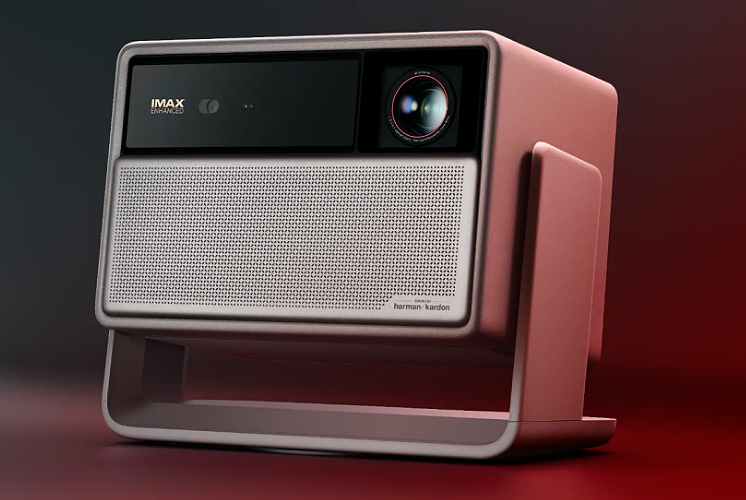
That’s the Horizon 20 Max.
Until our next review, I wish you all the very best and remember, bring the joy of a personal home cinema into your life, it’s worth it, trust me.
Nikos Tsolas
21 Comments
Amazing review! I’m confused that you had issues with 3D, however. TheHookup ranked this as the TOP 3D performer for 3D effect and comfort (no eyestrain) amongst all competitors including the Valerion Pro 2 and Max! How is that possible if there is an issue like you have described?
Great review – thanks!
I am very interested in your comparison to the Valerion Pro2. Which is the better projector in terms of the final image quality?
Seems the native contrast is roughly the same (with one pixel) and colors are almost the same as well. EBL/DBLE seems is also about the same contrast although DBLE screw up the colors more than EBL.
Another question: AIPQ seems to be doing good things for the image. Is this only enabled in HDR and not SDR?
Bonjour
et merci pour ce test honnête, vous etes l’un des seuls à qui on peut se fier,
Donc si je comprends bien ce Xgimi vous à vraiment enthousiamé, une simple question
si leur algorithme DBLE était finalisé pourrait il surpasser le valerion 2 car j’hésite entre les deux.
Excellent, amazingly in-depth review. You explained the 3D issue better than I did on AVSForum… I noticed judder in 3D MVC playback, but your synchronization explanation makes more sense. Also, activating 3D is a pain: multiple steps in Settings to get to and switch to the right 3D mode. Having said this, the 3D has a more natural look vs. Valerion Max’s more digital look, and has slightly better saturation/colors. But, 3D is better overall on Valerion at this point. Same depth, separation, and pop-out effects however between the two.
Hello, could you please confirm that the horizontal lens shift is not ±45% (45% left and 45% right), but only ±22.5%?
Brilliantly written review. If you have an option to review Horizon 20 Pro as well, would like to see it. Thanks 🙏
Sembra un ottimo prodotto anche se io all’HDR e ad una serie di magheggi di moda attualmente prferisco un proiettore corretto con un’ottima ottica e penso che qui ci siamo, un buon contrasto e resa dei neri.
Difatti io continuo ad utilizzare il mio Runco LS3 con chip 0,95″ che mi da ancora una resa analogica e bei colori che a me piace molto.
Spero che presto potrai provare il Titan di Xgimi, che penso potrebbe essere una svolta con il chip da 0,78″
Che ne pensi ?
Thank you for the excellent review, Nikos !
Would you let us know your 2-point white balance correction for this projector ?
Your work is very much appreciated, and we’ll be purchasing the XGIMI this holiday season.
Oh woww.. never seen such a detailed review before.. it looks phd research paper 🙂
Thanks, i enjoyed reading the content.
Amazing review. Thank you !
WOW! Another truly amazing review ! You are a remarkable reviewer. I hope many are aware that projector junkies is one of a kind! Well done Nikos!
I am on the fence on this one vs the upcoming Titan. I saw your JVC vs Valerion Max on YouTube. My Valerion Max doesn’t compare well against my old JCS RS540 out of the box. Perhaps, you being an expert and calibrate the projectors, you get a very different picture quality. Even though there are variation in individual units, it would be very helpful if you could share your calibrated settings in your review. It will give us a starting point to get accurate picture. My old meter would not read these RGB Laser projectors at all, hence the Max doesn’t look right to me uncalibrated. I don’t like it.
Τhank you Alex, in my upcoming MAX review I will share all the settings for every possible scenario!
Excellent! Many thanks in advance !
Hello, amazing information! Thank you very much!
I’m trying to decide between the Nebula X1 and this XGIMI unit.. Your reporting on the superb native contrast of the X1 using the iris has me feeling like you presented the X1 as the clearly superior unit when it comes to contrast– but I’m not certain on that, only because you didn’t provide nearly as much information regarding the contrast of the XGIMI.
Can you speak a little more about comparing the two units in regards to contrast? It sounds like both units have DBLE, but only the X1 has the iris which seems to have a dramatic affect on contrast, and considering they have nearly the same brightness output… I’m suffering a bit of analysis paralysis 🙂
I bought a horizon max and I see flickering in people’s eyes.
Do you happen to see this anywhere or did I get a bad unit?
Dear Nikos,
Thank you for the extremely detailed deep dive! I am concidering this as my first step into the world of projectors, and I wanted to ask about how the AI “upscaling” handles DVD content, e.g. 480i resolution sources. I have a bluray set of Farscape that due to the original film reels being lost, has been made using PAL masters, so the image quality is as good as it is going to get at source. Any comment on the performance on lower quality source would be greatly appreciated.
Best regards,
Alex
Hi Nikos, according to this
https://www.avsforum.com/threads/ask-anything-with-xgimis-product-manager.3333694/page-6
there is a new firmware available that fixes several issues, any chance you can review in the next few days in case we can catch up with Black Friday deals?
Thanks in any case for the work you do!
To enable VRR on PS5, you have to enable VRR in the advanced settings of the projector first (by enabling the options ‘Projector super frame’ and ‘Refresh rate’).
Is there a review of valerion max yet?
Great review. I have the Horizon 20 and am very pleased with it. I can’t figure out how to program the shortcut and live TV buttons nor can I find any information on how to do it. Can you point me in the right direction?
Thanks,
I dont see anything regarding RBE, did I miss that?